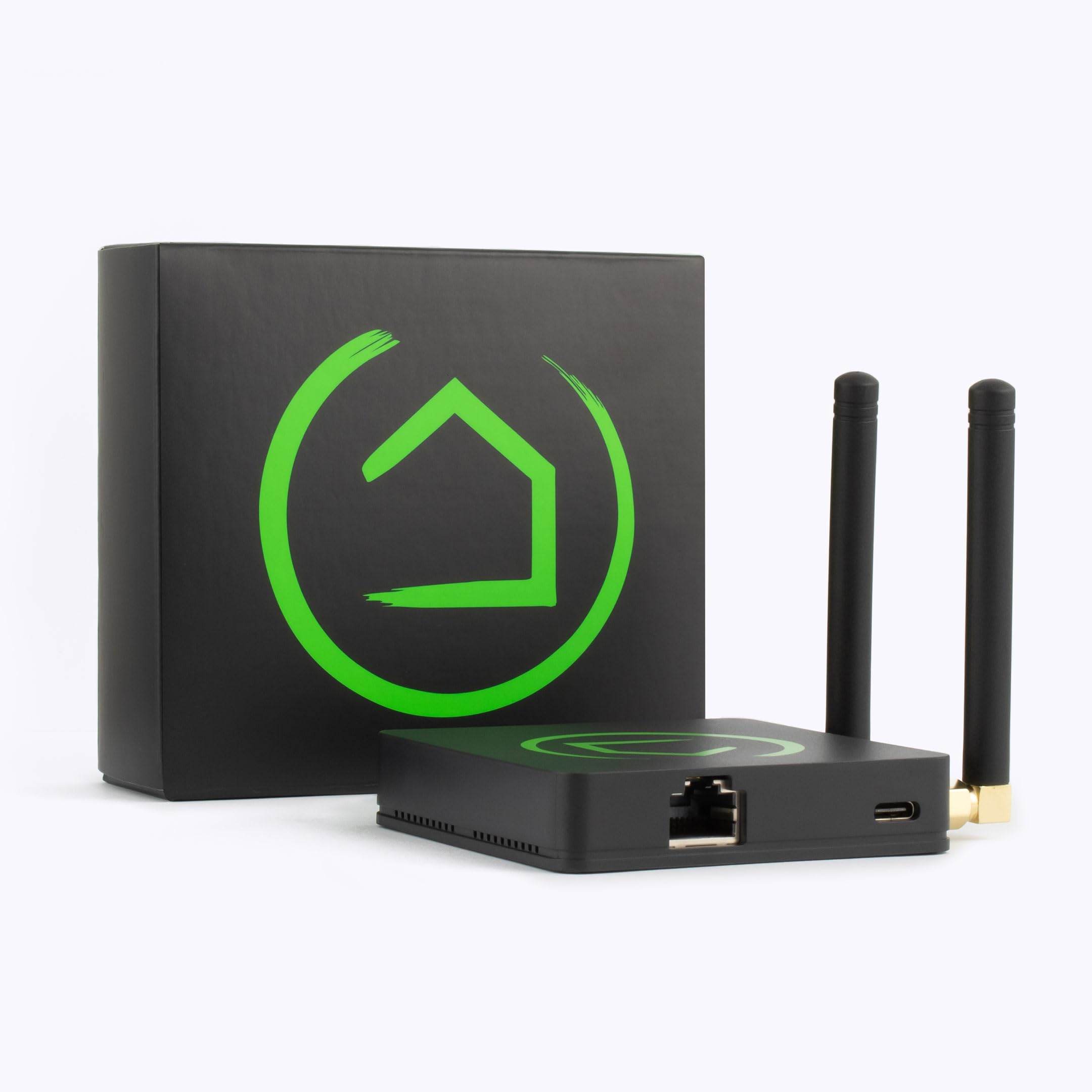
The Hubitat Elevation Local Smart Home Hub with Zigbee and Z-Wave (C-8) is a professional-grade smart home controller designed for users who prioritize speed, privacy, and reliability. By processing all automations locally on the device rather than in the cloud, it eliminates latency and ensures your home remains "smart" even when the internet goes down. While it has a steeper learning curve than consumer-grade hubs, its support for Zigbee, Z-Wave, and LAN devices makes it one of the most versatile controllers on the market.
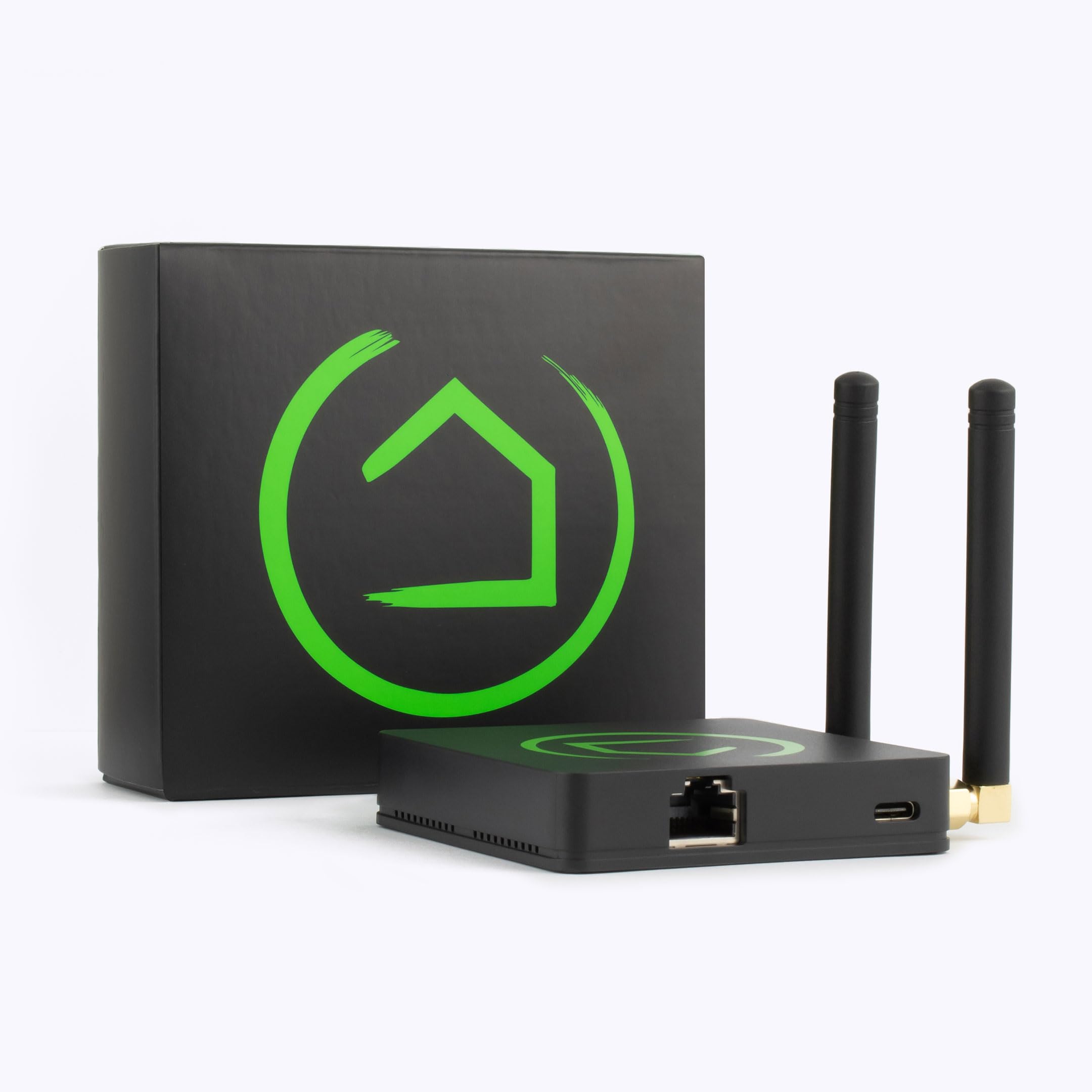
Top Pick: Hubitat Elevation Local Smart Home Hub with Zigbee and Z-Wave (C-8)
Score: 9.1/10 — The definitive local-processing hub for privacy-focused enthusiasts who want fast, cloud-independent smart home automations across Zigbee, Z-Wave, and LAN devices.
Hubitat Elevation Local Smart Home Hub with Zigbee and Z-Wave (C-8)
The Hubitat Elevation Local Smart Home Hub with Zigbee and Z-Wave is built around a single defining idea: your smart home should run on your own hardware, not someone else's server.
Every rule, schedule, and trigger executes on the device itself—a critical feature for those integrating a home security system where reliability is non-negotiable (see also our Cove Home Security guide for professional-grade alternatives). For those looking for different tiers of protection, comparing a SimpliSafe 12-piece kit or the Ring Alarm Pro can help determine the right hardware density for your layout. This is why the Hubitat Elevation Local Smart Home Hub is so effective; lights still respond instantly and motion automations keep firing even when your broadband goes down. For anyone who has watched a cloud outage take their whole home dark, that local-first design is the headline feature.Connectivity is where the C-8 earns its keep. It speaks Zigbee, Z-Wave, and LAN-based protocols natively, which means it can sit at the center of a mixed ecosystem rather than locking you into one vendor's product line. That broad compatibility opens the door to hundreds of popular sensors, switches, bulbs, and locks—ideal for those pairing with a robust camera system like the Arlo Pro 4 or the Arlo Pro 4 4-Pack for whole-home coverage. The upgraded onboard radios over previous models also deliver noticeably improved range and reliability for both Zigbee and Z-Wave networks, which matters in larger homes or houses with dense walls. By eliminating the "cloud hop," the latency between a sensor trigger and an action is reduced to milliseconds.
This hub is squarely aimed at automation enthusiasts and privacy-conscious users. The Rule Machine engine and dashboard tools are powerful, but they expect you to think in terms of triggers and conditions rather than tapping through a polished consumer app. If you enjoy fine-tuning behavior and keeping data off the cloud, that trade is a feature, not a flaw. It provides a level of granularity—such as complex boolean logic and variable-based triggers—that simply does not exist in basic consumer hubs.
It is less ideal for someone who wants a plug-and-play experience with minimal setup.
If you prefer a more intuitive setup, consider the Amazon Echo Hub, the Amazon Echo Show 15, or the Samsung SmartThings Hub.
There is a real learning curve with the C-8, as the interface prioritizes capability over visual gloss. However, for the target buyer, the C-8 offers a level of control and resilience that cloud-tethered alternatives simply can't match, making it a professional-grade choice for the modern connected home.Pros
- Automations run locally—fast and works without internet
- Broad protocol support: Zigbee, Z-Wave, and LAN
- Upgraded radios improve range and mesh reliability
- Strong privacy: data stays on your hardware
- Powerful rule engine for advanced automations
Cons
- Steeper learning curve than consumer-focused hubs
- Interface favors capability over polish
- Not ideal for users wanting a no-setup experience
| Specification | Detail |
|---|---|
| Model | C-8 |
| Category | Smart Home Hubs & Controllers |
| Processing | Local / on-device |
| Protocols | Zigbee, Z-Wave, LAN |
| Cloud Required | No (runs offline) |
| Radio | Upgraded Zigbee & Z-Wave (C-8 Series) |
Deep Dive: How Local Processing Works
To understand the value of the Hubitat Elevation C-8, one must understand the difference between Cloud-Based Processing and Local Processing. In a typical cloud-based setup, when you press a smart switch, the signal travels from the switch to the hub, from the hub to the manufacturer's server (often thousands of miles away), is processed by the server, and then sent back to the hub and finally to the light bulb. This "round trip" introduces latency and creates a single point of failure: if your internet is down, or the manufacturer's server crashes, your lights don't turn on.
The C-8 eliminates this trip. The "brain" of the operation resides physically inside the plastic chassis of the hub. When a Zigbee motion sensor detects movement, the Hubitat C-8 processes that trigger and sends the command to the Zigbee bulb in a fraction of a second. This results in a "snappy" feel to the home—no more waiting for the cloud to catch up. Furthermore, this architecture ensures that your home's critical functions—such as leak detection shutting off a water valve—work even during a total ISP blackout. This is especially critical when managing high-risk areas with a battery backup sump pump, where immediate notification of failure is paramount.
From a privacy perspective, local processing means your behavioral data—when you wake up, when you leave the house, which rooms you frequent—never leaves your local area network (LAN). While the hub can connect to the internet for remote access and firmware updates, the core logic of your home is not being harvested by a third-party cloud provider for data mining or advertising purposes.
The Hardware Architecture of the C-8
The C-8 is not just a software update; it represents a significant hardware shift. The inclusion of updated Zigbee and Z-Wave radios means the hub can handle more "nodes" (devices) without experiencing the congestion typical of older hubs. The internal memory and processor are optimized for the Rule Machine's complex logic, allowing it to evaluate hundreds of conditions per second without lagging.
Unlike many hubs that rely on an external antenna, the C-8 is designed to maximize signal propagation. This is particularly important for Z-Wave devices, which operate on a lower frequency and can penetrate walls better than 2.4GHz signals, but still require a stable "anchor" to keep the mesh healthy. This hardware stability is what prevents the "ghosting" effect where devices appear offline even though they are powered on.
The Core Technologies: Zigbee, Z-Wave, and LAN
The Hubitat Elevation C-8 is a "universal translator" for the three most important languages of the smart home. Understanding these helps you choose the right sensors and switches for your home.
Z-Wave: The Reliability Standard
Z-Wave is a low-power radio protocol that operates on a different frequency than Wi-Fi (typically around 900MHz), meaning it doesn't interfere with your internet connection. It is highly regarded for its reliability and "mesh" networking capabilities. In a Z-Wave mesh, every mains-powered device (like a light switch) acts as a repeater, extending the signal to distant sensors.
The C-8 utilizes the latest Z-Wave standards, ensuring compatibility with a massive array of locks, thermostats, and switches. Because Z-Wave is a proprietary standard with strict certification, devices from different brands generally play better together than they do in the Zigbee ecosystem. This makes Z-Wave the gold standard for critical infrastructure like door locks and water valves.
Zigbee: The Speed and Scale Option
Zigbee is similar to Z-Wave in that it creates a mesh network, but it operates on the 2.4GHz spectrum. It is often found in cheaper sensors and high-end lighting systems. The C-8's upgraded Zigbee radio allows it to manage a larger number of simultaneous connections with fewer "drops," making it ideal for those who want 50+ smart bulbs and sensors throughout the home.
Zigbee is generally faster and supports more devices per single node than Z-Wave, though it can occasionally conflict with 2.4GHz Wi-Fi if not configured correctly. For those building a massive lighting array, Zigbee is often the preferred choice due to the abundance of available bulbs. With the C-8, users can bypass the need for multiple proprietary bridges, consolidating their lighting control into one local interface.
LAN (Local Area Network) and IP Integration
Beyond radio protocols, the C-8 communicates via your home network. This allows it to integrate with Wi-Fi devices that have local APIs. This means you can link the hub to your network-attached storage, certain smart TVs, or specialized IP-based controllers without needing to route those commands through a cloud server.
This "LAN-first" approach is what makes the Hubitat so extensible for power users. Whether you are integrating a Sonos system, a KDI speaker network, or a custom Raspberry Pi script, the C-8 acts as the orchestration layer that ties these disparate IP devices into a single automated routine. It allows the user to create "virtual devices" that can act as triggers for other physical devices, effectively creating a programmable logic controller for the residential space.
Buyer's Guide: Is the C-8 Right for Your Household?
Choosing a hub is more about choosing a philosophy than choosing hardware. To determine if the Hubitat Elevation C-8 is your best bet, consider these three personas:
The "Tinkerer" (Perfect Fit): If you enjoy spending a Saturday afternoon configuring "If-Then-Else" logic, creating custom dashboards for an old tablet mounted on the wall, and researching which Z-Wave sensor has the best battery life, the C-8 is your dream machine. It gives you the keys to the kingdom. You aren't limited by what a developer thought you should be able to do; you are limited only by your own logic.
The "Privacy Advocate" (Perfect Fit): If the idea of a voice assistant "listening" or a company knowing exactly when you enter your bedroom makes you uncomfortable, the C-8 is the logical choice. Because it doesn't require a cloud account to function, you can essentially "air-gap" your home automation. Your data stays in your living room, not in a data center in another state.
The "Plug-and-Play" User (Poor Fit): If you want to buy a bulb, screw it in, and have it "just work" via a colorful, intuitive app with zero configuration, the C-8 will frustrate you. The interface is functional and powerful, but it lacks the "polish" of a consumer product. You will spend more time in the settings menu than the average user.
Detailed Setup and Installation Walkthrough
Setting up the Hubitat Elevation C-8 is a straightforward process, but the optimization phase is where the real work happens. To get the most out of your hardware, follow this specific sequence:
Pro Tip: Always pair your mains-powered "repeater" devices first before pairing battery-operated sensors. This builds the "skeleton" of your mesh network, ensuring sensors have a strong path back to the hub.
- Physical Placement: Place the hub in a central location of your home. While the C-8 has upgraded radios, placing it inside a metal cabinet or behind a giant subwoofer can degrade signal quality. For best results, keep it on a shelf in an open area, away from other strong 2.4GHz emitters.
- Network Connection: Connect the hub to your router via the provided Ethernet cable. While some hubs offer Wi-Fi, a hardwired connection is mandatory for the C-8 to ensure the lowest possible latency and maximum stability for your LAN devices.
- Initial Configuration: Access the Hubitat web interface via your browser using the hub's IP address. You'll set up your administrator account and perform initial firmware updates. It is highly recommended to check for updates immediately to ensure you have the latest radio drivers.
- Device Pairing: Begin pairing your devices one by one. When pairing Z-Wave devices, use the "inclusion" mode. For Zigbee, use the "pairing" mode. If a device is far from the hub, you can use "network-wide inclusion" to pair it through a closer repeater.
Advanced Maintenance and Optimization
Unlike a simple smart plug, a local hub requires occasional "tuning" to maintain peak performance. As you add more devices, the complexity of the mesh network increases, which can lead to intermittent communication failures if not managed properly.
Z-Wave Network Healing
Z-Wave networks are dynamic. If you move a piece of furniture or remove a smart switch, the "route" the signal takes to get to a sensor might be broken. The C-8 features a "Z-Wave Repair" function. This tells every device in the network to rediscover its neighbors and find the most efficient path back to the hub. We recommend running a network repair once after every major device addition or removal to prevent "dead nodes."
Managing Zigbee Interference
Since Zigbee operates on the 2.4GHz band, it shares airwaves with your Wi-Fi router and your microwave. If you notice your Zigbee bulbs are lagging, the first step is to check your Wi-Fi channel. Most routers are set to Auto; manually setting your Wi-Fi to channel 1 or 6 often clears up space for Zigbee to operate on channel 20 or 25 without interference.
Backup and Recovery Strategy
Because the C-8 stores all your logic locally, a hardware failure could theoretically wipe your entire home's intelligence. To prevent this, the C-8 allows for automated cloud backups. These backups do not send your device data to the cloud for processing, but rather store an encrypted snapshot of your configuration. In the event of a hardware replacement, you can restore your entire ecosystem—rules, dashboards, and device names—in minutes.
The "Rule Machine": The Power Behind the C-8
The heart of the Hubitat experience is Rule Machine. For the uninitiated, this is essentially a visual programming environment. While basic hubs offer "If X happens, then do Y," Rule Machine allows for nested logic and state-based variables.
Example of Basic vs. Advanced Automation
Basic Hub: "If motion is detected in the hallway, turn on the hallway light."
Hubitat Rule Machine: "If motion is detected in the hallway, AND it is between 11 PM and 6 AM, AND the bedroom door is closed, then turn on the hallway light to 10% brightness. If no motion is detected for 5 minutes, turn the light off, BUT only if the 'Sleep Mode' variable is set to True."
This level of control allows users to create "scenes" that feel intuitive rather than robotic. You can create variables that track the "State" of the house—such as "Away," "Entertaining," or "Night"—and make every device in the home react differently based on that state. This is the primary reason why professional installers and smart home hobbyists prefer the C-8 over more streamlined alternatives.
Common Pitfalls and How to Avoid Them
Even for experienced users, the transition to a local-first hub can come with challenges. Avoiding these common mistakes will make your setup process much smoother.
Pitfall 1: Overloading the 2.4GHz Band. Many users buy 50 Zigbee bulbs and 20 Wi-Fi plugs, then wonder why the hub is slow. Remember that while the C-8 processes the logic locally, the wireless airwaves are a limited resource. Balance your device types. Use Z-Wave for critical sensors and Zigbee for lighting to keep the radio traffic distributed.
Pitfall 2: Ignoring Device Driver Updates. Hubitat relies on "drivers" to tell the hub how to talk to specific hardware. If a device isn't working as expected, it's often n