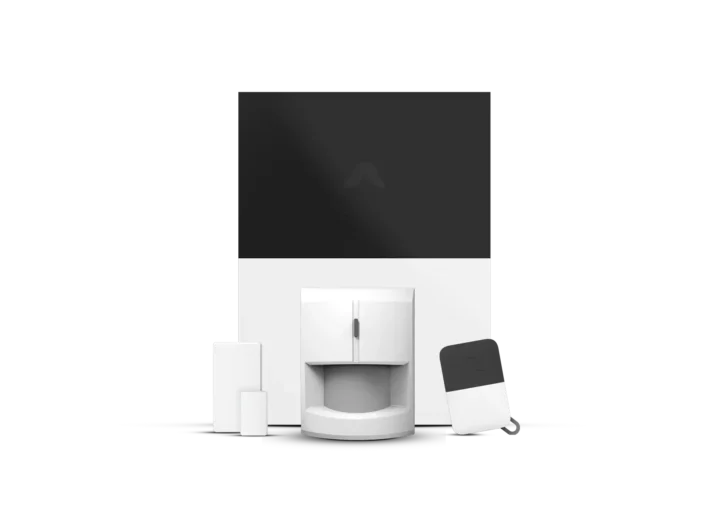
Abode Smart Security Kit with Home Automation Support
Score: 8.6/10 — A flexible smart security starter kit with strong home automation support, broad ecosystem compatibility, and no mandatory monthly subscription for basic use.
Overview
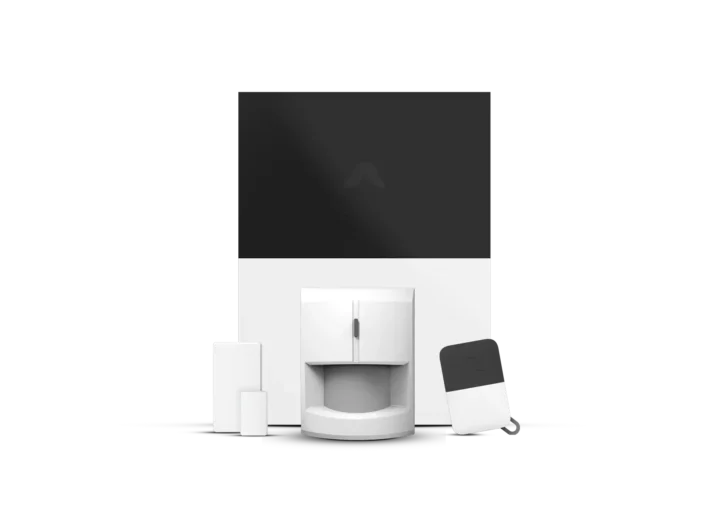
The Abode Smart Security Kit with Home Automation Support is a premier choice for homeowners seeking a professional-grade DIY security system that integrates seamlessly with smart home ecosystems. It offers a professional-grade foundation with deep smart home automation and broad ecosystem compatibility without mandatory subscription fees.
If you're comparing different DIY approaches, our SimpliSafe (SS3-13PKGCAM) review offers another perspective on integrated security, while those looking for a fully managed setup can explore our Vivint (VPK-2GIG-GO2) review. If you're specifically interested in camera-heavy setups, see our Arlo Essential (VMK4352W) review for high-end outdoor monitoring.cta">Check price on AmazonIt combines professional-grade home security with robust smart home automation support, giving users a central platform for monitoring entry sensors, adding connected devices, and building complex routines around locks, lights, sensors, and voice assistants.
Its biggest appeal is flexibility. Unlike many home security systems that push users toward a mandatory monthly plan via restrictive software locks, the Abode Smart Security Kit with Home Automation Support can be used for self-monitoring without a required subscription.
This makes it especially attractive for homeowners, renters, and tech-savvy users who want complete control over their monthly overhead while still retaining the option to add professional monitoring services—similar to the ADT Self Setup 10-Piece Wireless Security System or the ADT Self Setup 12-Piece Home Security Kit—later if their lifestyle changes.This is also a strong fit for people who already use multiple smart home platforms. Compatibility with Amazon Alexa, Google Assistant, Apple HomeKit, and Z-Wave devices gives this kit a wider integration path than most entry-level security offerings. If your goal is to create a connected home where security devices work alongside lighting, climate control, and smart locks, the Abode Smart Security Kit with Home Automation Support is built specifically for that kind of interoperable ecosystem.
How It Works: The Architecture of Abode
At the heart of the Abode Smart Security Kit with Home Automation Support (B0C5S53G71) is the Smart Security Hub.
Related parts & accessories
For a more compact footprint, consider the Abode Iota All-in-One Home Security Kit or the Abode Smart Security Kit with iota All-in-One Security Hub, which integrates the hub and camera into a single device.
Related parts & accessories
When a sensor is triggered—such as a door opening or a motion detector firing—the hub processes the signal instantly. Depending on your settings, the system will either trigger a local siren (or a dedicated indoor siren), send a push notification to your smartphone, or execute a "scene." A scene is where the automation support truly shines; for example, you can set the system so that when the security kit is disarmed, the hallway lights turn on and the thermostat adjusts to your preferred "home" temperature.
For those optimizing home climate control, check out our MrCool DIY mini-split buying guide for efficient cooling and heating.
The self-monitoring aspect works through the Abode mobile app. For those also looking to secure their basement against water damage, our Basement Watchdog (BW1033) Review and our comprehensive guides to basement water management cover essential flood prevention.
If you are comparing this to other high-end DIY options, such as the Eufy Security Alarm (S330) or looking for a professional-grade alternative like Vivint, (see our detailed Eufy Security Alarm review), our Ring Alarm Pro 14-Piece Kit provides a helpful contrast in ecosystem integration.
For those weighing a full system against a camera-first approach, comparing this to an Arlo security setup or exploring the ADT Self Setup 9-Piece Home Security Kit with 24/7 Professional Monitoring can help clarify your needs. For those looking to integrate high-end surveillance cameras into their security layer, our Arlo Pro 4 Spotlight Camera Security Bundle offers a great deep dive into outdoor monitoring. You receive real-time alerts on your phone regardless of where you are in the world. Because the system is IP-based, you don't need a dedicated landline. For those who eventually decide they want professional monitoring, the transition is seamless—you simply toggle the subscription in the app, and Abode's monitoring centers gain the ability to dispatch emergency services on your behalf.Beyond the basic alarm, the system handles "state management." This means the hub knows not just if a door is open, but the context of that opening. If the system is in "Home" mode, a front door opening might simply trigger a greeting light. If it is in "Away" mode, that same event triggers a full-scale alarm. This logical layering is what separates the Abode Smart Security Kit from simple "plug-and-play" sensors that merely send a notification to a phone.
Key Features
Acts as the central control point for the system, connecting supported sensors, accessories, and compatible smart home devices.
Supports flexible self-monitoring, making it a practical choice for buyers who want to avoid required recurring fees.
Works with compatible smart locks, lights, sensors, and connected devices for more advanced routines and automations.
Supports Amazon Alexa, Google Assistant, and Apple HomeKit for convenient smart home control and ecosystem integration.
Allows expansion with a wide range of compatible Z-Wave smart home devices, useful for building a more complete connected system.
Suitable as a starter kit that can grow over time with additional sensors and compatible accessories as coverage needs increase.
Full Technical Specifications
| Feature | Value |
|---|---|
| Product Name | Abode Smart Security Kit with Home Automation Support (B0C5S53G71) |
| Model Number | B0C5S53G71 |
| Category | Home Security Systems |
| Primary Use | Smart home security, self-monitoring, and home automation integration |
| Subscription Requirement | No mandatory monthly subscription required for basic use |
| Smart Assistant Support | Amazon Alexa, Google Assistant, Apple HomeKit |
| Smart Home Protocol Support | Z-Wave device compatibility |
| Automation Support | Compatible smart locks, lights, sensors, and connected routines |
| Best For | Tech-savvy households, smart home users, homeowners, and renters |
| Monitoring Style | Self-monitoring (Professional upgrade optional) |
| Installation Type | DIY-focused smart security setup |
| Expandability | High; compatible with Abode and 3rd party Z-Wave devices |
Pros & Cons
Pros
- No mandatory monthly subscription for basic self-monitored use
- Excellent smart home compatibility for a security kit
- Supports Amazon Alexa, Google Assistant, Apple HomeKit, and Z-Wave devices
- Good choice for users who want security and automation in one system
- Expandable design makes it suitable for growing smart home setups
- DIY-friendly approach avoids the complexity of traditional systems
Cons
- May require extra sensors or accessories for larger homes
- Best features depend on how much smart home integration you plan to use
- Less ideal for buyers who want a completely hands-off, professional setup
- Advanced automation can take time to configure properly
Performance and Real-World Impressions
In everyday use, the Abode Smart Security Kit with Home Automation Support is strongest as a smart security foundation rather than a simple standalone alarm. Its value comes from tying security events into the rest of your connected home. For example, a door sensor trigger can be used as more than an alert; it can become part of a routine that turns on lights, checks lock status, or interacts with other supported devices.
The system is particularly appealing for mixed-platform households. Many smart security products work well inside one ecosystem but become limiting if you use devices across several platforms. This system avoids that narrow approach by supporting Amazon Alexa, Google Assistant, Apple HomeKit, and Z-Wave devices. That makes it easier to build a setup around the devices you already own instead of replacing everything to match one brand.
As a DIY security system, setup expectations should be realistic. Smaller homes, apartments, and entry-level installations are straightforward, especially if you are starting with a few key entry points. Larger homes will likely need additional sensors to cover more doors, windows, rooms, or motion zones.
The Abode Smart Security Kit with Home Automation Support (B0C5S53G71) works best when treated as a scalable base system: start with core protection, then expand based on your floor plan and risk areas.
Automation performance will depend heavily on the devices you connect and the routines you create. Users who only want basic open/close alerts may find the kit capable but somewhat underused. Users who want lights, locks, voice assistants, and sensors to work together will get much more from the system. That makes the Abode Smart Security Kit with Home Automation Support (B0C5S53G71) a better match for smart home enthusiasts than for buyers who only want the simplest possible alarm.
Installation and Setup Guide
Setting up the Abode Smart Security Kit with Home Automation Support (B0C5S53G71) is designed to be a "weekend project" that requires no professional tools. The process begins with the hub, which needs to be placed in a central location (much like how we recommend optimal placement in our Panasonic WhisperGreen buying guide to ensure maximum efficiency) to ensure the Z-Wave and wireless signals can reach the furthest sensors in your home. Avoid placing the hub inside a metal cabinet or directly behind a large appliance, as this can shield the signal.
Once the hub is powered and connected to your network, the mobile app guides you through the "pairing" process. Each sensor is added one by one. A key tip for installation is to test the sensor placement before permanently adhering them to your doors or windows. Use the app's "test mode" to ensure that every time a door opens, the hub registers the event instantly. This prevents the frustration of having to peel off adhesive strips to move a sensor a few inches to the left for a better connection.
For those integrating Z-Wave devices, the setup is slightly different. You will need to put the third-party device into "pairing mode" and then use the Abode app to "include" the device. While most common Z-Wave locks and switches are supported, it is always recommended to check the device's compatibility list before purchase to ensure a smooth handshake with the Abode hub.
If you are installing the kit in a rental property, the adhesive-based sensors are a major advantage. They provide security without requiring drilling into door frames or window sills, which preserves your security deposit. However, be aware that extreme temperature fluctuations near exterior doors can sometimes weaken the adhesive over several years, necessitating a quick replacement of the mounting tape.
Maintenance and Long-Term Care
Like all wireless security systems, the Abode Smart Security Kit with Home Automation Support (B0C5S53G71) requires periodic maintenance. The primary concern is battery life. The sensors are designed for longevity, but depending on how often your doors are opened or motion is detected, you will need to replace the small coin-cell or AA batteries every 1-2 years. The Abode app will notify you when battery levels are low, so you don't have to guess.
Software maintenance is handled automatically via over-the-air (OTA) updates. The hub will occasionally update its firmware to improve security protocols or add support for new smart home devices. It is recommended to keep your hub connected to a stable internet connection to ensure these updates are applied promptly.
Physically, the sensors should be wiped down with a dry cloth occasionally. Dust buildup around the magnetic contact of a door sensor can, in rare cases, cause "false opens" or failure to trigger. A quick check once every six months ensures that the