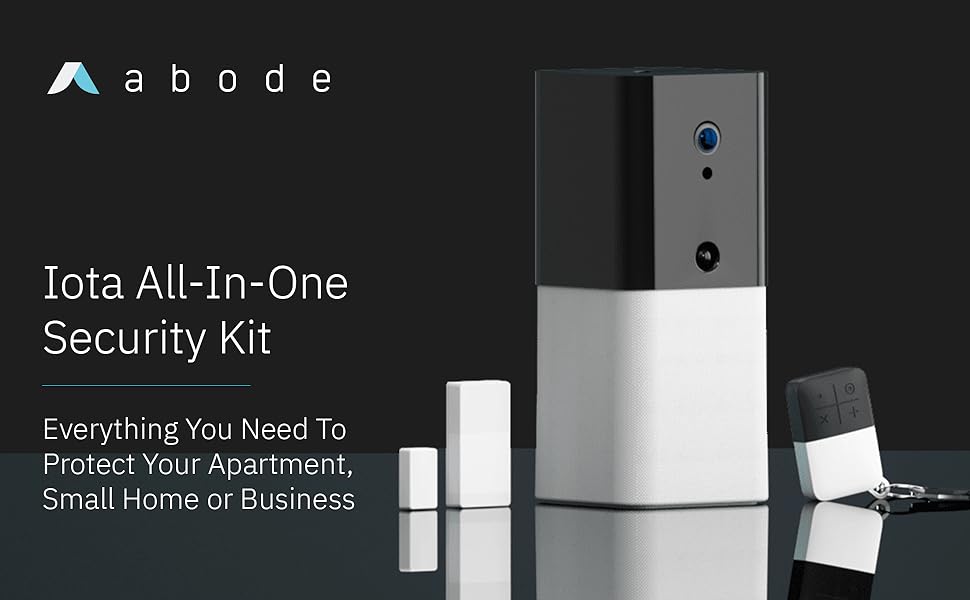
If you are searching for a professional-grade security system that avoids bulky control panels and long-term contracts, the Abode Iota All-in-One Home Security Kit is a top-rated, professional-grade DIY security solution for those seeking a minimal hardware footprint without sacrificing high-end protection. Unlike many traditional DIY home security systems that require multiple wall mounts, the Iota prioritizes a minimal hardware footprint. It combines a hub, HD camera, motion sensor, siren, and smart home gateway into one compact device, making it especially appealing for apartments, condos, rentals, and smaller homes. This all-in-one security kit offers contract-free monitoring and broad smart home compatibility.
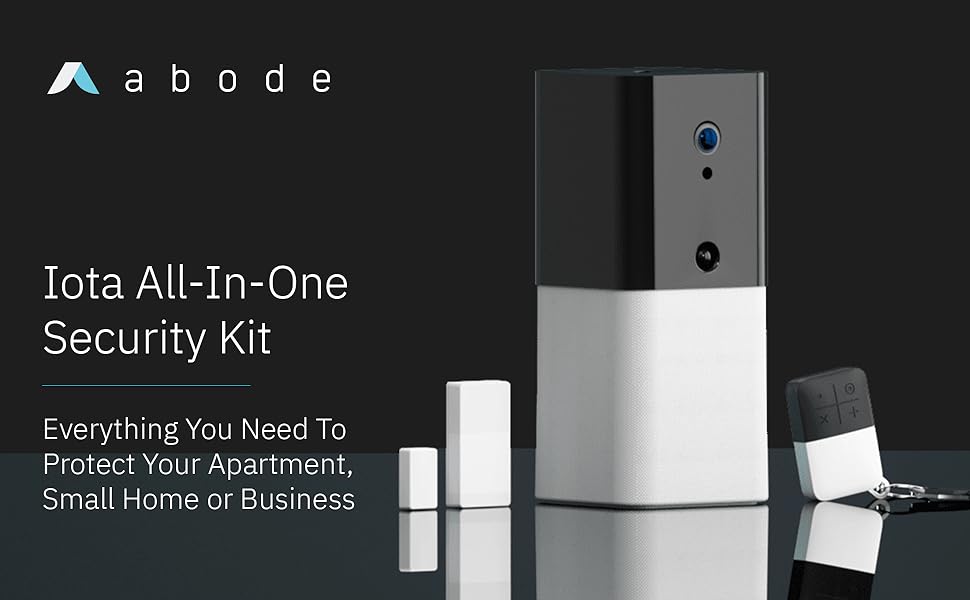
Best All-in-One Security Kit: Abode Iota All-in-One Home Security Kit
Score: 9.0/10 — The Abode Iota All-in-One Home Security Kit is the strongest choice if you want flexible, contract-free home security with built-in camera monitoring, broad smart home compatibility, and the option to self-monitor or add professional monitoring later.
Abode Iota All-in-One Home Security Kit
The Abode Iota All-in-One Home Security Kit is designed around simplicity. Instead of separating the security hub, camera, and motion detection into multiple devices, the Iota places those core functions into one compact unit. That makes it easier to install than many traditional home security systems and reduces the amount of hardware you need to place around your home.
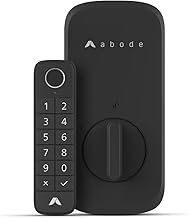
Related parts & accessories
Its biggest advantage is flexibility. You can use the system for self-monitoring through the mobile app, or you can choose professional monitoring if you want 24/7 emergency response coverage. That contract-free approach makes the Iota a practical fit for renters, homeowners, and anyone who does not want to be locked into a traditional alarm company agreement. For those who prefer a blend of DIY and professional support, comparing it to professional options like the Vivint (VPK-2GIG-GO2) security system or the ADT Self Setup 9-Piece Home Security Kit with 24/7 Professional Monitoring (see our detailed product page) can provide a helpful contrast in monitoring styles.
The Iota is also a strong smart home hub. Compatibility with Amazon Alexa, Google Assistant, Apple HomeKit, and Z-Wave devices gives it more ecosystem flexibility than many starter security kits. For those comparing different DIY options, the Iota's ability to integrate with third-party locks and lights makes it more than just a siren—it becomes the brain of your connected home. If you already use smart routines, the Iota can trigger actions based on security events, such as turning on all lights if an intruder is detected.
This kit is best for apartments, condos, small homes, and users who want a scalable system. The all-in-one unit gives you camera coverage and motion sensing in one main area, while the broader Abode platform allows you to expand with the Abode Smart Security Kit with Home Automation Support and compatible devices over time. This scalability is a key feature often sought in systems like the SimpliSafe 13-Piece Wireless Home Security System, or if you prefer a larger Abode start, the Abode Smart Security Kit with iota All-in-One Security Hub. If you need whole-home coverage across many entry points, you will likely want to add more sensors, but the Iota is a strong starting point.
Pros
- Combines hub, camera, motion sensor, and siren in one compact device
- Works with or without professional monitoring
- No long-term contract required for basic use
- Strong smart home support, including Apple HomeKit and Z-Wave
- Good fit for apartments, condos, renters, and smaller homes
- Expandable if you want to add more sensors or compatible devices later
Cons
- One all-in-one unit may not be enough for larger homes without extra sensors
- Professional monitoring requires an additional plan
- Camera placement depends on where you position the main hub
- Best results may require some smart home setup and app configuration
This buying guide is written to help compare features and fit. Purchase links may be added separately, and availability, pricing, and plan options can change over time.
Technical Specifications
| Specification | Abode Iota All-in-One Home Security Kit |
|---|---|
| Model number | 104035/A |
| Category | Home Security Systems |
| Core functions | Security hub, HD camera, motion sensor, and siren in one device |
| Monitoring options | Self-monitoring through the mobile app or optional professional monitoring |
| Smart home compatibility | Amazon Alexa, Google Assistant, Apple HomeKit, and Z-Wave devices |
| Best suited for | Apartments, condos, rentals, smaller homes, and scalable smart security setups |
| Contract requirement | Designed for flexible use without a long-term contract |
How the Abode Iota System Works
To understand why the Abode Iota is a disruptive piece of hardware in the security market, one must look at the architecture of traditional home security. Usually, a system consists of a bulky base station (the "brain"), separate motion sensors, a separate camera, and a loud siren. The Abode Iota collapses these four distinct hardware requirements into a single, sleek chassis. This drastically reduces "cable clutter" and minimizes the number of power outlets required to secure a room.
The system operates on a hybrid communication model. It uses a high-speed internet connection to push alerts to your smartphone via the Abode app, but it also acts as a Z-Wave gateway. Z-Wave is a wireless communication protocol that allows the Iota to "talk" to a massive array of third-party devices—such as smart locks, sensors, and lighting—without overloading your home's Wi-Fi bandwidth. This makes the Iota not just a security alarm, but a centralized automation controller.
When the built-in motion sensor detects movement while the system is armed, or if the camera identifies a significant event, the Iota triggers a sequence of events. Depending on your configuration, it can blast a loud siren to deter intruders, send an instant push notification to your phone, and begin recording HD video clips. If you have opted for professional monitoring (similar to the services found in the ADT Self Setup 9-Piece Home Security Kit), this data is transmitted to a central monitoring station where trained operators can dispatch emergency services based on the severity of the alert.
Technical Insight: The use of Z-Wave is critical for security because it operates on a different frequency than Wi-Fi, meaning your sensors won't compete for bandwidth with your streaming TV or gaming console, ensuring faster response times for alarm triggers.
The Role of the HD Camera
The integrated camera isn't just for recording; it's a tool for verification. For those needing more comprehensive outdoor coverage, our Arlo Essential review provides a detailed look at standalone surveillance. For those looking for a more comprehensive camera-first approach, the Arlo Pro 4 Spotlight Camera Security Bundle explores high-end wireless surveillance options for wider home coverage. One of the biggest problems with traditional alarm systems is "false positives"—alarms triggered by a pet or a gust of wind. With the Iota, you can instantly open your app and view a live feed to see exactly what triggered the alarm. This prevents unnecessary police calls and gives you peace of mind when you are away from home. The camera uses high-definition optics to ensure that details like faces or clothing are clear, which is vital if you ever need to provide evidence to local authorities.
Beyond security, the camera serves as a home monitoring tool. Whether you are checking in on a pet or confirming that a delivery driver left a package inside the door, the live-stream capability is seamless. Because the camera is integrated into the hub, there is no need for separate camera power adapters or complex pairing processes for the primary unit. It provides a wide-angle view that can cover a significant portion of a room, though its effectiveness is entirely dependent on its physical placement within the home.
The Power of Z-Wave Integration
Because the Iota supports Z-Wave, it can integrate with devices that aren't necessarily "Abode brand." This means you can create complex security "scenes." For example, you can set a rule that says: "When the Iota detects motion after 11 PM, turn on the hallway lights and unlock the front door for the dog walker." This level of interoperability is rare in entry-level security kits and provides a path toward a fully automated home.
Z-Wave devices typically have a longer range and lower power consumption than Wi-Fi devices, meaning your battery-operated sensors can last for years without needing a change. This is particularly useful for window and door sensors that are tucked away in corners where Wi-Fi signals might be weak. By acting as the Z-Wave controller, the Iota eliminates the need for a separate smart home hub (like SmartThings or Hubitat) for those who want a unified security and automation experience.
Recommended for automation
Comprehensive Buyer's Guide: Is This Right for You?
Choosing a security system is a balance between the level of protection you need and the amount of friction you are willing to tolerate in your daily life. The Abode Iota is specifically engineered to reduce that friction. Here is a deep dive into the factors that should influence your decision.
Evaluating Your Living Space
The Iota is an "all-in-one" device, which means its field of vision and motion detection are limited to where the device is physically placed. In a small studio apartment or a one-bedroom condo, a single Iota placed in a corner of the main living area can often cover the most critical zones. However, if you live in a multi-story house, one device is insufficient for comprehensive coverage.
While the Iota acts as the brain for the whole house, you will need to purchase additional door/window sensors and standalone motion detectors to ensure there are no blind spots in your perimeter. Consider the layout of your home. If you have a long hallway leading to several rooms (or are securing lower levels—see our Basement Watchdog buying guide), the Iota should be placed at the end of that hallway to capture as much movement as possible. If you have a wide-open concept living and kitchen area, a central placement on a high shelf is ideal.
For renters, the Iota is a godsend because it requires no drilling. You can move the hub from one apartment to another simply by unplugging it and updating the Wi-Fi settings in the app. This "plug-and-play" nature removes the fear of losing a security deposit over holes in the wall, making it the premier choice for transient living situations or corporate housing.
Monitoring: Self vs. Professional
One of the most significant decisions for any security buyer is the monitoring model. The Iota offers three distinct paths:
- Self-Monitoring: You receive notifications on your phone. If you see a break-in, you call 911. There are no monthly fees for this basic functionality, making it the most cost-effective option. If you are weighing this against other DIY setups like the Eufy Security Alarm (S330) review, our Ring Alarm Pro 14-Piece Wireless Home Security System explores a more distributed hardware approach. This is ideal for those who are always connected to their devices and feel confident managing their own emergencies.
- On-Demand Monitoring: Some plans allow you to pay for professional monitoring only during specific times, such as when you are going on vacation for two weeks. This is a unique Abode feature that saves money over the course of a year by eliminating the need for a permanent monthly subscription.
- Full Professional Monitoring: A 24/7 service that monitors your home. If the alarm goes off and you don't respond, the professionals take over. This is essential for those who may not always have their phones nearby or want the highest level of safety, a standard feature in setups like the SimpliSafe 13-Piece Wireless Home Security System review or the Cove Home Security System Deluxe Package.
Integration with Smart Ecosystems
If you are already deep into the Apple, Google, or Amazon ecosystems, the Iota is a natural fit. Most budget security systems force you into a proprietary app that doesn't talk to anything else. The Iota's support for Apple HomeKit is particularly noteworthy, as it allows you to arm and disarm your security system using Siri, or trigger the alarm based on other HomeKit-enabled sensors. This means your security system isn't just a safety tool; it's a part of your home's digital fabric.
Pro Tip: When placing your Iota, avoid putting it directly opposite a window where sunlight can hit the motion sensor. Direct sunlight or heat sources (like a radiator) can sometimes cause false motion triggers, as PIR sensors detect heat changes.
Detailed Setup and Installation Walkthrough
One of the primary selling points of the Abode Iota All-in-One Home Security Kit is that it requires zero drilling and zero professional installation. Here is the step-by-step process for getting the system online and optimized for your home.
Step 1: Strategic Hardware Placement
Find a central location in your home. Ideally, this should be a spot with a clear line of sight to your primary entry points. Because the Iota contains both the camera and the motion sensor, placement is the most critical part of the installation. A high shelf or a mantelpiece is usually ideal, as it provides a wide-angle vie