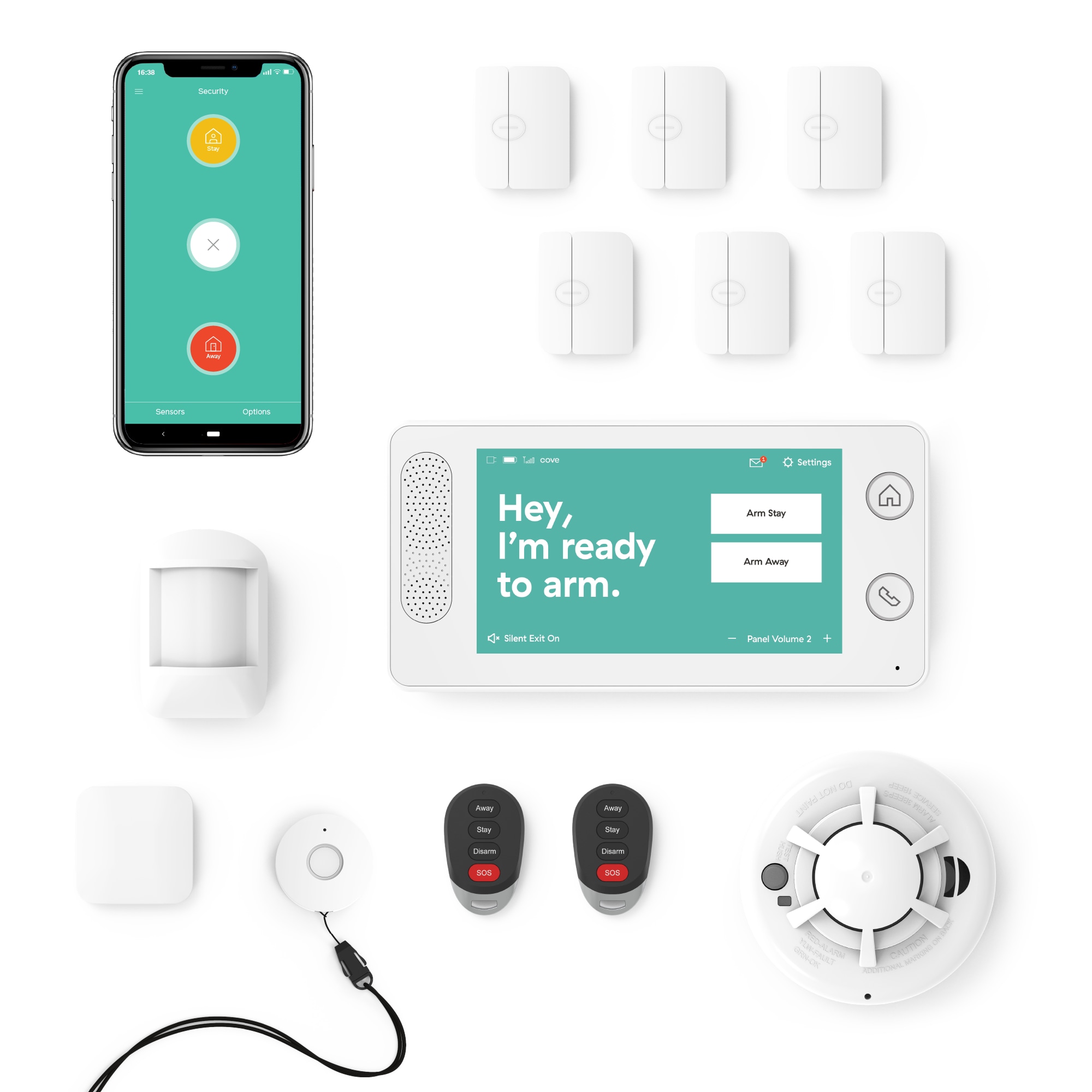
The Cove Home Security System Deluxe Package (COVEDS1) is a professional-grade DIY security system that provides a robust foundation, offering high-end reliability without the burden of long-term contracts. Featuring a comprehensive array of sensors, a dedicated touchscreen hub, and critical cellular backup, it balances high-end reliability with DIY simplicity. This comprehensive buying guide explores why the Cove Deluxe Package is a top contender for renters and homeowners seeking flexible, contract-free, and modular home protection.
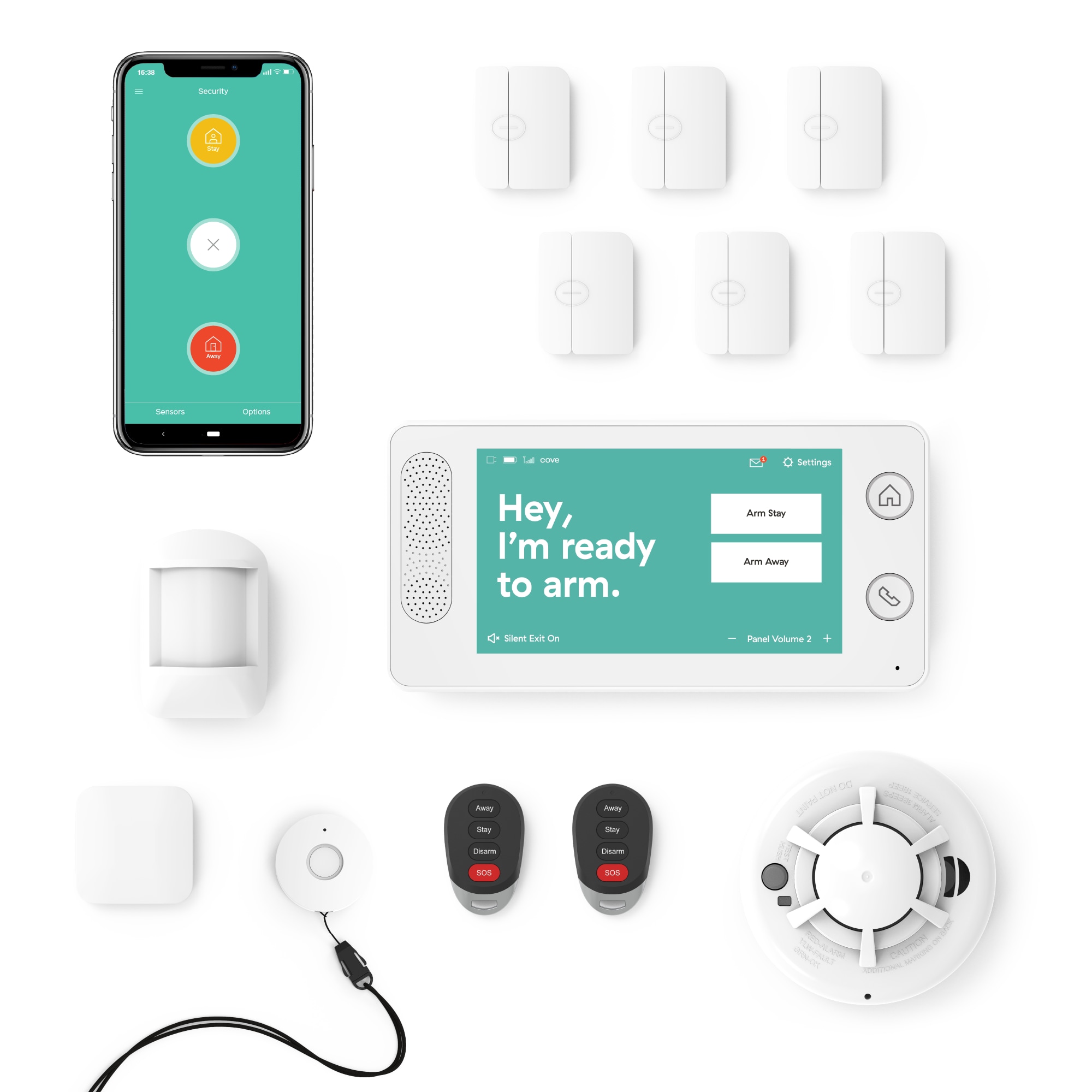
Best Flexible DIY Home Security: Cove Home Security System Deluxe Package
Score: 9.1/10. A robust, contract-free security kit that combines essential hardware with cellular fail-safes and optional professional monitoring.
Cove Home Security System Deluxe Package
The Cove Home Security System Deluxe Package is engineered for those who refuse to choose between professional-grade security and installation convenience.
Unlike legacy systems that require drilling through walls and scheduling expensive technician visits, the COVEDS1 is a purely DIY solution. It is specifically designed for rapid deployment, making it an ideal choice for apartment dwellers, homeowners in temporary rentals, or anyone who prefers to maintain total control over their hardware setup.At the heart of the system is the touchscreen control panel, which serves as the centralized brain for all connected peripherals. While many modern security kits rely exclusively on a smartphone app, Cove recognizes that a physical interface is often more practical for guests, children, or elderly residents who need to arm or disarm the system quickly. This panel doesn't just manage the alarm; it integrates the various sensors into a cohesive ecosystem, providing real-time status updates and intuitive controls.
Reliability is the primary differentiator for the Deluxe Package. The inclusion of cellular backup addresses the "single point of failure" problem inherent in Wi-Fi-only systems. In the event of a electrical failure that kills your router or a targeted internet outage, the system automatically switches to a cellular network to ensure that alerts are still transmitted. This level of redundancy is typically reserved for high-end commercial systems, but Cove brings it to the residential DIY market.
The package is tailored for versatility. Whether you are securing a one-bedroom apartment or a medium-sized suburban home, the combination of door/window sensors and motion detectors allows you to create layers of security. The high-decibel siren acts as the final line of defense, providing an audible deterrent that can alert neighbors and frighten intruders, transforming the system from a silent monitor into an active security device.
| Specification | Cove Home Security System Deluxe Package |
|---|---|
| Model Number | COVEDS1 |
| Category | Home Security Systems |
| Installation Type | DIY, Tool-free setup |
| Hardware Included | Touchscreen Panel, Door/Window Sensors, Motion Detector, Siren |
| Connectivity | Wi-Fi with Cellular Backup |
| Monitoring Mode | Self-monitored or Professional (Subscription optional) |
| Contract Status | Contract-free / Flexible |
Pros
- Rapid, tool-free installation preserves wall surfaces and saves time
- Dedicated touchscreen panel removes total dependence on mobile apps
- Cellular backup ensures connectivity during internet or power outages
- No mandatory long-term contracts provide financial flexibility
- High-decibel siren provides a powerful audible deterrent
- Scalable hardware allows for easy expansion as needs grow
Cons
- Standard package may require additional sensors for very large properties
- Advanced professional monitoring requires a recurring monthly fee
- User is responsible for optimal sensor placement during DIY setup
- Lacks the "white-glove" experience of fully managed professional installs
This guide is intended for informational purposes. If you choose to purchase through provided links, we may earn a commission at no additional cost to you.
Comprehensive Buyer's Guide: Understanding Home Security Needs
Choosing a security system is no longer about simply picking a company and signing a three-year contract. For those comparing different hardware configurations, our SimpliSafe review provides a great benchmark for feature sets. For those also looking at protecting their home's foundation, our Basement Watchdog BW1033 guide offers similar DIY peace of mind. Whether you are looking for a comprehensive kit or a modular setup, understanding the differences between DIY and professional monitoring is key. The modern landscape of DIY home security systems (including our deep dive into our Eufy Security Alarm (S330) review) is divided into three primary categories: Professional Installation (detailed in our ADT Self Setup 9-Piece Home Security Kit), DIY Self-Monitoring with an Abode Iota All-in-One Home Security Kit
Related parts & accessories
Related parts & accessories
Why Choose Hybrid-DIY?
Traditional professional systems are often overpriced and restrictive. For a detailed look at how these compare to managed services, see our ADT Self Setup 9-Piece Home Security Kit. Conversely, ultra-cheap DIY kits often lack the reliability needed for actual emergencies—specifically, they often lack backup power or connectivity. A hybrid system like the COVEDS1 provides the high-end hardware (like cellular backup and dedicated panels) but lets the user handle the installation. This removes the "labor cost" from the equation while retaining the "safety net" of professional-grade technology.
Analyzing Sensor Placement Strategies
To get the most out of the Deluxe Package, users should employ a "Layered Defense" strategy. This involves three distinct rings of protection to ensure no single failure point leaves the home vulnerable.
The Perimeter: Placing door and window sensors on all ground-floor entry points. This is your first line of alert. Priority should be given to the front door, back door, and any first-floor windows that are hidden from street view, as these are the most common points of unauthorized entry. For homes with sliding glass doors, ensure the sensor is placed on the sliding portion to detect movement even if the door is unlocked but closed.
The Interior: Strategically placing the motion detector in high-traffic "choke points," such as a main hallway or the living room, where an intruder must pass to reach the rest of the home. Avoid placing motion detectors directly facing a window or heat source, as rapid temperature changes or sunlight shifts can occasionally trigger false positives in lower-end hardware. The ideal placement is usually in a corner, providing a wide-angle view of the most likely path an intruder would take.
The Deterrent: Positioning the high-decibel siren in a central, audible location to ensure the noise permeates the entire building. The goal of a siren is twofold: to wake the inhabitants and to notify neighbors that a breach has occurred, which significantly increases the risk for the intruder and encourages them to flee immediately. Ensure the siren is not muffled by curtains or placed inside a cabinet.
How the Cove Home Security System Deluxe Package Works: Technical Deep Dive
The COVEDS1 operates on a hub-and-spoke architecture. The touchscreen control panel acts as the hub, communicating wirelessly with the sensors (the spokes). Because the sensors use a low-power wireless protocol, they can maintain long battery life—often lasting years—while remaining responsive over significant distances within a home.
The Communication Cycle
When a sensor is triggered (e.g., a door opens while the system is armed), the sensor sends an immediate encrypted signal to the control panel. The panel then executes a pre-defined logic flow based on the current arming state. If the system is in "Away" mode, it immediately triggers the high-decibel siren, sends a push notification to the user's smartphone, and—if professional monitoring is active—alerts a central monitoring station via cellular or Wi-Fi pathways.
This entire process happens in seconds, minimizing the window between a breach and a response. The use of a dedicated hub means that the sensors don't need to connect to the internet individually, which reduces lag and prevents the network congestion that often plagues "all-Wi-Fi" smart home setups. By isolating the sensor communication to a local frequency, the system remains stable even if your home's Wi-Fi is bogged down by streaming or gaming.
Managing Power and Connectivity Redundancy
One of the most critical aspects of the Cove system is its power management. The control panel typically includes a battery backup (similar to the critical fail-safes found in the Wayne ESP25 battery backup review), ensuring the system remains active even if the main power is cut by an intruder or a utility failure. Coupled with cellular backup, the system creates a resilient network that is nearly impossible to disable from the outside without physically destroying the equipment.
In a standard Wi-Fi system, the "Internet" is the umbilical cord. If that cord is cut, the system is dead. The Cove Deluxe Package treats Wi-Fi as the primary (faster) path and Cellular as the secondary (reliable) path. This "dual-homing" strategy is what elevates the COVEDS1 from a simple gadget to a legitimate security tool. Furthermore, the internal circuitry is optimized for low power draw, ensuring that the backup battery provides hours of protection rather than just minutes.
Installation and Setup Process
The "tool-free" claim of the Cove Home Security System Deluxe Package is a significant advantage for those who are not particularly handy or those who are renting. The setup process is designed to be intuitive, moving from the "Brain" to the "Senses."
Step 1: Hub Initialization
The first step involves plugging in the touchscreen control panel and connecting it to your home Wi-Fi. This process is handled through a guided wizard on the screen, which walks the user through network selection and account creation. Once the hub is online, it performs a self-diagnostic check to ensure the cellular backup is registering a signal from local towers. It is recommended to place the hub in a central location where it has a strong signal for both the home router and the external cellular towers.
Step 2: Pairing Sensors
Pairing is typically a "plug-and-play" experience. By selecting "Add Device" on the panel and activating the sensor (usually by pulling a battery tab or pressing a pairing button), the hub automatically recognizes the hardware. This ensures that the user knows exactly which sensor corresponds to which door or window, allowing them to name the device (e.g., "Kitchen Window") for clear alerts on their phone. This organizational step is crucial for quickly identifying the location of a breach during an alarm event.
Step 3: Physical Mounting
Cove uses high-strength adhesives and easy-mount brackets. Instead of drilling holes into door frames or window sills, users can simply peel and stick the sensors. This is why the system is highly recommended for renters—when it's time to move, the sensors can be removed using a hairdryer or adhesive remover without leaving permanent damage to the property. For a more permanent installation, the brackets can be screwed in, but the adhesive is sufficient for the vast majority of residential surfaces.
Long-Term Maintenance and Optimization
While the system is designed for "set and forget" operation, periodic maintenance ensures that your home remains secure. A security system is only as good as its weakest battery or most obscured sensor.
Battery Management and Alerts
Wireless sensors rely on small batteries. The Cove system will generally notify you via the control panel or the app when a sensor's battery is running low. It is recommended to keep a small stock of replacement batteries on hand to avoid "blind spots" in your security perimeter. Replacing batteries *before* they die prevents the system from sending "Sensor Offline" notifications, which can lead to "alarm fatigue" where the user ignores legitimate alerts because they are used to seeing error messages.
Updating Your Layout for Seasonal Changes
As your home evolves—perhaps you add new furniture that blocks a motion detector's path or you change which doors you use most frequently during summer months—you should re-evaluate your sensor placement. The flexibility of the DIY setup allows you to move sensors without needing a technician, allowing the system to grow with your lifestyle and your changing architectural needs. For example, during summer, you might disable the window sensors in a bedroom to allow for ventilation while keeping the rest of the perimeter armed.
Comparison: Cove vs. Traditional Security Systems
To understand the value of the COVEDS1, it helps to compare it against the two extremes of the industry: the "Big Box" professional systems and the "Budget App-only" kits. Professional systems, such as those detailed in our comprehensive Vivint security system review, often come with "white-glove" service but lock users into 36-month contracts with high monthly fees, leading many to prefer flexible kits like the SimpliSafe 12-Piece Wireless Home Security System (see our SimpliSafe review). Budget kits (like some basic versions of the Wyze Home Monitoring Starter Kit) are cheap but often lack a physical hub and cellular backup, meaning they are useless during a power outage.
| Feature |
|---|