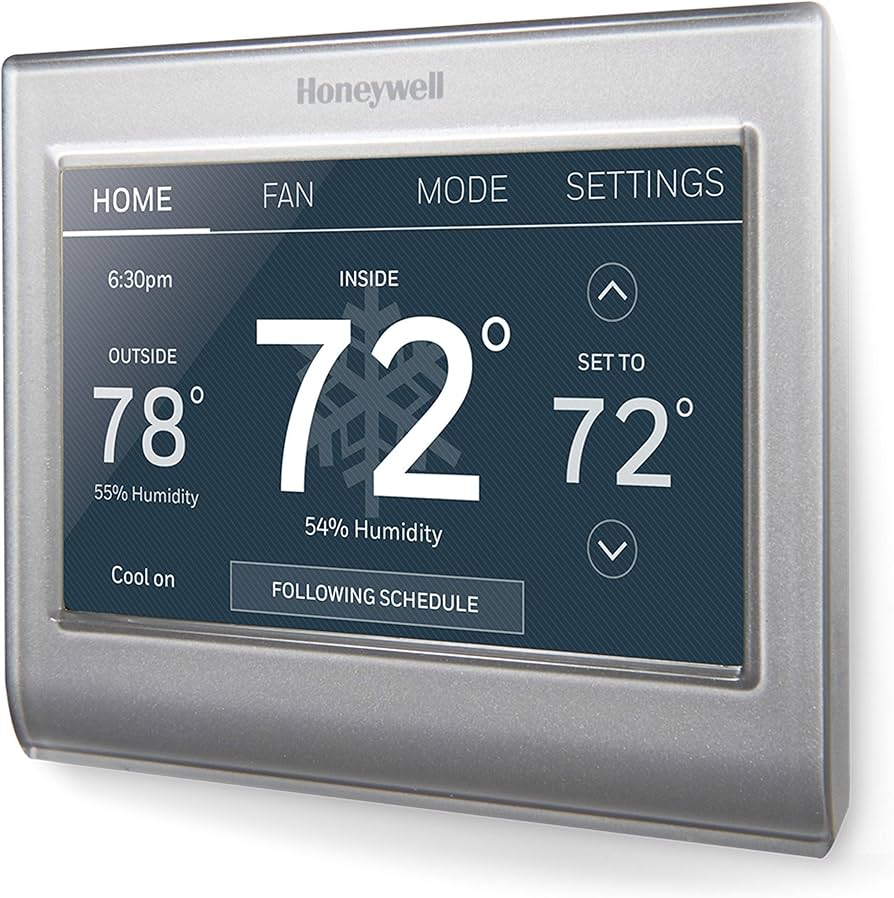
Finding the right smart thermostat can mean the difference between effortless comfort and a frustrating, energy-wasting setup. In this comprehensive review, we analyze the Honeywell Home Wi-Fi Smart Color Touchscreen Thermostat (RTH9585WF1004)—one of the best mid-range options for reliability—explores its features, scheduling, and app control to help you decide if this 7-day programmable thermostat belongs on your wall. It sits in a sweet spot between budget bare-bones models and premium learning thermostats—offering high-end utility and Alexa/HomeKit integration without the premium sticker shock. Read on for our full review, or explore our mini-split buying guide (and don't forget to check your Filtrete MERV-12 air filter for maximum efficiency) for alternative cooling solutions or check out the Pioneer Mini-Split heat pump guide for high-efficiency options.
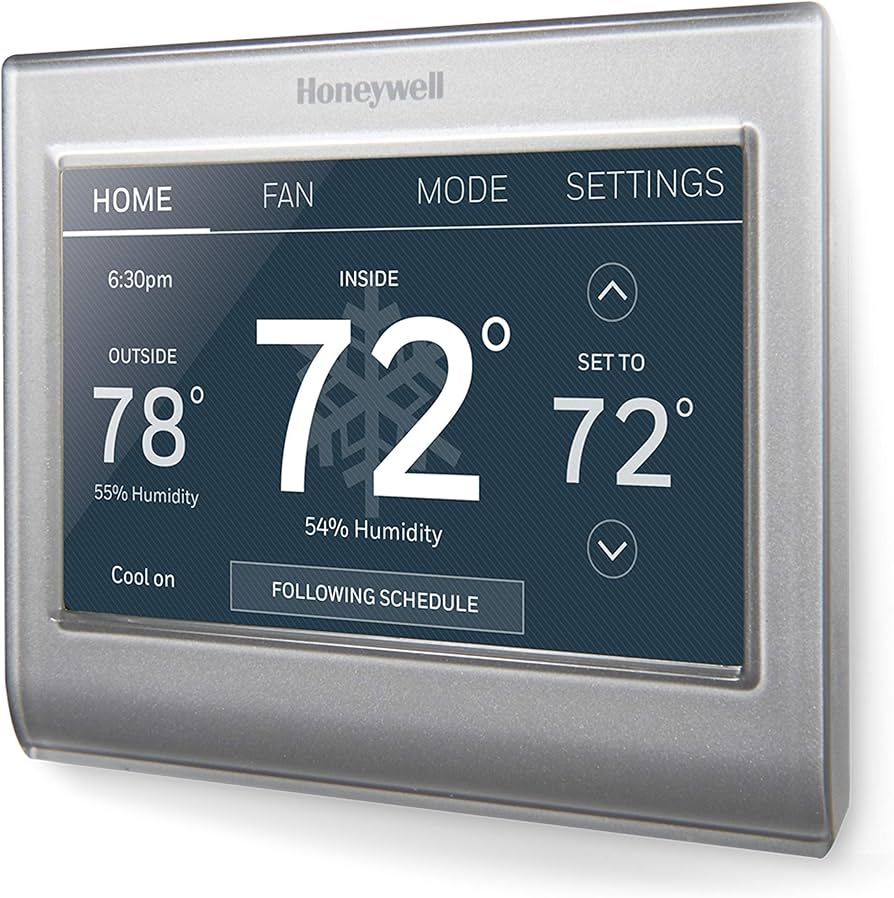
See current price and details for the Honeywell Home Wi-Fi Smart Color Touchscreen Thermostat.
TL;DR — Quick Summary
- Honeywell Home Wi-Fi Smart Color Touchscreen Thermostat: 7-day flexible scheduling with up to 4 periods per day
- Full-color touchscreen display with customizable backgrounds
- Works with Amazon Alexa, Google Assistant, and Apple HomeKit
- Compatible with most 24V heating and cooling systems
- Remote access via the Honeywell Home app (iOS & Android)
- Does not self-learn — schedules must be set manually
- Best for: homeowners who want reliable smart control without paying for features they won't use
Our Top Pick for Practical Smart Comfort
The Honeywell Home RTH9585WF1004 earns its place as a best-in-class mid-range smart thermostat, delivering a bright color touchscreen, rock-solid Wi-Fi connectivity, and broad voice-assistant support at a price that doesn't require justification to your household budget. Score: 8.4 / 10
Honeywell Home RTH9585WF1004 — Complete Review
Design & Display
The RTH9585WF1004 sports a 3.5-inch full-color touchscreen that immediately sets it apart from most thermostats in its price tier. The display is bright enough to read across a room in daylight and dims automatically when no one is nearby. Honeywell lets you personalize the background with a small selection of nature and lifestyle images, or keep it as a clean, minimal interface — a subtle but welcome touch for living rooms or open-plan spaces where the thermostat is front and center.
The physical unit measures roughly 4.3 × 3.6 × 1.1 inches and snaps onto a standard UWP (Universal Wall Plate) mounting system that Honeywell has used for years. Installation is guided by color-coded wiring labels right on the sub-base, which dramatically reduces errors for first-timers. The glossy white finish is neutral enough to blend into nearly any décor, though the reflective surface will pick up fingerprints if you have little ones at home.
Navigation relies entirely on capacitive touch — there are no physical buttons. The menu hierarchy is shallow and logical, taking most users only a few taps to reach scheduling, fan settings, or Wi-Fi configuration. Compared with Nest and Ecobee's more sophisticated interfaces, Honeywell's UI feels deliberately simple, which is a genuine virtue for households that share thermostat duties among members of varying tech comfort levels.
One minor gripe: the screen lacks an ambient light sensor sophisticated enough to adjust for every lighting scenario. In brightly lit hallways facing a window, glare can wash out fine text. That said, the large, high-contrast temperature numerals remain legible even in adverse lighting conditions.
Smart Features & Connectivity
Wi-Fi connectivity runs on 2.4 GHz 802.11 b/g/n — not dual-band, so if your router broadcasts only on 5 GHz, you'll need to enable a 2.4 GHz network before setup. Once connected, the Honeywell Home app (available for iOS 12+ and Android 7.0+) provides a clean dashboard for remote temperature adjustment, schedule editing, and system status checks. The app has improved substantially over its earlier iterations, though it still occasionally shows a brief sync delay compared with Ecobee's near-instant response.
Voice assistant support covers all three major platforms: Amazon Alexa, Google Assistant, and Apple HomeKit/Siri, with IFTTT integration available for users who want to build custom automations across other smart-home devices. HomeKit support is particularly notable at this price point — many competing mid-range thermostats skip Apple's ecosystem entirely. Linking accounts takes about five minutes per platform, and commands like "Hey Siri, set the thermostat to 70 degrees" work reliably without needing to remember custom device names or skill invocations.
The RTH9585WF1004 does not include occupancy sensing or geofencing built into the hardware itself. However, the Honeywell Home app offers a built-in geofencing feature that uses your smartphone's location to shift the thermostat toward an energy-saving mode when you leave and begin warming or cooling before you return. It's not as nuanced as Ecobee's room-sensor ecosystem or Nest's learning algorithms, but it works dependably for the majority of single-zone households. (For those considering specialized heating and cooling zones, our MrCool DIY Mini-Split buying guide provides a detailed look (and you can also compare this with the Daikin RXB12AXVJU guide or the Carrier 38MAQB09R-3 guide for high-efficiency options) at multi-room climate control.)
Scheduling & Energy Savings
Scheduling is where the RTH9585WF1004 delivers the most tangible day-to-day value. The 7-day programmable schedule allows four distinct temperature periods per day (Wake, Leave, Return, Sleep), and each day can be set independently. If your household follows a consistent pattern Monday through Friday with different weekend routines, you can configure it precisely. Alternatively, a simple "same every day" mode cuts setup time to under three minutes.
Unlike Nest or Ecobee, the RTH9585WF1004 will not observe your manual adjustments and adapt its schedule automatically. You teach it your preferences once, and it follows them faithfully. This predictability is actually a selling point for users who found learning thermostats confusing or who experienced erratic schedule drift after houseguests or unusual weeks threw the algorithm off.
Honeywell estimates up to 8% energy savings per degree of setback over an eight-hour period, broadly consistent with U.S. Department of Energy guidance on programmable thermostat setbacks. Paired with a disciplined schedule and geofencing, real-world users routinely report 10–15% reductions in HVAC-related energy costs in the first year of use. The thermostat also displays a simple Energy History screen in the app, showing daily runtime for heating and cooling — not as detailed as Ecobee's monthly reports, but informative enough to spot unusual system behavior (for more on system timing, see our Honeywell Home ST9400C furnace fan timer review). For those focusing on overall air quality and ventilation, our Panasonic WhisperGreen Select buying guide (and accompanying performance review) provides a great look at ventilation options—an essential partner for any smart climate setup. (Maintaining a clean system with a high-quality filter (as detailed in our Filtrete MERV-12 air filter review) can also help maximize these energy savings. For other whole-home efficiency upgrades, see our GE GXWH40L whole house water filter guide or check out our recommendations for the best submersible utility pumps, a Ridgid SP-650C sump pump review, or a Wayne ESP25 battery backup guide for basement maintenance.)
System Compatibility & Installation
The RTH9585WF1004 is compatible with most conventional forced-air systems (single-stage and two-stage heating and cooling), heat pumps with or without auxiliary heat, and hot-water heating systems. It requires a common wire (C-wire) for reliable Wi-Fi operation — this is not optional. Homes without a C-wire will need to either run a new wire, use Honeywell's RedLINK adapter (similar to the connectivity logic in the Honeywell Home ST9400C review), or consider an alternative model. Before purchasing, use Honeywell's online compatibility checker (available on their support site) or count the wires currently connected to your existing thermostat.
Installation for a competent DIYer takes 20–45 minutes. The in-box installation guide is well-illustrated, and Honeywell's guided app setup walks you through step-by-step with a wiring diagram generator based on your specific system. For those less comfortable with electrical work, a licensed HVAC technician can typically complete the installation in under an hour. The RTH9585WF1004 does not support multi-zone systems natively — each thermostat controls one zone, so multi-zone homes will need one unit per zone. For those exploring high-efficiency alternatives to central air, our Bosch Mini-Split heat pump guide is an excellent resource for multi-room climate control.
Display
3.5-inch color touchscreen, customizable background
Wi-Fi
2.4 GHz 802.11 b/g/n
Scheduling
7-day, 4 periods/day, fully flexible
Voice Assistants
Amazon Alexa, Google Assistant, Apple HomeKit
Geofencing
Yes, via Honeywell Home app (Smart Response)
C-Wire Required
Yes (or RedLINK adapter)
Self-Learning
No
Compatible Systems
24V forced air, heat pump, hot water (single & two-stage)
App Platforms
iOS 12+, Android 7.0+
Dimensions
4.3 × 3.6 × 1.1 inches
Warranty
5-year limited warranty
Smart Home Platforms
Alexa, Google Home, Apple HomeKit, IFTTT
Pros
- Vibrant, easy-to-read color touchscreen
- Apple HomeKit support at a mid-range price
- 7-day flexible scheduling with 4 periods per day
- Broad system compatibility (forced air, heat pump, hot water
- Straightforward DIY installation with guided app setup
- Reliable Wi-Fi connectivity and app performance
- 5-year limited warranty — best in class for this segment
- App-based geofencing included at no extra cost
- Works with Alexa, Google Assistant, and Siri
- Intuitive UI accessible to all household members
Cons
- No self-learning capability — schedules are fully manual
- 2.4 GHz only — 5 GHz-only routers require configuration change
- C-wire required (no built-in power-stealing
- No built-in occupancy/motion sensor
- Geofencing limited to single-user logic in the app
- Glossy screen attracts fingerprints
- Energy reporting is basic compared to premium competitors
- Not compatible with electric baseboard or millivolt systems
Our site may earn a commission on purchases made through links on this page. This does not affect our editorial recommendations.