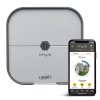
Smart sprinkler controllers have transformed lawn care by replacing rigid timers with weather-aware scheduling that saves water and keeps landscapes healthy. In this detailed Orbit B-hyve review and buying guide, we evaluate why this 12-zone Wi-Fi smart sprinkler controller—featuring Alexa, Google, and SmartThings support with no monthly subscription—is the best overall choice for homeowners seeking a professional-grade upgrade to their irrigation strategy.
Looking for a smaller system? For smaller residential yards, the Orbit B-hyve 6-zone controller is a highly-rated compact alternative.
This comprehensive Orbit B-hyve buying guide evaluates its key features, real-world performance, and value proposition to help homeowners decide if this is the right smart irrigation controller for their landscape.Top Pick: Orbit B-hyve
Score: 9/10 — Best overall smart sprinkler controller for most homes, blending easy setup, robust weather intelligence, and broad smart-home compatibility at a competitive price.
Orbit B-hyve Smart Sprinkler Controller Review
The Orbit B-hyve is a 12-zone Wi‑Fi sprinkler timer that mounts indoors or outdoors (with the included weather‑resistant cabinet)—providing versatile installation flexibility for any residential setup. It connects to your home network via 2.4 GHz Wi‑Fi and uses local weather data — or an optional on‑site sensor — to adjust watering schedules automatically. The B‑hyve app (iOS/Android) walks you through zone mapping, soil type, sun exposure, and plant material, then builds an EPA WaterSense‑certified schedule that adapts daily.
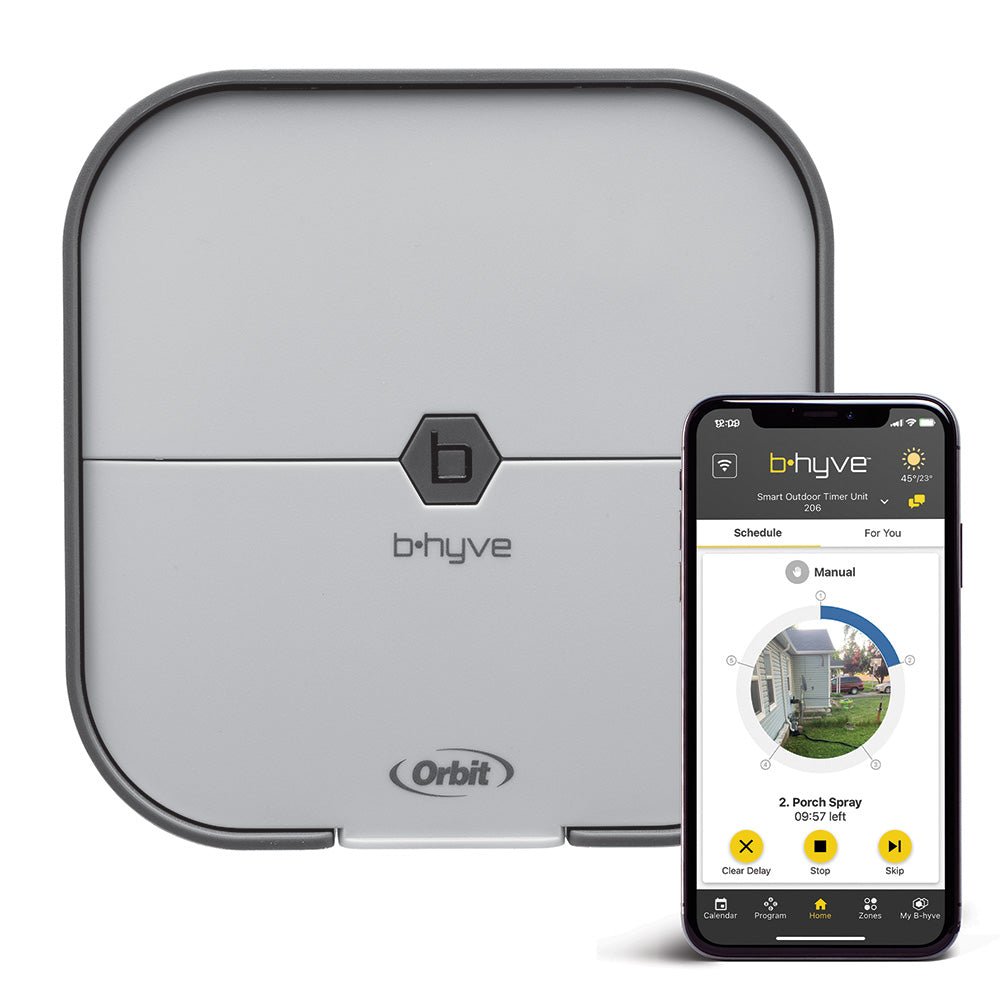
Setup takes about 15 minutes: mount the controller, wire the zone valves and common wire, power it on, and follow the in‑app pairing flow. The terminal block is clearly labeled and accepts 18‑24 VAC solenoid wires. If you have a master valve or pump start relay, a dedicated terminal handles that too. The controller stores schedules locally, so watering continues even if Wi‑Fi drops, ensuring your landscape never suffers from a router reboot.
Smart‑home integration is a strong suit. The B‑hyve works with Amazon Alexa, Google Assistant, and Samsung SmartThings for voice control and automation routines (similar to the efficiency gains seen in our Ridgid SP-650C water pump review or modern smart HVAC installations). It also supports IFTTT for custom triggers, such as pausing watering when a moisture sensor reports saturation. For users who want granular data, the app shows historical water usage, estimated savings, and per‑zone run times, allowing for precise tuning of your irrigation strategy.
Who it’s for: Homeowners with in‑ground irrigation systems up to 12 zones who want a “set‑and‑forget” controller that responds to real‑time weather, integrates with major voice assistants, and doesn’t require a subscription. It’s also a solid choice for DIYers replacing an older timer with the Orbit B-hyve — wiring is straightforward and the app eliminates guesswork regarding watering durations for different grass types.
Pros
- Easy DIY installation with clear terminal labeling
- Weather‑aware scheduling saves water automatically
- Broad smart‑home compatibility (Alexa, Google, SmartThings, IFTTT)
- No subscription fees for core features
- Local schedule backup if internet goes down
- Outdoor‑rated enclosure included
Cons
- 2.4 GHz Wi‑Fi only — no 5 GHz or Ethernet
- App can feel cluttered with advanced settings
- Rain sensor sold separately
- 12‑zone limit may not suit larger properties
Detailed Specifications
| Specification | Detail |
|---|---|
| Model | Orbit B-hyve (57946) |
| Zones | 12 |
| Connectivity | 2.4 GHz Wi‑Fi (802.11 b/g/n) |
| Power Supply | 120 VAC plug‑in transformer (included) |
| Enclosure | Weather‑resistant outdoor cabinet (included) |
| Weather Data | Local forecast via Wi‑Fi; optional wired rain/freeze sensor |
| Smart Home | Alexa, Google Assistant, SmartThings, IFTTT |
| App | B‑hyve (iOS/Android) |
| Certifications | EPA WaterSense, UL, FCC |
| Warranty | 2‑year limited |
How Smart Irrigation Works
To understand the value of the Orbit B-hyve, one must understand the shift from "dumb" timers to "smart" controllers. Traditional irrigation timers operate on a fixed clock; if you set Zone 1 to run for 20 minutes every Tuesday, it will run regardless of whether there is a thunderstorm overhead or a drought in the region. This results in significant water waste and can actually damage plant health through overwatering.
The Orbit B-hyve employs a "Weather-Based Irrigation Controller" (WBIC) logic. For homeowners managing water throughout the property, coordinating this with a high-quality piping system (such as the solutions in our Uponor AquaPEX review) (see our Uponor AquaPEX review) and a comprehensive sump pump strategy (see our detailed buyer's guide) ensures the rest of the home stays dry (using tools like the Basement Watchdog BW1033) while the lawn stays hydrated. For those auditing their entire home water system (see our Fleck 5600SXT review), pairing this with a whole-house water filtration system or a professional water softener and high-efficiency fixtures ensures quality from the source to the soil. While a filter—like those detailed in our Waterdrop G3P800 review—manages the water entering your home, the B-hyve manages how efficiently that water reaches your lawn. For those managing basement water as well, a high-performance sump pump system is a critical companion to any comprehensive smart home water strategy (including reliable backups like the Wayne ESP25 battery backup), ensuring your property is protected during the same heavy rains that the B-hyve helps you manage outdoors. It connects to a cloud-based meteorological service via your home Wi-Fi. The system monitors precipitation forecasts and actual rainfall in your specific ZIP code. Using a process called "evapotranspiration" estimation, it calculates how much water is actually leaving the soil and the plants. If the forecast predicts a 90% chance of heavy rain, the B-hyve will automatically skip the scheduled cycle, preventing waterlogged soil and reducing your utility bill.
Furthermore, the B-hyve app uses a guided setup process to create a "Digital Twin" of your yard. Instead of just guessing run times, the user provides data on soil type (sandy, loamy, or clay), sun exposure (full sun, partial shade, or full shade), and plant type (Kentucky Bluegrass, Bermuda, flower beds, etc.). The controller then applies specific watering algorithms—such as "cycle and soak"—which water for short bursts to allow for absorption, preventing runoff on sloped lawns.
Beyond simple rain delays, the B-hyve integrates "Seasonal Adjustment." As temperatures rise in July, the system increases the watering percentage. As the air cools in October, it scales back. This prevents the common mistake of keeping a summer watering schedule throughout the autumn, which often leads to root rot and fungal infections in residential lawns.
Installation and Setup Guide
Installing the Orbit B-hyve is designed to be a DIY-friendly project. Whether you are replacing an old mechanical timer or installing a new system, the process follows a consistent path. Here is a detailed breakdown of the installation phases.
Hardware Mounting
The Orbit B-hyve comes with a weather-resistant cabinet. If you are mounting the unit outdoors, ensure it is placed in an area accessible to a power outlet but protected from direct heavy impact. Use the provided mounting screws to secure the backplate to your wall. Ensure the unit is level to prevent any internal components from shifting and to make wiring easier.
Wiring the Zones
The wiring process is the most critical part of the installation. You will typically find a "common wire" (usually white) that connects all valves together; this goes into the "C" terminal. Each individual zone wire then goes into its respective numbered terminal (1 through 12). If your system utilizes a Master Valve (a valve that controls the main water supply to all zones) or a Pump Start Relay (for well-water systems), connect that wire to the designated "M" terminal.
Digital Configuration
Once powered on, download the app for your Orbit B-hyve. The pairing process utilizes a standard Wi-Fi handshake. It is important to note that the B-hyve only supports 2.4GHz networks. If your router uses a single SSID for both 2.4GHz and 5GHz (band steering), you may need to temporarily disable 5GHz or move further away from the router to force the phone to connect to the 2.4GHz band during initial setup.
After pairing, the app will prompt you to name your zones (e.g., "Front Lawn," "Back Garden"). You will then input the soil and plant data mentioned previously. This allows the B-hyve to create a baseline schedule that it will then modify based on real-time weather data.
Advanced Maintenance and Optimization
While the B-hyve is marketed as a "set-and-forget" device, a few maintenance steps can ensure maximum efficiency and longevity of your irrigation system. (Much like how Panasonic WhisperGreen ventilation systems manage indoor air quality, these controllers automate your outdoor environment).
Seasonal Adjustments
Even with smart weather adjustments, the needs of a lawn change between the peak of summer and the dormancy of winter. Use the "Seasonal Adjust" feature in the app to shift the percentage of water delivered across all zones without having to edit each zone individually. For example, you might set a 50% adjustment in late autumn.
Checking for "Dry Spots"
No matter how smart the controller is, a clogged nozzle or a broken sprinkler head can lead to dry spots. Periodically run a "manual cycle" from the app for each zone and walk your property. If you see an area that isn't getting wet, you can adjust the run time for that specific zone in the app to compensate, or better yet, fix the hardware issue.
Integrating Physical Sensors
While Wi-Fi weather data is highly accurate, "micro-climates" exist. A sudden summer thunderstorm might hit your backyard but not the nearest weather station. Adding a physical rain sensor to the B-hyve provides a fail-safe. The sensor physically breaks the circuit or sends a signal to the controller to stop watering immediately, regardless of what the internet forecast says.
Comparing the B-hyve to Traditional Systems
When deciding if the Orbit B-hyve is the right choice, it helps to compare the operational differences between a traditional timer, a basic "smart" timer, and a fully integrated WBIC system like the B-hyve.
| Feature | Traditional Timer | Basic Smart Timer | Orbit B-hyve |
|---|---|---|---|
| Scheduling | Manual/Fixed | App-Controlled/Fixed | Dynamic/Weather-Based |
| Water Savings | Low (Manual Overrides) | Moderate (Remote Access) | High (Automatic Adjustments) |
| Setup Effort | Low | Medium | Medium |
| Connectivity | None | Wi-Fi | Wi-Fi + Cloud Integration |
| Voice Control | No | Sometimes | Yes (Alexa/Google/Siri) |
Potential Pitfalls and Troubleshooting
Most users find the Orbit B-hyve seamless, but there are a few common hurdles to be aware of during ownership.
Common Troubleshooting Steps
- Controller is "Offline": First, check your router. If the internet is working elsewhere, power-cycle the B-hyve by unplugging the transformer for 30 seconds. If the problem persists, check if your router's DHCP lease has expired or if the signal strength has dropped.
- Zones Not Triggering: If the app says a zone is running but no water is coming out, check the wiring at the termin