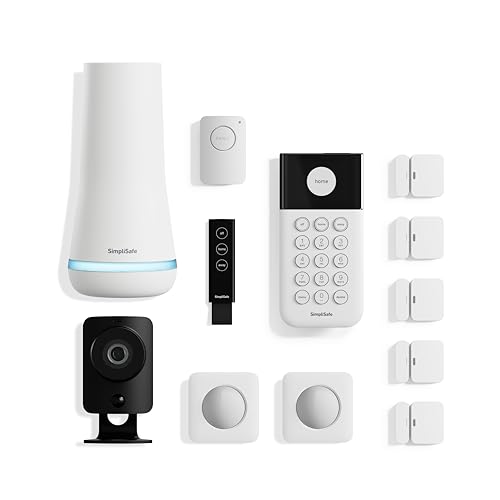
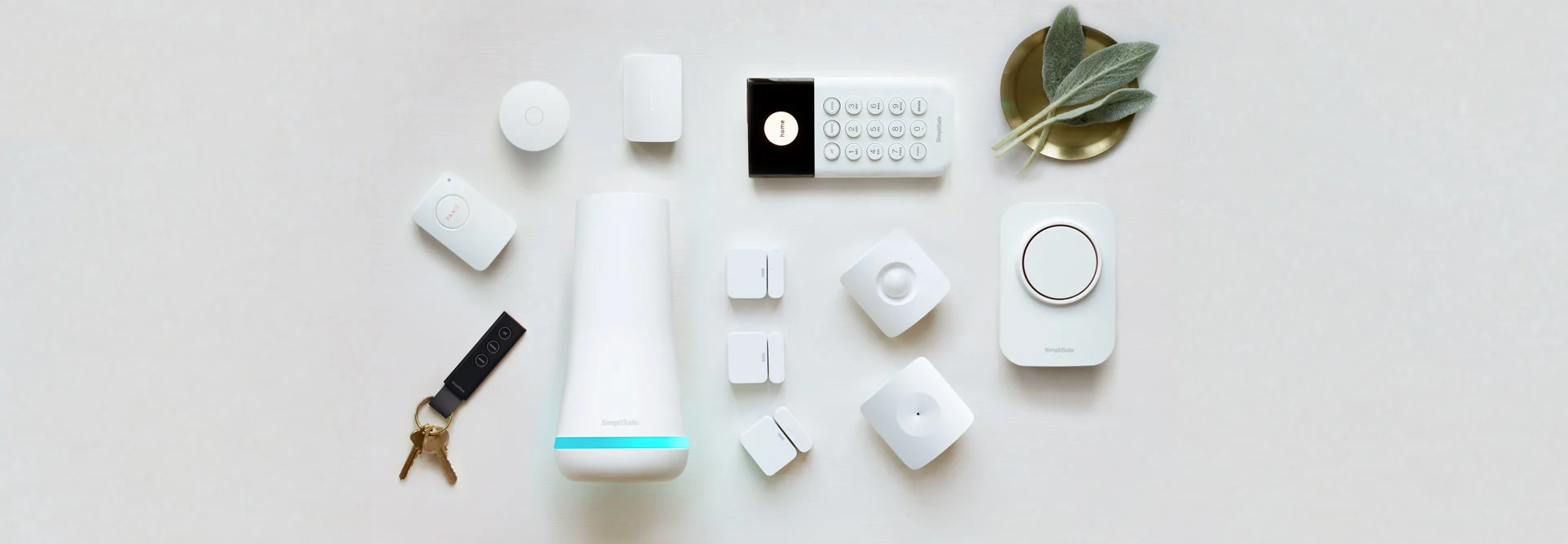
The SimpliSafe 12-Piece Wireless Home Security System with HD Camera is a comprehensive, DIY-focused security solution designed for homeowners and renters who want immediate, whole-home protection without the hassle of professional installation or rigid long-term contracts. This guide examines its hardware, connectivity, and monitoring options to help you decide if it's the right fit for your home. For those comparing different brand ecosystems, our ADT Self Setup 9-Piece Home Security Kit (see our detailed guide) provides a helpful alternative perspective.
Best DIY Whole-Home Security Kit
SimpliSafe 12-Piece Wireless Home Security System with HD Camera — 8.8/10. A strong all-in-one starter system for people who want wireless installation, multiple sensors, an indoor HD camera, and optional no-contract professional monitoring.
SimpliSafe 12-Piece Wireless Home Security System with HD Camera
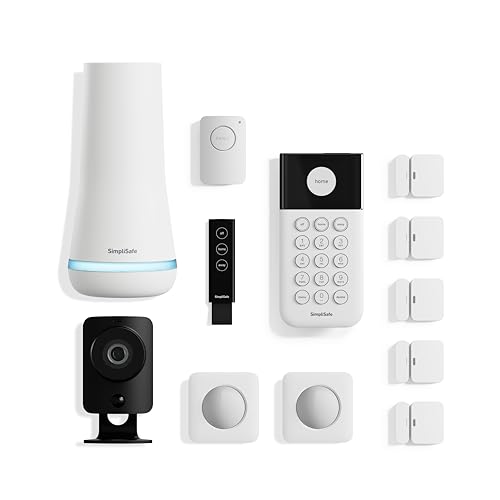
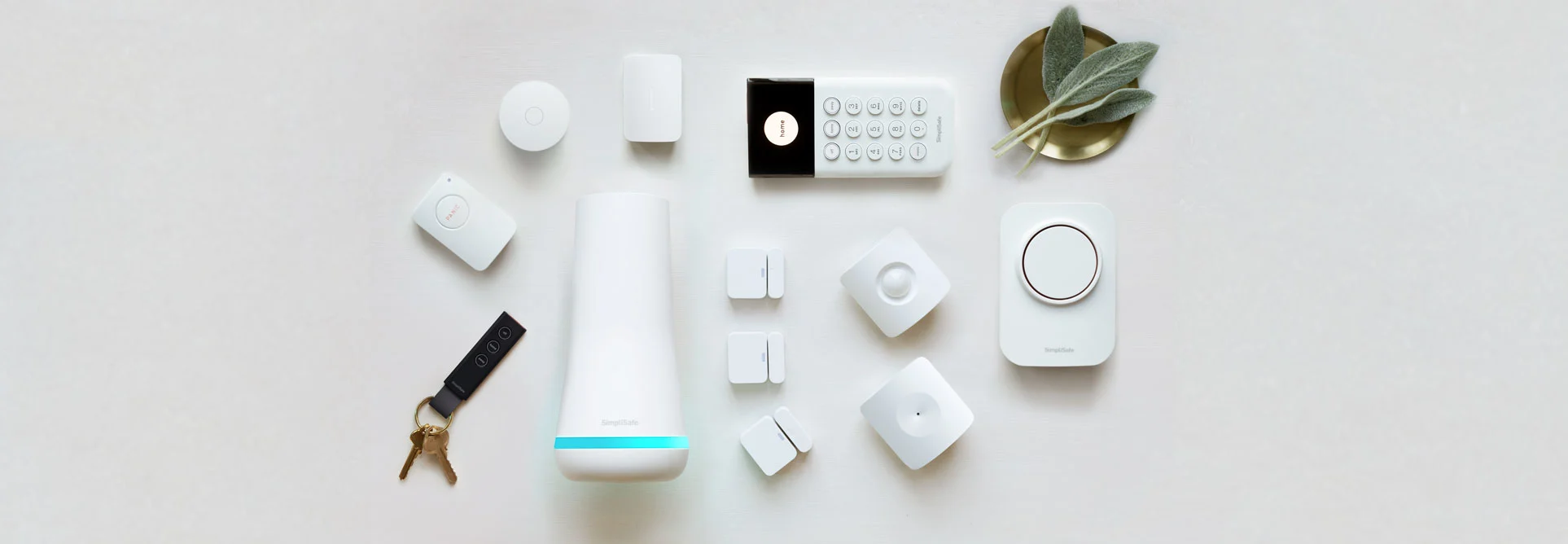
The SimpliSafe 12-Piece Wireless Home Security System with HD Camera is designed as a complete DIY security kit rather than a single-device add-on. It includes the core pieces most homes need to get started: a base station, keypad, motion sensors, entry sensors, and a 1080p HD indoor camera. That makes it a practical choice if you want to cover doors, common entry points, and an interior living area from one coordinated system.
Its biggest advantage is simplicity. Because the system is wireless, it is especially appealing for renters, condos, apartments, and homeowners who do not want permanent wiring. The keypad gives you a familiar arm/disarm point, while the sensors help detect doors opening or movement inside the home. The included HD camera adds visual awareness, which is helpful for checking in when an alert is triggered.
The system connects through Wi-Fi and includes cellular backup, which is important for reliability. If your home internet goes down, cellular backup helps the system continue protecting the property. Optional 24/7 professional monitoring is also available through a flexible, no-contract subscription, so you can choose between self-monitoring and a more hands-off monitored setup depending on your budget and comfort level.
This kit is best for someone who wants a broad security foundation from day one. If you are looking for a slightly smaller entry point, our SimpliSafe 12-Piece Wireless Home Security System with 24/7 Professional Monitoring (see our SimpliSafe security system review) or our ADT Self Setup 9-Piece Kit guide offers a great comparison, or you can check out the Cove Deluxe Package guide for more options. It may be more system than a studio apartment needs, but it is a good fit for small-to-medium homes, townhomes, and households with multiple doors or living spaces to cover. If you want outdoor cameras, smart locks, or more advanced home automation, you may need to expand beyond this starter package over time—or consider a larger bundle (such as the SimpliSafe SS3-13PKGCAM review) like the SimpliSafe 13-Piece Wireless Home Security System with Smart Alarm Indoor Camera (see our full review).
Pros
- Comprehensive 12-piece kit covers several common entry and motion-detection needs
- Wireless setup is friendly for renters and DIY users
- Includes a 1080p HD indoor camera for visual monitoring
- Optional 24/7 professional monitoring without a long-term contract
- Wi-Fi plus cellular backup improves reliability during internet outages
Cons
- Professional monitoring requires an additional subscription
- Included camera is for indoor use, so outdoor coverage may require add-ons
- May be more than necessary for very small apartments or single-room setups
- Best experience depends on thoughtful sensor placement during installation
| Spec | Details |
|---|---|
| Model number | SS3COMBO1 |
| Category | Home Security Systems |
| System type | Wireless DIY home security kit |
| Included devices | Base station, keypad, motion sensors, entry sensors, and 1080p HD indoor camera |
| Camera | 1080p HD indoor camera |
| Installation | No wiring or professional installation required |
| Connectivity | Wi-Fi with cellular backup |
| Monitoring | Optional 24/7 professional monitoring with no long-term contract required |
| Best for | Renters, homeowners, apartments, townhomes, and small-to-medium homes |
How the SS3COMBO1 Ecosystem Works
Understanding the architecture of the SimpliSafe 12-piece system is key to maximizing its utility. At the heart of the system is the Base Station, which acts as the "brain." This hub communicates with every individual sensor and camera in the home using a proprietary wireless frequency. When an entry sensor is tripped or a motion sensor detects movement, the signal travels to the Base Station, which then triggers the siren and sends an alert to your smartphone via the SimpliSafe app.
The 1080p HD indoor camera adds a layer of verification. Rather than relying solely on a siren, you can open the app and see a live feed of the area where the motion was detected. This is critical for reducing "false alarm fatigue," as you can quickly determine if a triggered sensor was caused by a pet, a family member returning early, or a genuine intruder.
Pro Tip: Place your Base Station in a central location in your home. Since the sensors rely on a wireless connection to the hub, placing it too far from the perimeter can occasionally lead to signal drop-outs in very large homes.
The cellular backup is perhaps the most critical technical feature of the SimpliSafe 12-Piece Wireless Home Security System with HD Camera. Most budget DIY systems rely exclusively on your home Wi-Fi. However, sophisticated intruders sometimes cut the exterior internet cable, or a simple router crash can render a Wi-Fi-only system useless. SimpliSafe's built-in cellular module ensures that even if your internet is offline, the system can still communicate with the monitoring center and send alerts to your phone.
From a signal perspective, the SS3COMBO1 utilizes a low-power radio frequency (RF) for the sensors, which is why they can last for years on a single set of batteries. This is distinct from the camera, which uses Wi-Fi to stream high-bandwidth video. This hybrid approach ensures that the "alarm" part of the system remains ultra-reliable and energy-efficient, while the "visual" part has the resolution necessary for evidence and identification.
The integration of the keypad allows for localized control. While the app is convenient, the physical keypad serves as the primary interface for those who prefer not to rely on a phone to arm or disarm the system. It also serves as a secondary indicator of system health, flashing alerts if a sensor is offline or if the base station loses its connection to the cloud.
Detailed Buyer's Guide: Is this the right kit for you?
Choosing a security system often feels like a trade-off between complexity and capability. If you're looking for a more streamlined approach or a different DIY philosophy like the Eufy Security Alarm (S330) review, our ADT Self Setup 9-Piece Kit guide provides a great baseline for comparison. The SS3COMBO1 attempts to find the "golden mean." To determine if it's right for you, consider your specific living situation and security goals. If you're undecided on the setup method, our ADT self-setup guide compares similar DIY approaches.
For Renters and Apartment Dwellers
Renters face the unique challenge of needing security without violating lease agreements regarding permanent modifications. The SS3COMBO1 is specifically optimized for this. The entry sensors use strong adhesives that generally leave no residue upon removal, and the wireless nature means no drilling through walls. If you are moving from a one-bedroom apartment to a two-bedroom house, the system is portable; you simply pack the hub and sensors and re-configure them at the new address.
Furthermore, the lack of a long-term contract for professional monitoring means renters aren't locked into a payment plan that extends beyond their lease.
For a more compact all-in-one alternative, consider the Abode Iota All-in-One Home Security Kit.
Related parts & accessories
For Homeowners with Medium-Sized Properties
For a standard 3-bedroom home, 12 pieces provide a solid foundation. You can cover the front and back doors, a few critical windows, and the main hallway or living room with motion sensors. However, homeowners should be aware that this kit is an "indoor-centric" solution. While it secures the interior and the points of entry, it does not provide a "perimeter" defense. If you want a similar piece-count from another brand, the ADT Self Setup 12-Piece Home Security Kit is a direct competitor. If you want to stop an intruder before they enter the home, you will eventually want to add outdoor cameras (see our Arlo Essential (VMK4352W) review or the Arlo Pro 4 review and buying guide)—such as those detailed in our Arlo Pro 4 Spotlight Camera Security Bundle (4-Camera System) (or check our full 4-pack buying guide)—or a video doorbell.
Homeowners should also consider the "scaling" potential. The SS3COMBO1 is designed to be the bedrock. Once you are comfortable with the base setup, SimpliSafe allows you to add glass-break sensors (which detect the sound of smashing glass), water sensors (for leak detection in basements—see our Wayne ESP25 battery backup review or the Basement Watchdog BW1033 guide) or our Ridgid SP-650C guide for wet basements), and the SimpliSafe 9-Piece Wireless Home Security System with Smart Lock and Outdoor Camera. This allows you to start with a manageable investment and grow your security posture as your budget permits.
Evaluating the Monitoring Options
One of the most confusing parts of buying home security is the contract. Traditional security companies, such as those described in our Vivint (VPK-2GIG-GO2) review, often lock users into 3-year contracts with high cancellation fees. SimpliSafe breaks this mold. You have two primary paths:
- Self-Monitoring: You receive notifications on your phone. You are responsible for calling the police if an alarm goes off. This is free (after the hardware cost).
- Professional Monitoring: For a monthly fee, SimpliSafe's dispatch center monitors your home 24/7. If an alarm triggers and you don't disarm it, they contact you and the authorities.
Warning: If you choose self-monitoring, ensure your phone's "Do Not Disturb" settings are configured to allow SimpliSafe notifications, otherwise you may sleep through a critical alert.
Installation, Setup, and Long-Term Maintenance
The "DIY" promise of the SS3COMBO1 is largely accurate. The setup process is guided via a mobile app that walks you through the pairing of each device. You typically start by plugging in the base station, then adding the keypad, and finally "pairing" each sensor one by one.
The Installation Process
1. Hub Placement: Find a central, open area near a power outlet. Avoid placing it inside a metal cabinet, which can shield the wireless signal. The hub is the heart of the system; its placement determines the range of all other sensors.
2. Sensor Mapping: Walk through your home and identify "high-risk" entry points. Usually, this includes the front door, back door, and any first-floor windows that are hidden from street view. Be sure to clean the door and window frames with rubbing alcohol before applying the adhesive to ensure a permanent bond.
3. Camera Positioning: Place the HD camera in a spot where it has a wide field of view of the main living area or the entryway. Ensure it is not facing a window where sunlight will cause "white-out" in the video feed. Avoid placing the camera too close to a wall, which may limit its peripheral vision.
Ongoing Maintenance
While wireless systems are low-maintenance, they are not "zero-maintenance." You should plan for the following:
Battery Checks: The sensors run on batteries. The system will alert you via the app when a sensor's battery is getting low, but it's wise to do a "walk test" once a year to ensure all sensors are communicating and that no batteries have died prematurely.
Firmware Updates: The base station updates its software automatically over Wi-Fi to patch security vulnerabilities and improve connectivity. Ensure your hub remains plugged in and connected to the internet to receive these critical updates.
Cleaning: Use a dry microfiber cloth to clean the camera lens and the keypad. Avoid using harsh chemicals on the plastic housings as they can cloud the lens or degrade the adhesive on the sensors. Dust accumulation on the camera lens can cause "blurring" in night vision mode.
Comparing SS3COMBO1 to Other Security Approaches
To truly understand the value of the 12-piece kit, it helps to compare it to other popular strategies in the home tech market.
| Feature | SimpliSafe SS3COMBO1 | Traditional Pro-Install | Basic Wi-Fi Cameras Only |
|---|---|---|---|
| Installation Time | ~30-60 Minutes | Full Day / Appointment | ~15 Minutes per camera |
| Contract Length | None (Month-to-month) | Typically 2-5 Years | None |
| Internet Outage Path | Cellular Backup | Phone line/Cellular | System goes offline |
| Detection Method | Sensors + Camera | Hardwired Sensors | Vid |