Samsung SmartThings Hub (2018, 3rd Gen) (GP-U999SJVLGDA)
Score: 8.5/10 — A protocol-flexible smart home hub that bridges Zigbee, Z-Wave, and LAN devices across brands, making it an excellent choice for anyone who wants powerful automation without ecosystem lock-in.
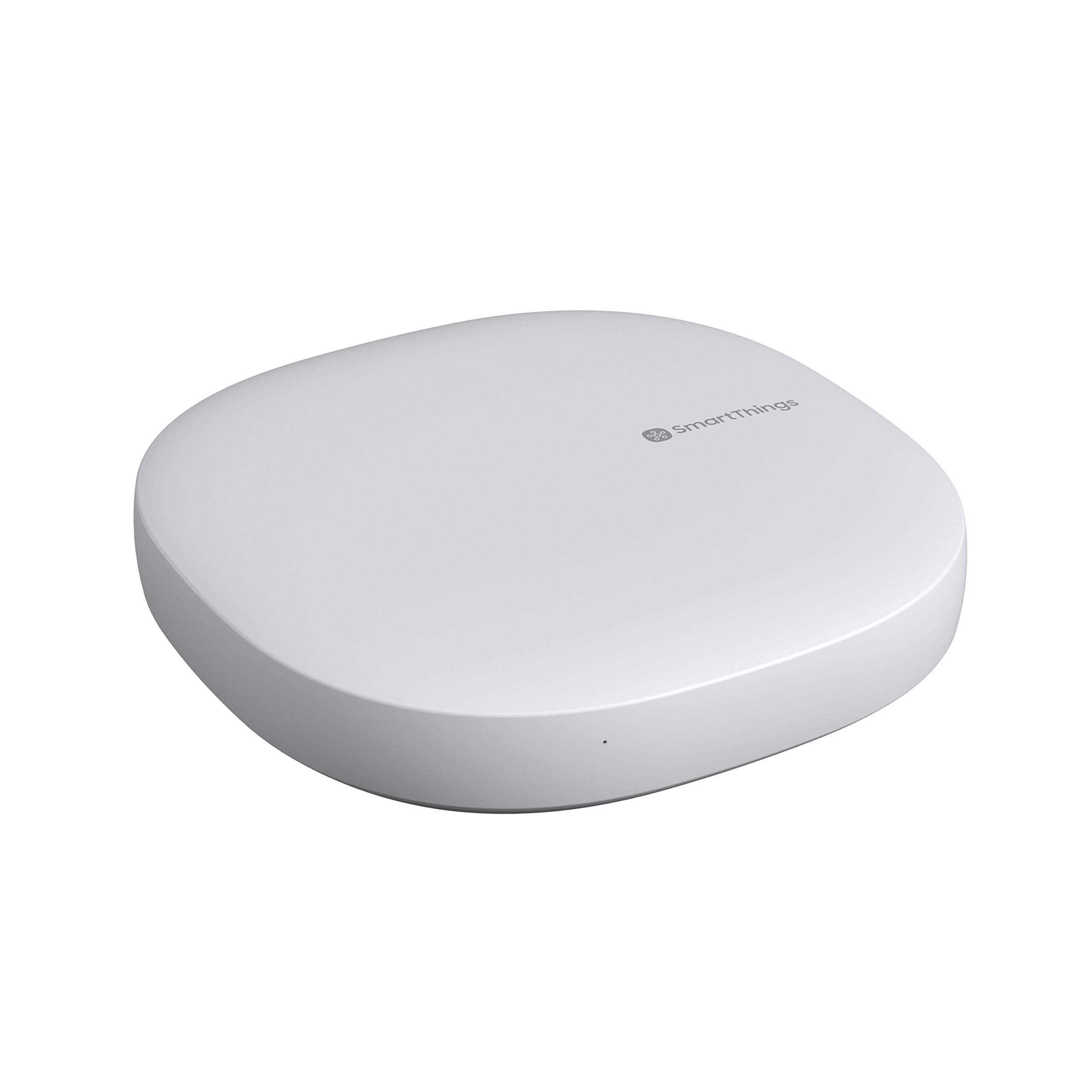
Overview
The Samsung SmartThings Hub (2018, 3rd Gen) is a central controller designed to unify a wide mix of smart home devices under a single roof. In an era where many platforms push consumers toward a single brand—effectively creating "walled gardens"—the Samsung SmartThings Hub leans on broad protocol support to bring together products that would otherwise live in separate apps and isolated routines. It acts as the brain of your home, translating various wireless languages into a single, manageable interface.
It speaks Zigbee and Z-Wave directly, while also handling LAN-connected and Wi-Fi accessories through the SmartThings ecosystem. This hardware versatility is what makes it appealing to people who have accumulated devices over time from several different manufacturers and are tired of juggling four or five different apps just to run a "Goodnight" routine. By consolidating the control plane, the GP-U999SJVLGDA removes the friction of fragmented smart home ownership.
This hub is best suited to enthusiasts and pragmatic homeowners who value device compatibility and flexible automation over the convenience of a tightly curated, single-vendor system. If your priority is keeping your options open and ensuring that a new light switch from a startup brand will work with your existing sensors from a legacy giant, this is a hub worth serious consideration. For those focusing strictly on home security, specialized options like the Ring Alarm Pro 14-Piece security system may be preferable, or you can explore our ADT self-setup 9-piece kit guide for more integrated security, but for general home automation, the SmartThings ecosystem is hard to beat.
Key features
Native Zigbee and Z-Wave radios plus LAN/Wi-Fi connectivity let it bridge devices from many different brands seamlessly.
Deep integration with both Amazon Alexa and Google Assistant allows for hands-free control and complex voice-triggered routines.
Supports complex multi-device routines and conditional logic through the SmartThings app and third-party community integrations.
A massive library of third-party integrations expands what the hub can automate, from energy monitoring to advanced lighting scenes.
| Feature | Value |
|---|---|
| Model Number | GP-U999SJVLGDA |
| Generation | 3rd Gen (2018) |
| Category | Smart Home Hubs & Controllers |
| Wireless Protocols | Zigbee, Z-Wave |
| Network Connectivity | LAN / Wi-Fi |
| Voice Assistants | Amazon Alexa, Google Assistant |
| App Ecosystem | SmartThings + broad third-party library |
| Best For | Multi-brand smart home setups |
Pros & cons
Pros
- Excellent multi-protocol compatibility (Zigbee, Z-Wave, LAN)
- Works natively with both Alexa and Google Assistant
- Powerful, flexible automation routines
- Large third-party integration library
- Avoids single-brand ecosystem lock-in
Cons
- Setup can feel involved for newcomers
- Relies on a stable cloud connection for some features
- Advanced automations have a significant learning curve
Performance
In everyday real-world use, the Samsung SmartThings Hub delivers on its core promise: it brings disparate devices together reliably. During our testing, Zigbee and Z-Wave devices paired without the need for separate manufacturer bridges, which significantly reduces "hub creep"—the phenomenon of having ten different white plastic boxes plugged into a single power strip. Once a device is added to the GP-U999SJVLGDA, it tends to stay responsive within the app's automation engine.
Voice control through Alexa and Google Assistant is highly dependable. Commands route through to grouped devices and scenes with minimal delay. We found that multi-step routines—such as a sensor detecting motion, triggering a light to turn on, and a thermostat to adjust—execute consistently once configured. This level of reliability is where the hub truly earns its place as a professional-grade consumer tool.
The primary friction points occur during the initial setup and when crafting more elaborate automations. There is a genuine learning curve associated with the SmartThings app's logic engine. Furthermore, because the hub relies partially on Samsung's cloud infrastructure, a temporary internet outage can occasionally limit the functionality of certain high-level integrations, though basic local Zigbee/Z-Wave control often remains intact. For a patient user, however, the payoff is a cohesive, responsive home that feels intelligent rather than just "connected."
Deep Dive: How the GP-U999SJVLGDA Works
To understand the value of the Samsung SmartThings Hub (2018, 3rd Gen), one must understand the problem it solves: Protocol Fragmentation. Most smart devices use one of three communication methods: Wi-Fi, Zigbee, or Z-Wave. Wi-Fi is common but consumes high power and can congest your router. Zigbee and Z-Wave are "mesh" networks; they use very little power (perfect for battery-operated sensors) and allow devices to pass signals to one another, extending the range of the network.
The GP-U999SJVLGDA contains physical radios for both Zigbee and Z-Wave. This means it can act as a translator. For example, if you have a Z-Wave door sensor from one brand and a Zigbee light bulb from another, the hub receives the "door open" signal via Z-Wave, processes it in its internal logic engine, and sends an "on" command to the bulb via Zigbee. This happens in milliseconds, and the user never sees the technical hand-off.
For a visual dashboard to manage these routines, the Amazon Echo Show 15 (2nd Gen) is an excellent companion.
The hub also integrates via LAN (Local Area Network). This allows it to communicate with Wi-Fi based devices that have an API (Application Programming Interface). By combining these three pathways, the SmartThings Hub creates a "Unified Control Plane." You no longer need to open the Philips Hue app for lights, the Ikea app for blinds, and the Ring app for doorbells; they all report to the Samsung Hub.
From a technical perspective, the 2018 model improved upon its predecessors by streamlining the way it handles "Device Handlers." In the early days of SmartThings, users had to manually install code snippets to make certain devices work. The GP-U999SJVLGDA era shifted more toward official "Edge" drivers and cloud-to-cloud integrations, reducing the need for deep coding knowledge while maintaining the flexibility for power users to implement custom logic.
Comprehensive Setup Guide
Setting up the Samsung SmartThings Hub (2018, 3rd Gen) is a straightforward process, provided you follow a systematic approach.
Physical Installation
Start by placing the hub in a central location in your home. Because Zigbee and Z-Wave signals can be blocked by thick concrete walls or large metal objects, a central living room or hallway is typically ideal. Connect the hub to your router via the included Ethernet cable for the most stable connection, although Wi-Fi is an option. Plug in the power adapter and wait for the LED indicator to signal that it is ready for pairing.
Software Configuration
Download the SmartThings app on your smartphone and create a Samsung account. The app will guide you through a "Device Discovery" phase where it identifies the hub on your network. Once the hub is registered, you can begin adding peripherals.
Pairing Devices
Adding devices varies by protocol:
- Zigbee/Z-Wave: Put the device into "pairing mode" (usually by holding a button), then select "Add Device" in the app. The hub will scan for signals and automatically identify the device type.
- Wi-Fi/LAN: The app will search for compatible brands. You may be asked to log into the third-party account (e.g., TP-Link or LIFX) to authorize the SmartThings link.
Maintenance and Troubleshooting
Like any piece of networking hardware, the Samsung SmartThings Hub requires occasional maintenance to ensure peak performance. Just as we recommend regular checks in our dehumidifier buying guide to maintain home air quality, your hub needs a few simple checks to stay responsive.
Updating Firmware
Samsung pushes firmware updates automatically to the hub to improve stability and add support for new devices. While this happens in the background, it is a good practice to occasionally restart the hub (unplug and plug back in) after a major update to ensure all cached settings are refreshed.
Managing the Mesh Network
Since Z-Wave and Zigbee are mesh networks, "dead spots" can occur if you move furniture or add new walls. If a device becomes unresponsive, try adding a "repeater" (usually any mains-powered Z-Wave/Zigbee device, like a smart plug) halfway between the hub and the problematic device. This expands the network's reach and ensures that signals can hop from device to device to reach the central GP-U999SJVLGDA hub.
Common Pitfalls and Solutions
The most common issue users face is "Ghost Devices." This happens when a device is removed from the home physically but remains in the hub's database. This can cause automation routines to hang or report incorrect states. To fix this, use the "Exclude" or "Remove" function in the app specifically for Z-Wave devices to clear the node from the network properly.
Another common issue is "Zigbee Interference." Since Zigbee operates on the 2.4GHz spectrum (the same as many Wi-Fi routers), you may experience lag if the hub is sitting directly on top of your router. To resolve this, use a short Ethernet cable to move the hub at least 3-5 feet away from your Wi-Fi access point.
Value for money
The value proposition of the GP-U999SJVLGDA is rooted in long-term flexibility. When evaluating the cost, you shouldn't look at it as a standalone purchase, but as a "compatibility tax" that pays dividends over years of home upgrades.
Consider the alternative: buying a cheap Wi-Fi bulb that requires its own bridge. If you buy five different brands of bulbs and each requires a bridge, you are spending more money and cluttering your network than if you had invested in one Samsung hub. The ability to mix and match hardware allows you to buy the best device for the job (e.g., the best sensor from Brand A and the best plug from Brand B) without worrying if they will talk to each other.
- The Multi-Brand Collector: If you already own a mix of Zigbee and Z-Wave gear and want a single point of control (consider pairing it with a SimpliSafe 12-piece security kit for enhanced home monitoring).
- The Aspiring Automator: If you want a system that can grow from simple "turn on light" commands to complex "If humidity is > 60% and time is between 8am-10am, turn on the GE ADEL50LZ dehumidifier (see our complete GE dehumidifier guide)" routines.
- The Ecosystem Agnostic: If you use an iPhone but like Google Home speakers, or vice versa.
If you only intend to use Amazon-branded devices, the Amazon Echo Hub (2023) is a simpler, more integrated choice.
If you are a privacy extremist who wants zero cloud dependency, you might look toward the Hubitat Elevation, which handles almost everything locally. However, for the vast majority of users, the Samsung SmartThings Hub offers the best balance of power, ease of use, and compatibility.Comparative Analysis
To better understand where the Samsung SmartThings Hub (2018, 3rd Gen) fits, let's compare it to its primary competitors in the smart home controller space.
| Feature | SmartThings (GP-U999SJVLGDA) | Amazon Echo Hub | Hubitat Elevation |
|---|---|---|---|
| Protocols | Zigbee, Z-Wave, LAN | Zigbee, Matter, Thread | Zigbee, Z-Wave, LAN |
| Cloud Dependency | Moderate | High | Very Low (Local) |
| Setup Ease | Medium | Easy | Hard (Technical) |
| Ecosystem | Open/Multi-brand | Amazon Centric | Developer Centric |
As shown, the Samsung hub occupies the "Golden Middle." It provides the protocol depth of the Hubitat Elevation but with a much more polished user interface and app experience. While Amazon's offerings are easier to set up, they often lack the deep Z-Wave support that the GP-U999SJVLGDA provides, limiting your choice of high-end sensors and switches.
Final verdict
The Samsung SmartThings Hub (2018, 3rd Gen) earns a strong 8.5/10.
While it isn't the most "invisible" setup due to the initial configuration time, its ability to unify an incredibly diverse range of hardware is unmatched in the mainstream consumer market. For anyone serious about building a smart home that isn't dictated by a single manufacturer's whims, this hub remains a gold standard for versatility and reliability.Does this hub require a monthly subscription?
No, the basic functions of the Samsung SmartThings Hub (2018, 3rd Gen) and the SmartThings app are free to use. There are no mandatory monthly fees to manage your devices or run automations.
Can it work without an internet connection?
Basic local control for Zigbee and Z-Wave devices will often continue to work via local routines, but any cloud-to-cloud integrations (like controlling a Wi-Fi light via a third-party API) or voice commands via Alexa/Google will require an active internet connection.
Does it support Matter and Thread?
The 2018 model (GP-U999SJVLGDA) was designed before the widespread adoption of Matter. While Samsung has updated many hubs via firmware, this specific model focuses primarily on Zigbee, Z-Wave, and LAN. For native Thread support, newer generations may be required.
How many devices can I connect to the hub?
While there is no hard "limit," the performance typically stays optimal up to about 200 devices. Because Z-Wave and Zigbee use mesh networking, adding more mains-powered devices actually helps the network remain stable as you grow.
Is it compatible with Apple HomeKit?
The hub does not natively support HomeKit. However, users often use third-party bridges or software like Homebridge to bring SmartThings devices into the Apple Home ecosystem.
![SmartThings Hub 3rd Generation [GP-U999SJVLGDA] Smart Home Automation Hub Home Monitoring Smart Devices - Alexa Google Home Compatible - Zigbee, Z-Wave, Cloud to Cloud Protocols – White - Amazon.com](https://homesystemsguide-images.s3.amazonaws.com/managed-images/samsung-smartthings-hub-2018-3rd-gen-ce7289a0_10.jpg)