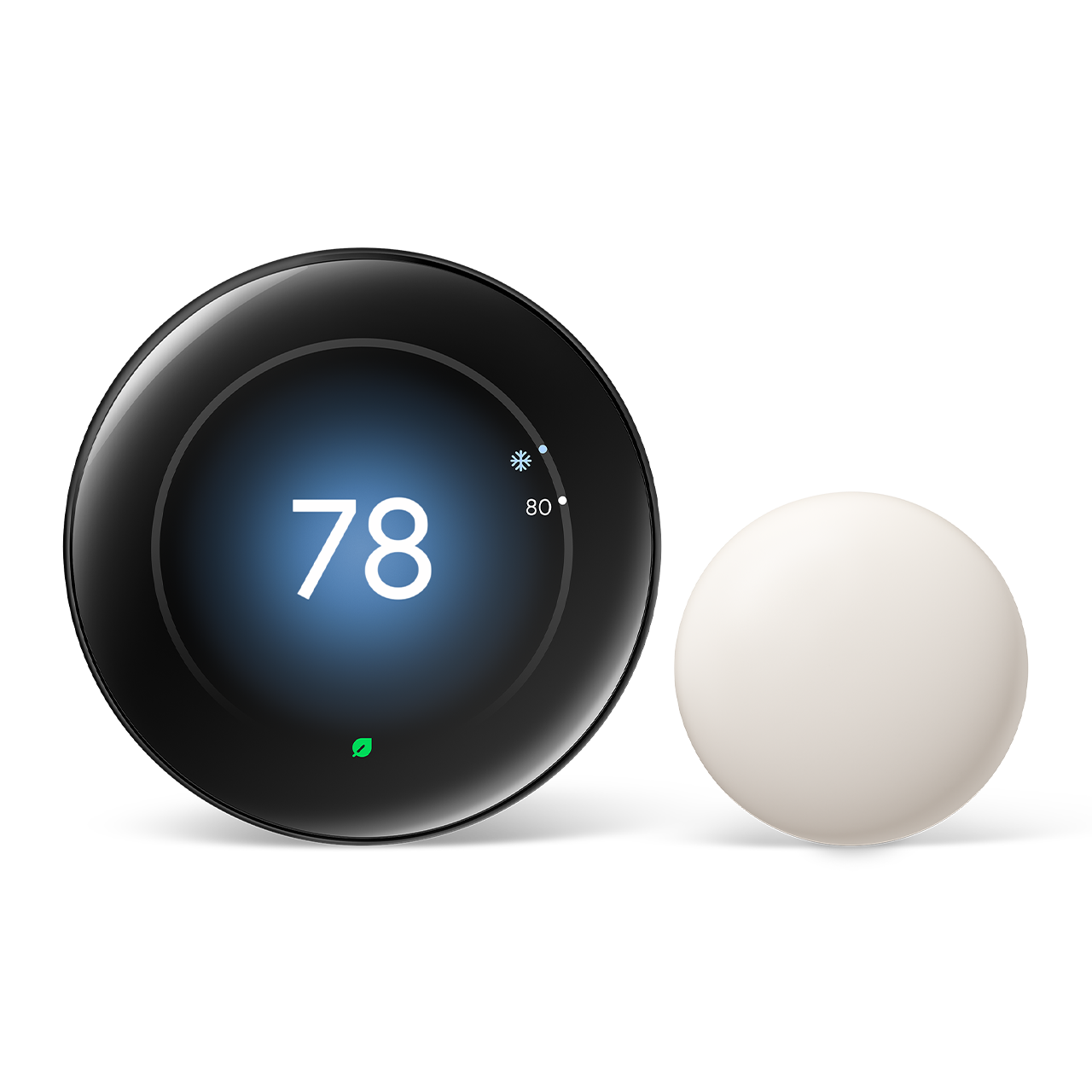
Smart thermostats have evolved from novelty gadgets into genuine energy-saving tools, and the Google Nest Learning Thermostat 4th Generation is currently one of the most advanced options for modern homes.
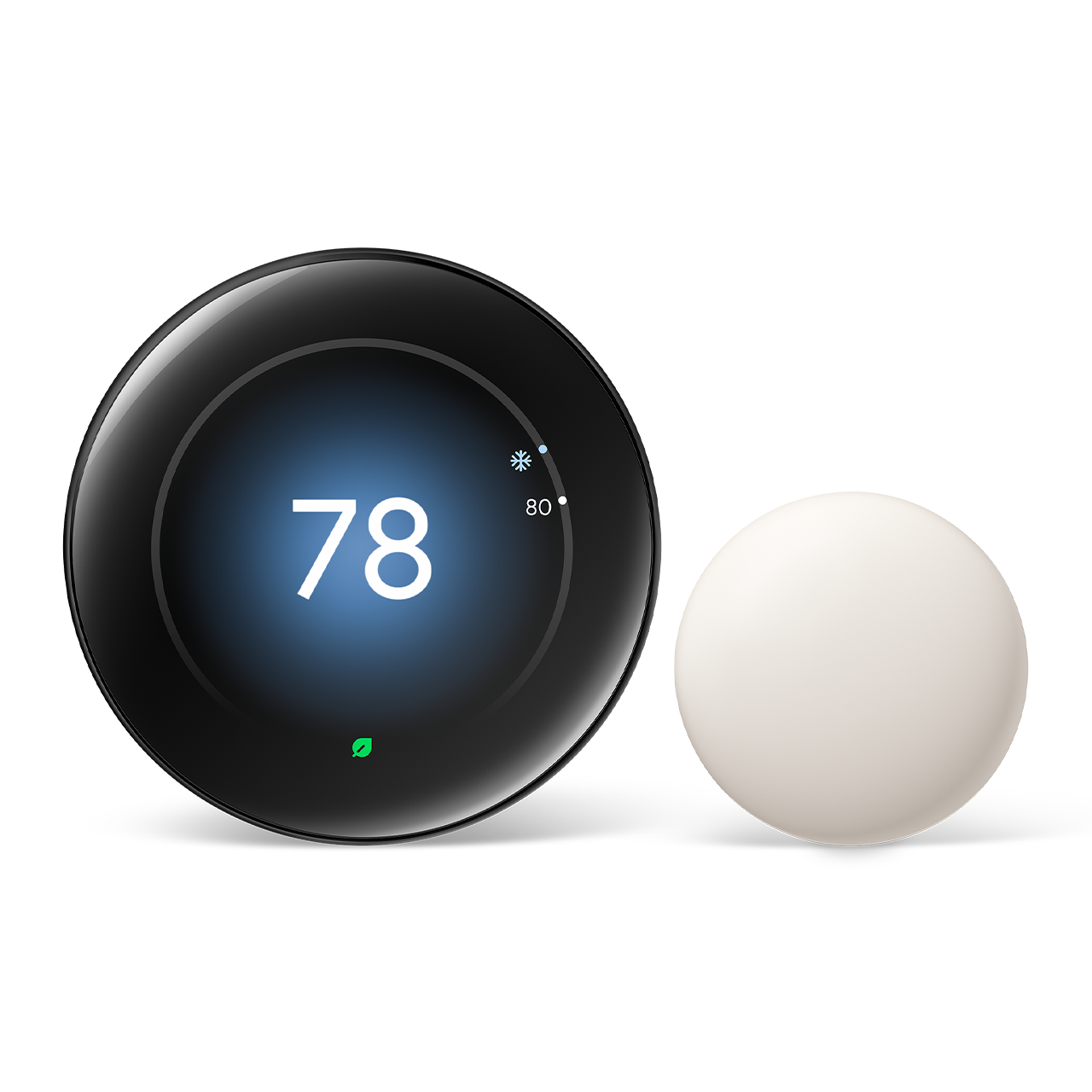
The Google Nest Learning Thermostat 4th Generation Smart WiFi Thermostat studies your habits and automatically trims heating and cooling bills without constant manual adjustment.
This guide explores its Matter support, auto-scheduling capabilities, and whether it's the right investment for your HVAC system.Top Pick: Google Nest Learning Thermostat 4th Generation
Score: 9.2/10 — A polished, self-learning thermostat with a gorgeous display and Matter support that makes "set it and forget it" energy savings genuinely effortless.
Google Nest Learning Thermostat 4th Generation
The Google Nest Learning Thermostat 4th Generation is Google's flagship climate control device, designed to learn your schedule and temperature preferences over the first week or two of use. Once it understands your patterns, it builds an automatic schedule and adjusts heating and cooling on its own — no programming required from you. Unlike traditional programmable thermostats that require manual data entry for every hour of the day, this device observes when you turn the dial up in the morning or down before bed, eventually automating those transitions entirely.
The standout hardware change this generation is the redesigned display, which is larger, brighter, and easier to read across the room. It utilizes a high-resolution interface that shows the time, weather, and other glanceable information when you walk by. The high-contrast interface makes manual adjustments quick on the rare occasions you need them, providing a tactile and visual experience that feels more like a premium piece of home decor than a piece of industrial HVAC equipment.
Connectivity is where this model earns its "future-proof" label. Alongside Wi-Fi and full Google Home app integration for remote control, it adds Matter compatibility. Matter is the new industry standard that allows smart home devices from different brands to talk to each other more reliably. This means the T4001ES can slot into a broader smart-home ecosystem regardless of which platform you favor, whether you are deeply embedded in Google, Apple Home, or Amazon Alexa environments. For those building a secure home, integrating a Ring Alarm Pro system alongside smart climate controls creates a fully automated home. Energy-saving features like Eco temperatures and usage history reports help you see exactly where savings come from, turning abstract energy bills into actionable data.
This thermostat is ideal for homeowners who want a hands-off, energy-saving solution and who already use — or plan to use — the Google Home ecosystem. It is particularly effective in homes with variable daily routines where a rigid schedule would fail. However, renters and those needing C-wire-free installs should confirm their wiring before purchasing. While the device is compatible with most 24V systems, some older homes may require a power extender kit or a dedicated common wire to ensure the Wi-Fi remains stable and the screen stays powered without cycling the HVAC system unnecessarily.
Pros
- Learns your schedule automatically — minimal setup
- Bright, redesigned display that's easy to read
- Matter support for broad smart-home compatibility
- Remote control and energy reports via Google Home
- Eco modes that deliver measurable savings
Cons
- Higher price than basic programmable thermostats
- Best experience leans on the Google ecosystem
- Some HVAC systems may require a C-wire or adapter
| Specification | Detail |
|---|---|
| Model Number | T4001ES |
| Category | Heating & Cooling Controls |
| Connectivity | Wi-Fi, Matter |
| App Integration | Google Home |
| Learning Ability | Auto-schedule based on usage |
| Display | Redesigned, high-contrast screen |
Deep Dive: How the Learning Algorithm Works
Many users wonder if "learning" is just a marketing term or a functional feature. In the case of the Google Nest Learning Thermostat 4th Generation Smart WiFi Thermostat, the learning process is an iterative data-collection phase. For the first 7 to 14 days, the thermostat is in an observation mode. When you manually turn the ring to 72°F at 7:00 AM, the device logs that data point. If you do this three days in a row, the algorithm begins to recognize a pattern. By the second week, it will preemptively move the temperature to 72°F at 7:00 AM without you touching the dial.
This differs from "scheduling" in that the thermostat also learns the thermal profile of your home. For those considering a full system upgrade, our MrCool DIY mini-split buying guide explains how to integrate efficient cooling with smart controls. It tracks how long it takes for your specific living room to rise or fall by one degree. This prevents "overshooting" the target temperature and reduces the wear and tear on your HVAC blower and compressor. If it knows your home loses heat quickly during a winter storm, it will engage the heat slightly earlier to maintain a consistent environment.
Furthermore, the device utilizes "Home/Away Assist." Similarly, managing humidity is key to overall comfort; using a GE ADEL50LZ dehumidifier or a high-quality Panasonic WhisperGreen Select ventilation system can work alongside your thermostat to maintain a stable indoor environment. By leveraging sensors within the unit and (optionally) the location of your smartphone, the Nest knows when the house is empty. Instead of heating an empty building, it switches to an "Eco" temperature—a wider range that maintains safety (preventing frozen pipes) while slashing energy waste. This is where the most significant financial savings typically occur, especially for those with unpredictable work-from-home schedules.
To further optimize efficiency, the 4th Generation model uses advanced occupancy sensing. Rather than relying solely on geofencing (your phone's GPS), it uses an onboard proximity sensor to detect when someone enters the room. This allows it to wake up the display and adjust parameters based on real-time movement. If you have a multi-zone home, adding Nest Temperature Sensors allows the learning algorithm to prioritize specific rooms—like the bedroom at night or the home office during the day—ensuring that the "learning" isn't just based on the hallway where the main unit is installed, but where you actually spend your time.
The sophistication of this approach reduces "cycling." Cycling occurs when a thermostat turns the system on and off rapidly to maintain a precise temperature. By understanding the home's thermal mass, the T4001ES can implement "True Radiant" or similar predictive logic, calculating exactly when to shut off the heat so that the residual warmth in the radiators or vents brings the room to the exact desired temperature without overshooting. This not only saves energy but extends the life of your furnace or AC unit by reducing the number of start-stop cycles per hour.
Comprehensive Installation Guide and HVAC Compatibility
Installing the Google Nest Learning Thermostat is designed to be a DIY process, but HVAC wiring is not universal. Before removing your old unit, it is critical to take a photograph of the existing wiring. Most modern systems use a 24V AC standard, which the T4001ES is built for. However, you must be cautious of "High Voltage" systems (120V or 240V), which are common in old baseboard heaters. If you see thick wires held by wire nuts, the Nest is not compatible and could be permanently damaged if connected.
The "C-Wire" debate is the most common point of confusion. A common wire (C-wire) provides a continuous return path for electricity, ensuring the thermostat has power even when the heating/cooling isn't running. Without a C-wire, some Nest thermostats "power steal" from the heating/cooling wires. While this works for many, some sensitive HVAC control boards may perceive this as a request for heat or air, leading to "short-cycling"—where the system turns on and off rapidly. This can damage your equipment over time.
- Power Down: Shut off power to your HVAC system at the breaker box. Verify the power is off by trying to turn on the heat or air.
- Document: Take a high-resolution photo of your old wiring. Label each wire using the stickers provided in the Nest box.
- Removal: Remove the old backplate carefully, ensuring the wires don't slip back into the wall cavity.
- Mounting: Use the included bubble level to ensure the Nest base is perfectly straight. Screw it into the wall using the provided hardware.
- Connection: Click the wires into the corresponding terminals (R to R, W to W, etc.). Ensure no bare copper is exposed beyond the terminal.
- Initialization: Attach the display unit and restore power. Follow the on-screen setup to connect to Wi-Fi and your Google account.
If you encounter an error code during setup, such as "Power Cable Not Detected," the Google Home app provides a step-by-step troubleshooting guide. This often involves checking for loose wires or confirming that your HVAC system's fuse hasn't blown during the transition. For those without a C-wire, installing the Nest Power Connector at the furnace is the gold standard for stability, as it eliminates the need for "power stealing" and ensures the Wi-Fi chip doesn't drop connection during peak heating cycles.
It is also worth noting the physical installation footprint. The T4001ES features a sleek profile, but if you are replacing a very large rectangular thermostat, you may be left with unpainted wall space or holes. Google provides a trim plate in the box to cover these gaps, ensuring a clean aesthetic without needing to patch and paint your drywall. Ensuring the unit is mounted away from direct sunlight or drafty windows is also critical; otherwise, the internal temperature sensor will be skewed, causing the system to over-cool or over-heat the rest of the house to satisfy a "false" reading at the wall.
Maintenance and Long-Term Care
Unlike traditional thermostats that might last 20 years without a thought, a smart thermostat is a computer on your wall. This means it requires occasional software updates and physical cleaning to maintain efficiency. The T4001ES handles software updates automatically via Wi-Fi, but users should occasionally check the Google Home app to ensure the device is online and reporting correctly.
Physically, the high-contrast screen can collect fingerprints and dust. Avoid using harsh chemical cleaners or ammonia-based sprays, as these can strip the oleophobic coating from the glass. A dry microfiber cloth is sufficient for most cleaning. If the screen becomes unresponsive, a simple restart through the settings menu usually resolves the issue.
From an HVAC perspective, the thermostat is your first line of defense in system maintenance. The Nest can be configured to send reminders for filter changes. Ignoring these reminders leads to restricted airflow, which forces the thermostat to run the system longer to reach the target temperature, effectively canceling out the energy savings the device provides. Pairing the Nest with a Filtrete MERV-12 air filter ensures that the "Learning" part of the device isn't fighting against a clogged system.
Long-term software health is also critical. Because the T4001ES integrates with the Google Home ecosystem, ensuring your home network's Wi-Fi signal is strong at the thermostat's location is paramount. If the signal is weak, the device may enter a "power-saving" mode for its wireless chip, which can lead to delayed responses from the app or missed automation triggers. Using a mesh Wi-Fi system can often resolve these "ghost" connectivity issues.
Furthermore, consider the impact of seasonal transitions. While the device learns automatically, "resetting" certain preferences during the switch from winter to summer can help the AI recalibrate. For example, your tolerance for a 2-degree swing in temperature might be higher in the summer than in the dead of winter. Adjusting these preferences in the app helps the device refine its energy-saving algorithms for the specific demands of the current season.
Matter Compatibility: Why It Matters for the 4th Gen
The inclusion of Matter support in the T4001ES is a pivotal upgrade. For years, the "walled garden" approach meant that if you bought a Nest thermostat, you were largely locked into the Google ecosystem for the best experience. Matter changes the underlying language of the device. It allows the Nest to be discovered and controlled by other Matter-certified controllers with lower latency and higher reliability.
For the average user, this means your smart home setup becomes more flexible. You can use a Google Nest Hub to see the temperature, but you can also trigger a "Goodnight" scene in Apple Home that simultaneously locks your doors—perhaps via a SimpliSafe 12-piece security kit—and tells the Nest to drop the temperature to 65°F. This interoperability removes the friction of choosing a brand and allows you to pick the best hardware for each specific job in your home.
Technically, Matter operates locally over your network. Previously, many smart home integrations relied on "cloud-to-cloud" communication. This meant that when you asked a voice assistant to change the temperature, the request traveled from your house to a server, then to Google's server, and back to your thermostat. With Matter, the command happens directly on your local network. This results in near-instant response times and, more importantly, means that basic control of your HVAC system will still work even if your rest-of-world internet connection goes down.
Advanced Energy Optimization Strategies
To get the most out of the T4001ES, users should look beyond basic scheduling and dive into the advanced optimization tools available in the Google Home app. One of the most underutilized features is the "Airwave" setting. Airwave allows the fan to continue running after the AC compressor has shut off, using the remaining cold air in the vents to cool the room further without using more electricity. This can significantly reduce energy consumption during the humid summer months.
Another powerful tool is the "Early-On" or "True Radiant" feature. In traditional systems, if you set the temperature to 70°F for 7:00 AM, the system starts heating at 7:00 AM. With the T4001ES, the device calculates how long your specific home takes to warm up. If it takes 45 minutes to reach the target, the Nest will start the heat at 6:15 AM so that it is exactly 70°F the moment your alarm goes off. This eliminates the "cold start" feeling and ensures maximum comfort.
For those looking to maximize ROI, the "Seasonal Savings" reports are invaluable. These reports highlight how much energy you've saved compared to the previous month or year. By analyzing these, you can identify "leakage" in your home's efficiency. If you notice that the thermostat is working twice as hard in November as it did in October despite similar outside temperatures, it may be a signal that your windows need sealing or your insulation is failing in a specific area.
Finally, integrating the T4001ES with other smart home devices creates a "holistic" energy strategy. For instance, pairing the thermostat with smart blinds can prevent the "greenhouse effect" in the summer. When the Nest detects the room is getting too warm, a Matter-enabled automation can close the