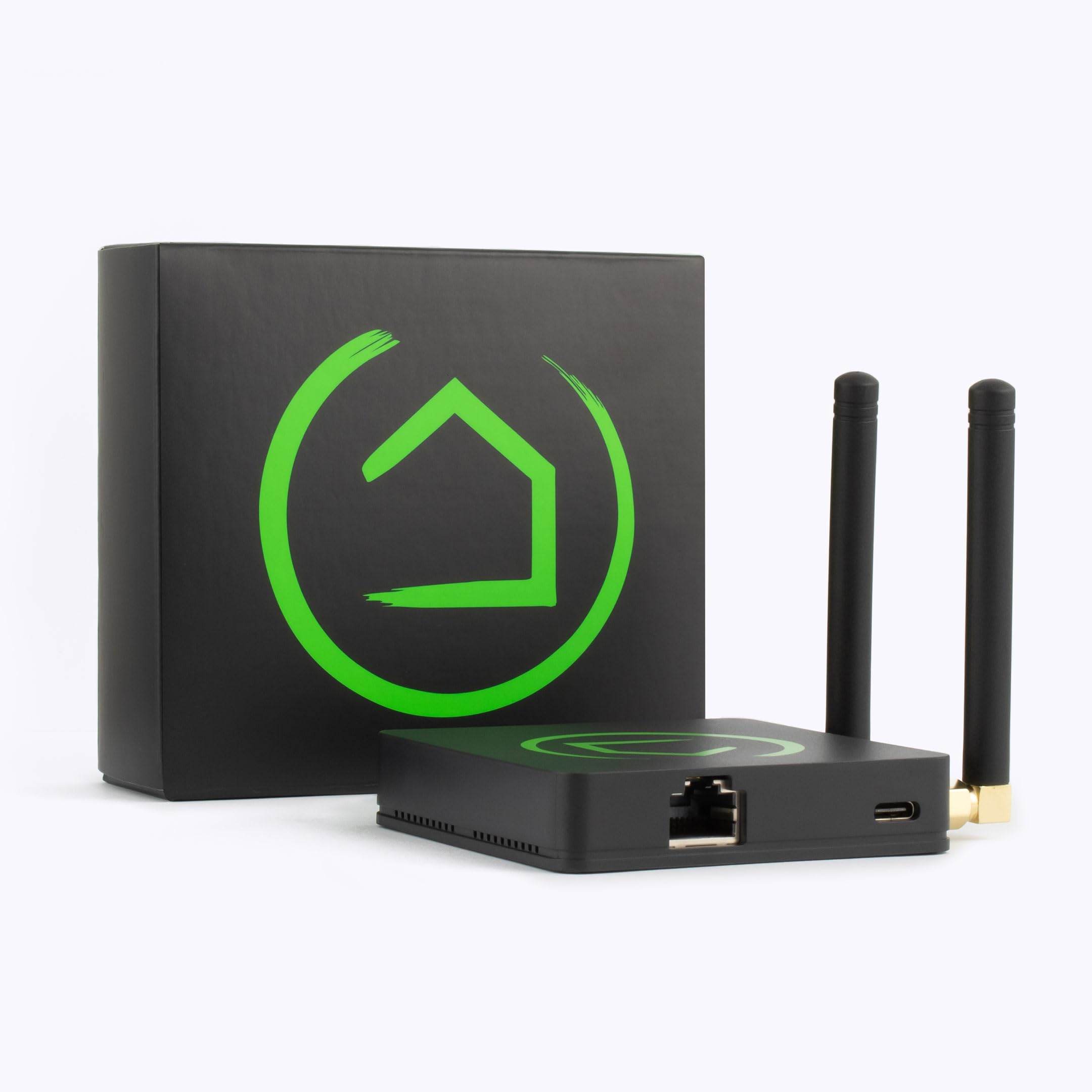
Hubitat Elevation Local Smart Home Hub with Zigbee and Z-Wave (C-8) — 9/10
The best choice for privacy-conscious smart home enthusiasts who want fast, reliable, cloud-independent local automation.
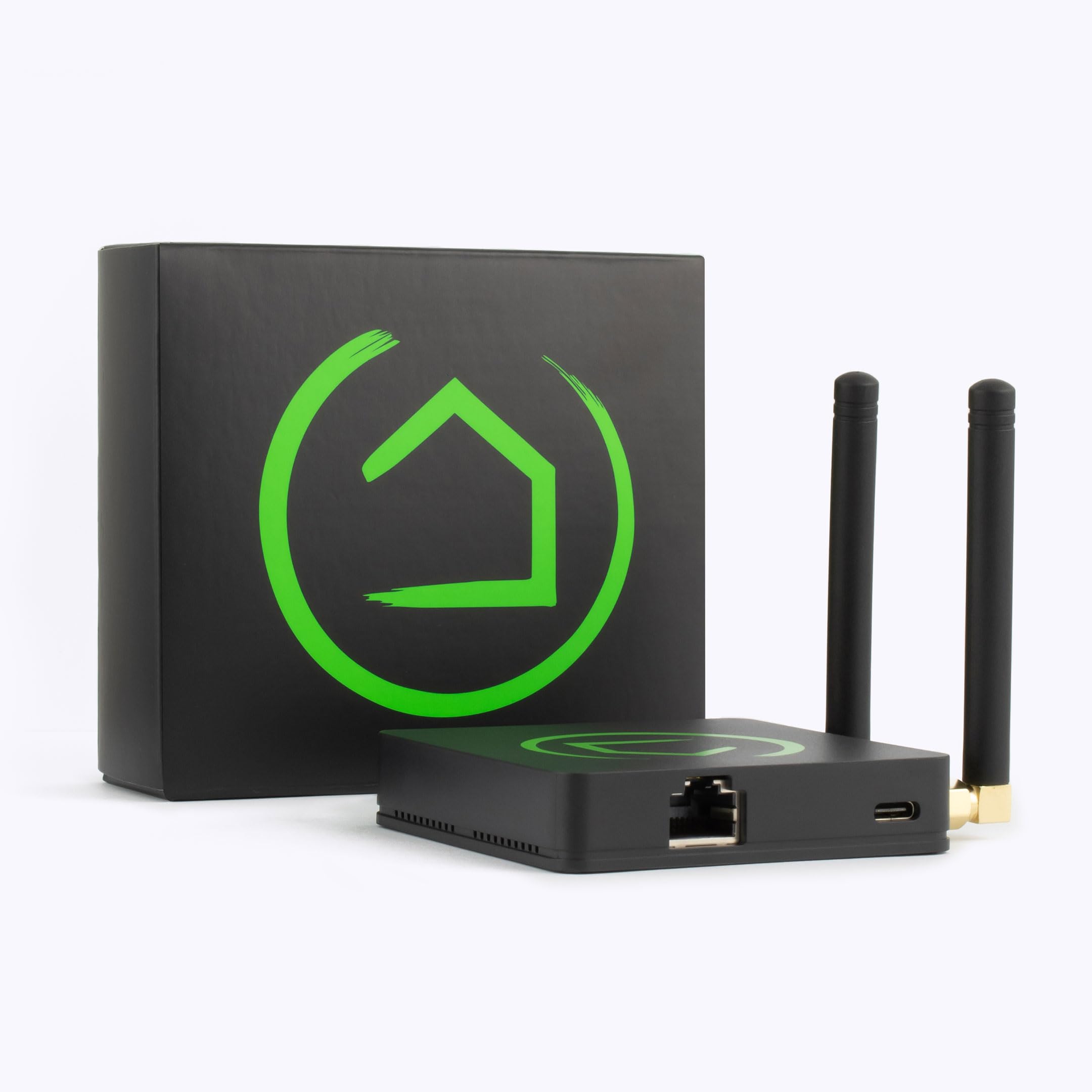
Overview
The Hubitat Elevation Local Smart Home Hub with Zigbee and Z-Wave provides fast, private, and cloud-independent local smart home control.
Get the Hubitat Elevation Local Smart Home Hub with Zigbee and Z-Wave for reliable local smart home control.
Unlike cloud-dependent platforms that can stall or fail when your internet drops, the C-8 runs your automations entirely on-device, keeping routines functional even when offline and putting control of your home back in your own hands. By processing logic locally, the hub eliminates the "round trip" to a remote server, resulting in near-instantaneous response times for sensors and switches.It supports a wide range of protocols including Zigbee, Z-Wave, and LAN-connected devices, making it compatible with hundreds of popular smart home products. This broad coverage means you can consolidate a mix of brands and ecosystems under one local controller rather than juggling several manufacturer apps and clouds. Whether you are integrating Philips Hue bulbs, GE Z-Wave switches, or Sonos speakers, the C-8 acts as the unified brain of the operation.
This hub is best suited to privacy-conscious users and automation enthusiasts who want robust control over their ecosystem. It rewards tinkerers willing to learn its rule engine, while still offering enough community support to help newcomers find their footing. By removing the "middle man" of the cloud, the C-8 eliminates the latency and security risks associated with external servers, making it a fortress for your domestic data. For those combining local hubs with managed security, a professional security kit or a Ring Alarm Pro system can add another layer of protection.
Key features
Automations run entirely on-device, so routines stay fast and keep working without an internet connection.
Native Zigbee and Z-Wave radios plus LAN-connected device support for wide compatibility.
Improved Zigbee and Z-Wave hardware delivers better range and reliability than previous models.
Cloud-independent operation keeps your routines and device data inside your home.
| Feature | Value |
|---|---|
| Model | C-8 |
| Category | Smart Home Hubs & Controllers |
| Processing | Local / on-device |
| Wireless Protocols | Zigbee, Z-Wave |
| Network Connectivity | LAN-connected devices supported |
| Radio Upgrade | Improved Zigbee & Z-Wave range and reliability |
| Cloud Dependency | None required for core automations |
| Ideal User | Privacy-conscious users, automation enthusiasts |
Pros & cons
Pros
- Fast, reliable local automations that work offline
- Broad Zigbee, Z-Wave, and LAN device compatibility
- Upgraded radios improve range and reliability
- Strong privacy with cloud-independent control
- Active community with plenty of custom drivers
Cons
- Steeper learning curve than cloud-first hubs
- No polished native voice assistant of its own
- Initial setup rewards patience and tinkering
Performance
In day-to-day use, the C-8's local processing is its defining strength. Motion-triggered lights and routines fire almost instantly, with none of the lag that creeps into cloud-routed automations. Pulling the internet connection entirely had no effect on core rules, which is reassuring for anyone who has watched a cloud outage take down their whole home. The "popcorn effect"—where a group of lights turns on one by one with a visible delay—is virtually eliminated when using local Z-Wave or Zigbee groups.
The upgraded radios make a noticeable difference at the edges of a typical home. Zigbee and Z-Wave devices that previously sat on the fringe of reliable range reported stronger, steadier connections, reducing the number of repeaters needed to bridge difficult areas like detached garages or far bedrooms. The C-8 handles high-density device environments with impressive stability, managing dozens of concurrent signals without crashing or dropping devices from the network.
The rule engine is deep and flexible, handling complex conditional logic that simpler platforms can't approach. Once configured, however, the reliability is unmatched by most consumer-grade hubs.
Technical Deep Dive: How Local Processing Works
To understand why the Hubitat Elevation C-8 is a significant departure from hubs like the Samsung SmartThings Hub (2018, 3rd Gen) or Amazon Echo, one must understand the "Cloud Trip." In a typical cloud-based smart home, when you press a switch, the signal goes: Switch → Hub → Router → Manufacturer's Cloud Server → Back to Router → Hub → Light Bulb. If any link in that chain fails or lags, your light doesn't turn on.
The C-8 changes this to: Switch → Hub → Light Bulb. Everything is handled on the local CPU of the hub. This not only increases speed but ensures that your home remains "smart" even during a total ISP outage. The C-8 uses a sophisticated internal database to manage the states of every single device, allowing for complex "If-Then-Else" logic that executes in milliseconds.
Furthermore, the C-8's integration of Z-Wave and Zigbee is handled through a robust driver system. A "driver" is essentially a translation layer that tells the hub how to speak the specific language of a specific device. Because Hubitat allows community-written drivers, the C-8 often supports niche or older hardware that official corporate hubs have abandoned.
Advanced Setup and Configuration Guide
Setting up the Hubitat Elevation C-8 is a different experience than the "plug and play" nature of mass-market devices. For the best results, users should follow a structured approach to avoid network congestion and routing errors.
1. Physical Placement and Radio Optimization
Centrality is key. Because the C-8 acts as the coordinator for your Zigbee and Z-Wave mesh networks, placing it in a central location reduces the number of "hops" a signal must take to reach the furthest device. Avoid placing the hub inside a metal cabinet, on a metal shelf, or directly behind a large television, as these act as RF shields and can significantly reduce range. If your home is multi-story, consider placing the hub on the middle floor to maximize vertical coverage.
2. Network Integration and Stability
While the hub supports Wi-Fi, a hardwired Ethernet connection is strongly recommended for the primary installation. Local processing is the goal, but the hub still needs a stable connection for firmware updates, remote access (if desired), and integration with LAN-based devices like Sonos or Philips Hue bridges. A wired connection eliminates Wi-Fi interference and provides the lowest possible latency for the hub's internal web server, which you will use for most of your configuration.
3. The Strategic Addition of Devices
When pairing devices, it is best to do so in the location where the device will actually live. Since Zigbee and Z-Wave create a mesh—where each mains-powered device acts as a repeater—pairing a bulb in the kitchen while the hub is in the living room can sometimes create suboptimal routing paths. This "pairing in place" strategy ensures the device identifies its nearest neighbor immediately, creating a more resilient mesh that can automatically reroute signals if one device fails.
4. Mastering the Rule Engine
The "Basic App" is the starting point for most users, providing simple triggers and actions. For those wanting more power, the "Rule Machine" allows for advanced logic. For example, instead of just "Turn on light when motion detected," you can create a rule that says: "Turn on light when motion is detected, ONLY IF it is after sunset AND the brightness in the room is below 20% AND the ADT Self Setup security kit is disarmed." This level of granularity is what separates the C-8 from entry-level hubs.
Maintenance and Long-Term Reliability
One of the biggest advantages of the C-8 is its longevity, but like any computer, it requires occasional maintenance to remain peak-performing.
Z-Wave networks occasionally need a "Heal." Ensuring your network hardware stays powered during these optimizations is critical. Because devices can be moved or new walls can be built, the mesh paths can become outdated. The C-8 allows you to trigger a Z-Wave network repair, which forces every device to re-evaluate the most efficient path to the hub. For those concerned with total system reliability during power failures, pairing your hub with a Wayne ESP25 battery backup system for critical utilities is a smart parallel strategy to prevent data corruption during abrupt shutdowns.
Firmware updates for the hub should be handled with a bit of caution. While usually stable, it is wise to read the community forums to ensure a new update doesn't conflict with any custom community drivers you may have installed for specific hardware. We recommend updating during a window where you have time to troubleshoot, rather than right before a major event or trip.
Comparison: Hubitat C-8 vs. Competition
When choosing a hub, the decision usually comes down to a trade-off between convenience and control. Here is how the Hubitat Elevation C-8 stacks up against the most common alternatives.
Hubitat C-8 vs. Samsung SmartThings Hub (2018, 3rd Gen)
SmartThings offers a more polished mobile app and a lower barrier to entry. It is designed for the average consumer who wants things to "just work." However, it relies heavily on the cloud. If the SmartThings servers go down, or if your internet provider has an outage, your complex automations often stop working. Hubitat wins on speed, privacy, and reliability, while SmartThings wins on aesthetic UX and ease of initial setup. For the user who values uptime over app beauty, Hubitat is the clear choice.
Hubitat C-8 vs. Home Assistant
Home Assistant is the gold standard for power users, offering unparalleled flexibility. However, it requires a dedicated computer (like a Raspberry Pi or an Intel NUC) and significant manual software configuration, often involving YAML files and Linux terminal work. Hubitat provides a "middle ground"—it offers local control and advanced logic similar to Home Assistant, but it comes as a pre-packaged appliance with a dedicated OS. This removes the need to manage hardware components or kernel updates, making it a "plug-and-play" version of an enthusiast hub.
Hubitat C-8 vs. Amazon Echo/Google Home
These are primarily voice interfaces and "smart speakers," not true automation hubs. While they can trigger simple scenes, they lack the deep conditional logic of the C-8. They are essentially "cloud-first" devices. The ideal setup is using the C-8 as the "brain" that handles the logic and hardware communication, paired with a voice interface like the Amazon Echo Hub (2023) or the Amazon Echo Show 15 (2nd Gen) to trigger the C-8's local rules via voice command.
Potential Pitfalls and How to Avoid Them
No product is perfect, and the C-8 has specific quirks that can frustrate new users if they aren't prepared. One common issue is the "ghost node" in Z-Wave networks, where a device is removed but still exists in the hub's routing table. This can cause delayed responses. To avoid this, always use the proper "Exclusion" process to remove a device before physically disconnecting it.
Another pitfall is the temptation to install too many community drivers without reading the documentation. While the community is helpful, some drivers may conflict with others or require specific settings to function. We recommend implementing new drivers one by one and testing the functionality before adding a large batch of custom code to your system.
Finally, some users struggle with the web-based interface, which feels dated compared to modern mobile apps. The trick is to use the "Dashboard" feature to create a simplified, touch-friendly control panel for your family. Once your dashboards are set up, you rarely need to enter the complex administrative backend, effectively hiding the "ugly" part of the system from daily users.
Value for Money
When analyzing the value of the Hubitat Elevation C-8, you have to look past the initial price tag and consider the "lifetime cost" of a smart home. Cloud-based hubs often come with hidden costs: the risk of a subscription for "premium" features, the inevitable obsolescence when a manufacturer shuts down a cloud server, and the time lost during internet outages.
The C-8 is an investment in stability. By owning the hardware and the logic locally, you are essentially buying an insurance policy against the instability of the internet and the whims of corporate software roadmaps. For a household with 50+ devices, the cost per device is negligible compared to the massive increase in reliability. It is specifically a high-value purchase for those who intend to build a permanent, long-term smart home rather than a temporary set of a few smart bulbs.
For the casual user with only two smart plugs, the C-8 might be overkill. But for anyone crossing the threshold into "serious" automation—where sensors trigger lights, blinds adjust based on sun position, and HVAC is managed by room-specific temperature sensors—the C-8 is the most cost-effective way to achieve professional-grade reliability without needing a degree in computer science.
Final Verdict
The Hubitat Elevation Local Smart Home Hub with Zigbee and Z-Wave (C-8) is a powerhouse of local automation. While it demands more patience during the initial configuration phase than a plug-and-play Amazon Echo, the payoff is a home that is faster, more private, and significantly more reliable.
The upgraded radios in the C-8 solve many of the range issues found in previous iterations, and the local-first architecture ensures that your home's intelligence is never dependent on a distant server. If you are tired of "Device Unreachable" messages and the lag of cloud processing, this is the upgrade your smart home needs.
Final Score: 9/10
Does the C-8 require an internet connection to work?
No. While an internet connection is recommended for initial setup, firmware updates, and remote access, all core automations and device communications happen locally on the hub. Your rules will continue to fire even if your ISP goes down.
How does the C-8 differ from the previous C-7 model?
The C-8 features upgraded Zigbee and Z-Wave radios that provide better range and improved reliability. It also generally handles larger device networks with more stability and updated hardware for faster internal processing.
Can I use the C-8 with Amazon Alexa or Google Home?
Yes. Hubitat integrates with both Alexa and Google Home. This allows you to use the C-8 as the powerful "brain" for your logic while using voice assistants as a convenient interface to trigger those local rules.
Is the C-8 difficult to set up for beginners?
It has a steeper learning curve than cloud-based hubs. However, the "Basic App" allows for simple setups, and the extensive community forums provide a wealth of guides for those who want to move into advanced "Rule Machine" automation.
What happens if the hub fails?
Because the hub is a local appliance, a hardware failure would stop your automations. This is why we strongly recommend regular configuration backups. If the hardware fails, you can restore your entire home setup to a replacement hub in minutes using a backup file.