We may earn a commission if you purchase through links on this page, at no extra cost to you.
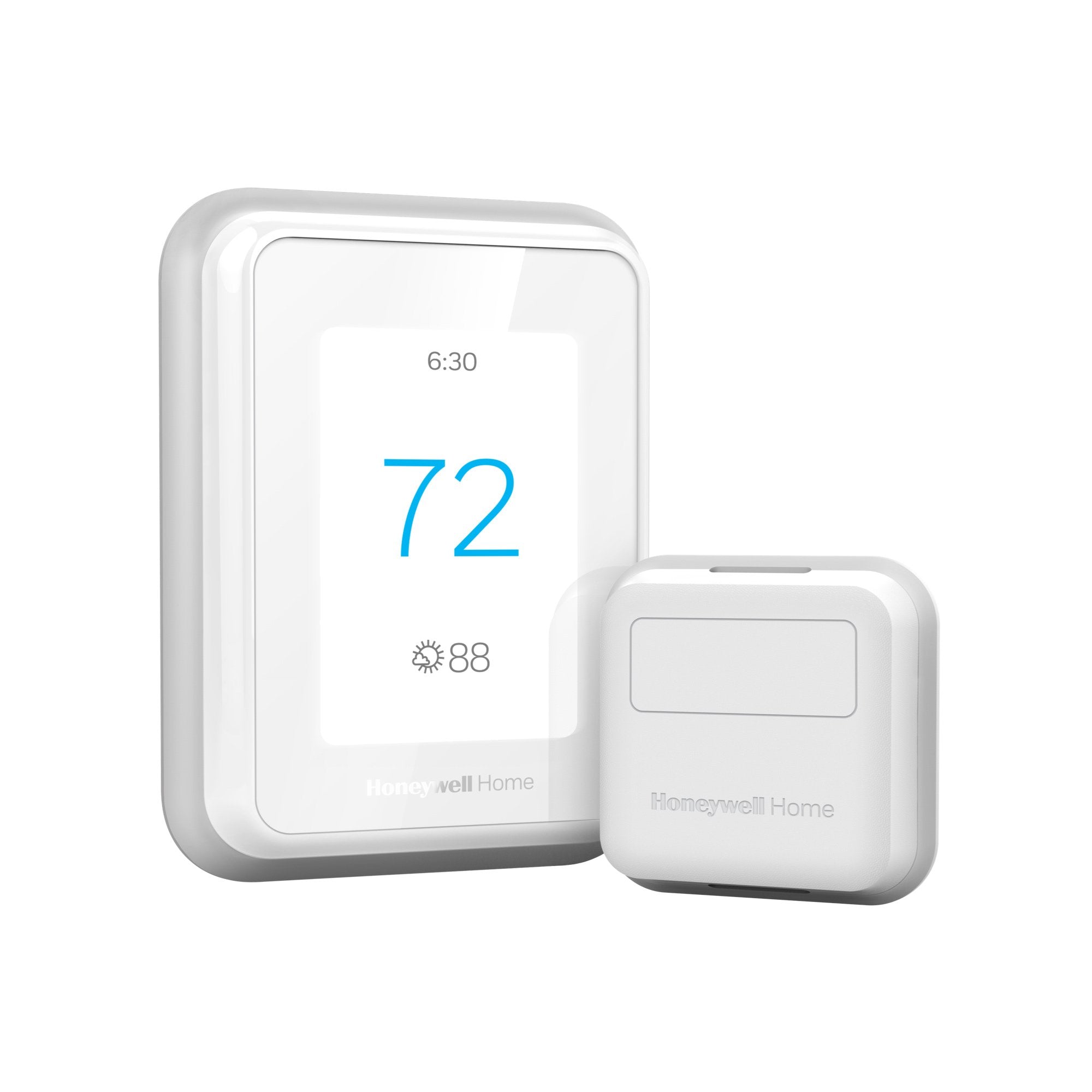
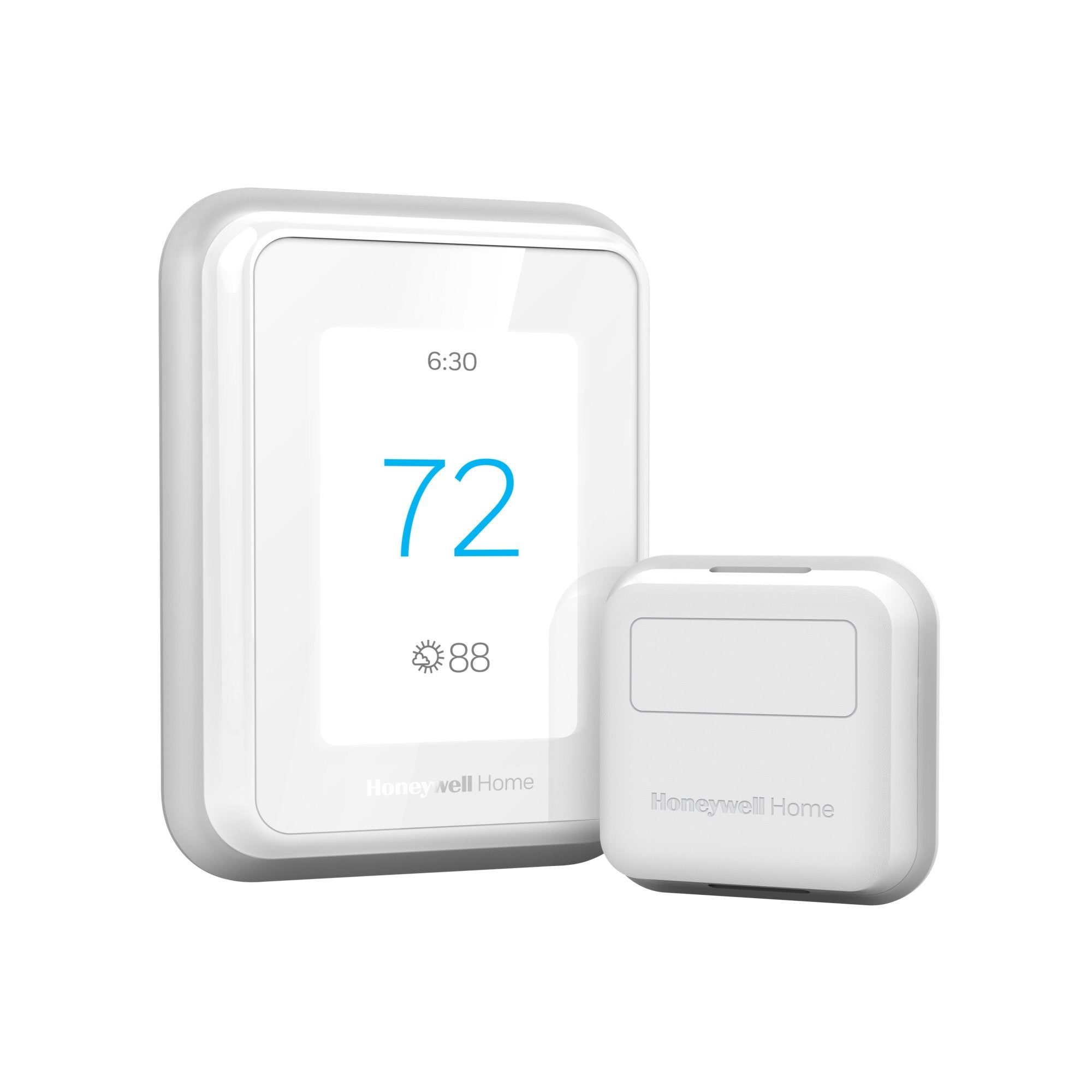
Honeywell Home T9 Smart Thermostat
Score: 8.8/10 — The gold standard for eliminating hot and cold spots in multi-room homes via a sophisticated, occupancy-aware sensor network.
Overview
Our Honeywell Home T9 review finds that the Honeywell Home T9 Smart Thermostat sets out to solve a problem that trips up most smart thermostats: keeping every room comfortable instead of just the one where the thermostat happens to hang. In many traditional homes, the thermostat is centrally located in a hallway or living room, leaving bedrooms or home offices either freezing in the winter or stifling in the summer. The T9 addresses this "temperature gap" by shifting the intelligence from the wall unit to the rooms themselves. For those managing older systems, pairing a smart thermostat with a Honeywell Home ST9400C universal furnace fan timer to ensure your system is running efficiently can further optimize air distribution.
Designed specifically for multi-room households, the T9 utilizes a network of wireless Smart Room Sensors that track not just temperature, but humidity and occupancy. By prioritizing the rooms you are actually using, the T9 ensures that your HVAC system doesn't stop running just because the hallway has reached 72 degrees while your bedroom is still at 65. This makes it an ideal choice for two-story homes, open-concept layouts with poor airflow, or houses with problematic "cold zones."
Beyond its sensor capabilities, the T9 is a modern smart home hub for your climate. It integrates seamlessly with Amazon Alexa and Google Assistant, offering robust geofencing and scheduling options that balance luxury with energy efficiency—making it a great companion to a comprehensive ADT Self Setup security system. While it lacks Apple HomeKit support, its precision and reliability in managing complex thermal environments make it a powerhouse in the thermostat category.
Key Features
The T9 can ignore empty rooms and focus exclusively on where people are currently located, preventing energy waste in unused spaces.
Sensors monitor humidity levels across the home, allowing for a more accurate "feels like" temperature adjustment.
A responsive 3.5-inch color touchscreen provides a clear, modern interface for manual adjustments and scheduling.
Utilizes your smartphone's location to automatically switch to "Away" or "Home" modes as you cross a predefined boundary.
Compatible with most 24V systems, including heat pumps and multi-stage heating/cooling setups.
Supports up to 20 sensors with a reliable wireless range of approximately 200 feet per device.
| Feature | Value |
|---|---|
| Model Number | RTH9585WF1004 |
| Display | 3.5-inch Color Touchscreen |
| Max Room Sensors | 20 Sensors |
| Sensor Range | ~200 Feet |
| Detection Capabilities | Temperature, Humidity, Motion/Occupancy |
| Connectivity | Wi-Fi (2.4GHz) |
| Voice Integration | Amazon Alexa, Google Assistant |
| Power Requirement | C-Wire (Adapter included) |
| Smart Features | Geofencing, Adaptive Scheduling |
Pros & Cons
Pros
- Exceptional multi-room temperature balancing
- Sensors track three critical metrics: heat, humidity, and motion
- Reliable geofencing reduces unnecessary energy expenditure
- Responsive, high-visibility color touchscreen
- Simple integration with Alexa and Google ecosystems
Cons
- Requires a C-wire for full functionality
- Lack of Apple HomeKit support limits iOS power users
- Mobile app can occasionally exhibit lag during sensor pairing
- Full sensor deployment can significantly increase the initial investment
Performance: Real-World Impressions
In real-world testing, the Honeywell Home T9 Smart Thermostat excels in environments where air circulation is uneven. In a typical two-story residence, the "second-floor heat" phenomenon often makes upstairs bedrooms uncomfortable. By placing a T9 sensor in the master bedroom, the thermostat ignores the cooler temperature of the first-floor hallway and continues running the AC until the bedroom actually cools down. This removes the need for manual "over-cooling" the rest of the house just to make one room bearable.
The occupancy detection is particularly impressive. Rather than just averaging the temperature of all rooms—which can lead to lukewarm results—the T9 can be set to prioritize the room where motion is detected. For instance, during the workday, the T9 focuses on the home office; once the sensors detect motion in the living room and kitchen in the evening, the priority shifts automatically. This results in a home that feels "smart" without requiring constant manual input.
The touchscreen is snappy and avoids the lag often found in budget smart thermostats. The colors are vibrant, and the menus are logical. While the app's interface is functional, it is less polished than the Nest or Ecobee apps. However, once the schedules and geofencing are set, the T9 operates largely in the background, providing a consistent climate that requires very little intervention.
Deep Dive: How the T9's Logic Works
To understand why the Honeywell Home T9 is different from a standard smart thermostat, one must look at its "Averaging vs. Prioritizing" logic. A standard thermostat reads one point. An averaging thermostat reads five points and picks the middle. The T9 does both, but adds a third, more powerful option: Occupancy Priority.
When Occupancy Priority is active, the T9 uses the PIR (Passive Infrared) sensors inside the room modules to determine if a human is present. If the Living Room sensor detects movement but the Bedroom sensor is silent, the T9 treats the Living Room's temperature as the primary metric for the entire HVAC system. This prevents the system from shutting off prematurely because a "dead" zone in the house happened to hit the target temperature.
Additionally, the integration of humidity sensing is a game changer for comfort. High humidity makes 75°F feel like 80°F. Because the T9 can monitor these levels at a room-by-room level, it provides the user with a comprehensive map of the home's climate, allowing for better management of your indoor climate, such as when using GE ADEL50LZ dehumidifiers or AC "dry modes" to maintain an actual feeling of comfort rather than just a numerical value on a screen.
Detailed Installation and Setup Guide
Installing the Honeywell Home T9 is a straightforward process for most, though it has one specific requirement: a C-wire (Common wire). The C-wire provides a continuous 24V power supply to the thermostat, which is necessary for the color screen and Wi-Fi radio to stay active without draining batteries.
Step-by-Step Installation Process
- Power Down: Always start by switching off the power to your HVAC system at the circuit breaker. Failure to do so can blow a fuse in your furnace or damage the thermostat.
- Document Wiring: Before removing your old thermostat, take a clear photograph of the existing wires and their corresponding labels. This is the most critical step for troubleshooting.
- Mount the Wallplate: Screw the T9 wallplate into the wall, using the built-in level to ensure the device isn't tilted.
- Connect Wires: Insert the wires into the corresponding terminals. If you have a C-wire, plug it into the 'C' terminal. If you lack a C-wire, you must use the included Power Extender Kit (PEK), which is installed at the furnace control board.
- Boot Up: Snap the thermostat onto the wallplate and restore power. Follow the on-screen prompts to connect to your 2.4GHz Wi-Fi network.
- Pair Sensors: Use the Honeywell Home app to "Add Device" and pair your Smart Room Sensors. This is done by bringing the sensor close to the main unit during the initial handshake.
Comparison: Honeywell T9 vs. The Competition
When choosing a high-end smart thermostat, the T9 usually competes with Ecobee SmartThermostat Premium and Google Nest Learning Thermostat (4th Gen). Here is how it stacks up in critical categories.
T9 vs. Ecobee
Ecobee is perhaps the closest competitor in terms of sensor-driven logic. Both offer remote sensors and occupancy detection. However, the Honeywell T9 often feels more "set and forget" once the initial priorities are established. Ecobee's interface is slightly more modern, but Honeywell's hardware is often cited as being more durable in high-traffic areas of the home. The T9's ability to support up to 20 sensors gives it a slight edge for massive estates over Ecobee's smaller limit.
T9 vs. Google Nest
The Nest Learning Thermostat focuses on AI—it watches your behavior and builds a schedule for you. The T9 takes the opposite approach: it gives you granular control over which room matters most. For people who find "AI learning" unpredictable or frustrating, the T9's explicit prioritization is a breath of fresh air. While Nest has a more iconic "dial" design, the T9's touchscreen is more practical for detailed scheduling and reading sensor data at a glance.
Comprehensive Buyer's Guide: Is the T9 Right For You?
Choosing a thermostat is less about the device and more about the architecture of your home. The Honeywell Home T9 Smart Thermostat is a specialized tool. Using it in a one-bedroom apartment is like using a sledgehammer to crack a nut—it's overkill. But in the right environment, it is indispensable.
Scenario 1: The Multi-Story Home
If you have a home where the upstairs is consistently 5-10 degrees warmer than the downstairs, the T9 is an ideal fit. By placing a sensor in the hottest upstairs room and setting it as the priority during the night, you ensure the HVAC doesn't shut off prematurely. This eliminates the need for expensive vent adjustments or portable fans.
Scenario 2: The Home Office Transition
With the rise of remote work, many people find that their living room is comfortable, but their office (often in a converted bedroom or basement) is a freezer. The T9's occupancy sensors detect when you enter your workspace and shift the heating priority to that specific room, ensuring your productivity isn't hampered by shivering.
Scenario 3: The Energy Optimizer
For those looking to cut costs, the combination of geofencing and occupancy sensors is powerful. Geofencing tells the T9 you've left the neighborhood, so it drops to "Away" mode. Once you return, the T9 doesn't just blast the air—it uses the sensors to identify which rooms you actually enter first, optimizing the recovery time and reducing waste.
Advanced Maintenance and Long-Term Care
To keep the Honeywell Home T9 operating at peak performance over several years, a proactive maintenance schedule is recommended. While the main unit is solid-state, the ecosystem involves several moving parts.
Sensor Battery Management
The Smart Room Sensors are wireless and battery-powered. Depending on the amount of motion detected (which triggers the PIR sensor), batteries may last anywhere from 12 to 24 months. The Honeywell Home app will notify you when batteries are low, but we recommend a yearly "health check" where you test all sensors to ensure no "dead zones" have developed in your climate map.
Touchscreen Preservation
The 3.5-inch color display is high-quality but susceptible to scratches from abrasive cleaners. Only use a dry microfiber cloth. If the screen becomes greasy from frequent touch, a tiny amount of distilled water on a cloth is sufficient. Avoid all ammonia-based window cleaners, as they can strip the oleophobic coating from the glass.
Network Stability and Wi-Fi Tuning
Because the T9 relies on a 2.4GHz Wi-Fi band, it can sometimes suffer from interference if placed near a high-power microwave or a large wireless subwoofer. If you experience "Offline" errors in the app, consider a Wi-Fi extender or a mesh system to ensure the T9 has a strong, consistent signal. A dropped connection doesn't stop the thermostat from working, but it does disable your geofencing and remote control features.
HVAC Integration Care
A smart thermostat is only as good as the HVAC system it controls. Clogged air filters cause the system to run longer and harder to reach the target temperature, which can cause the T9's sensors to report "stalling" temperatures. Check your Filtrete MERV-12 air filters every 30 to 90 days to ensure the T9's logic isn't being fought by restricted airflow.
Potential Pitfalls and Troubleshooting
No product is without its quirks. Users of the Honeywell Home T9 should be aware of a few common stumbling blocks during the first 90 days of ownership.
The "Ghost Motion" Problem
Occasionally, users report that a room is being prioritized even when no one is in it. This is usually caused by the PIR sensor detecting a moving curtain (from a draft) or a pet moving in the room. To fix this, reposition the sensor higher on the wall or away from flowing curtains to ensure it only triggers for human-sized heat signatures.
The C-Wire Struggle
The most common installation failure is the lack of a C-wire. Many older homes only have four wires. While Honeywell provides a Power Extender Kit (PEK), this requires opening the furnace panel. If you are uncomfortable with high-voltage components, we strongly recommend hiring a licensed HVAC technician to install the PEK to avoid short-circuiting the control board.
App Pairing Lag
During the initial setup of multiple sensors, the app can occasionally hang or fail to recognize a sensor on the first try. The solution is usually a "hard reset" of the sensor (removing and reinserting the battery) and ensuring the sensor is within three feet of the main T9 unit during the pairing process. Once paired, the 200-foot range is very reliable.
Value for Money Analysis
When analyzing the value of Honeywell Home T9 Smart Thermostat, it is important to view it as a system rather than a single device. The base unit is competitively priced, but the true value emerges as you add sensors. If you live in a small apartment or a tiny home, the T9's advanced sensor logic is overkill, and a simpler smart thermostat would suffice.
However, for homeowners with 2,000+ square feet or multi-level dwellings, the T9 offers a level of control that pays for itself in both comfort and energy savings. By preventing the HVAC system from over-cooling the entire house just to satisfy one cold room, you can reduce your monthly energy bills. When compared to the Ecobee SmartThermostat Premium or the Google Nest Learning Thermostat, the T9 often provides a more "industrial" and reliable approach to sensor management, favoring stability and direct control over "AI learning" algorithms that can sometimes be unpredictable.
Final Verdict
The Honeywell Home T9 Smart Thermostat is a purpose-built solution for the complex thermal dynamics of modern homes. It doesn't try to be a futuristic gadget; instead, it focuses on the fundamental goal of a thermostat: consistent, balanced comfort. Through its superior occupancy-sensing logic and reliable hardw