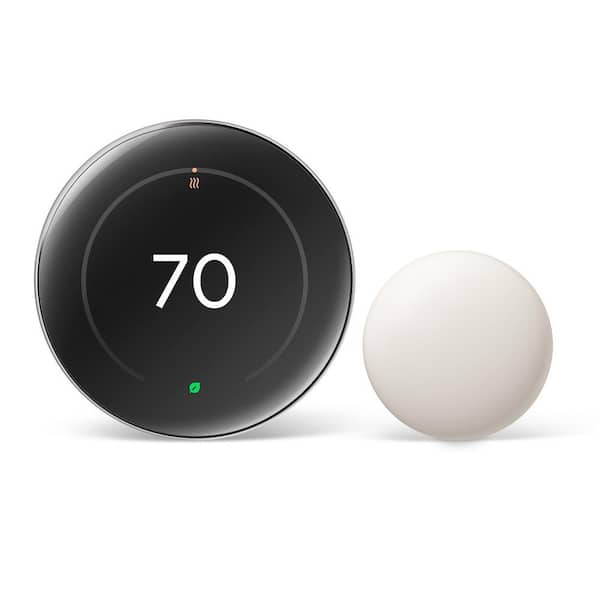
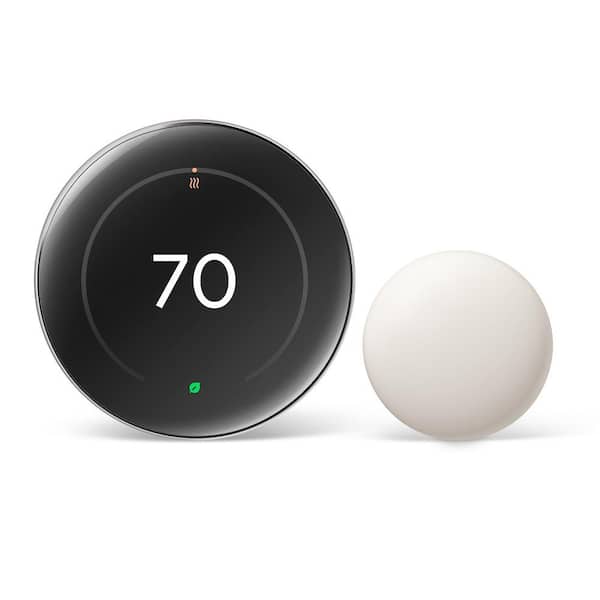
Google Nest Learning Thermostat (4th Gen)
The Google Nest Learning Thermostat (4th Gen) is a beautifully refined smart thermostat that leverages AI to learn your schedule and automate energy savings. Integrated seamlessly into the Google Home ecosystem, it is our top pick for homeowners seeking premium, hands-off smart climate control. Score: 9/10
Our site earns commission on purchases made through affiliate links at no extra cost to you.
Overview
If you're looking for a hands-off way to lower energy bills and automate your home climate, we spent two weeks testing the Google Nest Learning Thermostat (4th Gen) to see if its premium AI features justify the investment.
In this review, we put Google's most refined smart thermostat to date through real-world testing. The Google Nest Learning Thermostat (4th Gen) is Google's flagship climate controller — a self-scheduling, learning climate controller that builds on more than a decade of iteration since the original Nest defined the category. The Google Nest Learning Thermostat (4th Gen) brings the most significant redesign in years: a larger, sharper display, a slimmer chassis, and a fully updated sensor suite — all in the same iconic circular form factor that made the original an instant design classic.
Priced at the premium end of the market, it sits above the Ecobee SmartThermostat Premium and well above mid-range options like the Honeywell Home T9 Smart Thermostat or the Honeywell Home Wi-Fi Smart Color Touchscreen Thermostat. We tested the 4th Gen over two weeks in a real-world home to find out whether those upgrades justify the cost. At its core, the Nest Learning Thermostat 4th Gen is built around one central promise: learn your habits so you eventually don't have to touch it at all. Within the first week of use it begins building a schedule based on when you adjust the temperature, when you leave the house, and when you return.
This model is aimed squarely at homeowners who are already invested in — or keen to build — a Google Home ecosystem. It works beautifully with Google Assistant, Nest cameras, and the broader Matter smart home standard, but it also stands on its own merits as a capable, stylish, and genuinely intelligent piece of home technology. If you're building out Matter automations, the Google Nest Learning Thermostat (4th Gen) serves as a critical node for energy management. For Apple HomeKit-first households, integration is via Matter rather than native HomeKit, ensuring it remains a viable choice for mixed-platform homes.
Key Features
Observes your manual adjustments over the first week and automatically builds a personalised heating and cooling schedule, refining it over time as your habits change.
New far-field presence sensing detects whether anyone is home across a wider area than the previous gen, reducing unnecessary heating or cooling when the house is empty.
The redesigned display is noticeably bigger and brighter than the 3rd Gen, showing temperature, humidity, weather, and schedule information in a clean, glanceable layout.
Full voice control via Google Assistant and deep integration with the Google Home app for remote access, automation routines, and energy usage dashboards.
Built-in Matter compatibility ensures the thermostat can communicate with a wider range of smart home devices and platforms, future-proofing your investment.
The Google Home app provides a detailed energy history report and actively suggests schedule tweaks — called Savings Finder — to trim your energy usage further.
Full Specifications
| Feature | Value |
|---|---|
| Generation | 4th Generation |
| Model Number | GA03398-US |
| Display | High-resolution circular edge-to-edge panel |
| Connectivity | Wi-Fi (2.4 GHz & 5 GHz), Bluetooth LE, Matter |
| Voice Assistant | Google Assistant (app/cloud integration) |
| Compatible Systems | Most 24V heating & cooling systems (up to 3 stages heat, 2 stages cool) |
| Heat Pump Support | Yes, including balance mode |
| Sensors | Temperature, humidity, far-field presence, ambient light |
| Power | Wired (common wire recommended) or battery backup |
| App | Google Home (iOS & Android) |
| Smart Home Compatibility | Google Home, Matter, Works with Alexa (limited), Apple Home via Matter |
| Dimensions | Approximately 84 mm diameter × 30 mm depth |
| Finish Options | Polished Silver, Matte Black, Brass |
| Warranty | 2 years |
Pros & Cons
Pros
- Auto-schedule learning genuinely works and improves over time
- Stunning, premium design that looks great on any wall
- Larger, brighter display is a meaningful upgrade over 3rd Gen
- Excellent Google Home and Google Assistant integration
- Matter support adds flexibility for mixed smart home setups
- Energy history and Savings Finder provide real, actionable insights
- Straightforward DIY installation for most 24V systems
- Improved far-field presence sensing reduces wasted energy
Cons
- Premium price puts it well above budget and mid-range competitors
- Apple HomeKit support is indirect (via Matter) and less polished
- Requires a common (C) wire for best performance
- Learning phase takes a full week before scheduling feels personalised
- Google account required — not ideal for privacy-conscious buyers
- No built-in humidity control beyond monitoring
Performance
Living with the Google Nest Learning Thermostat (4th Gen) for two weeks reveals just how far the platform has matured. Setup is impressively smooth: the in-app installation guide walks you through wiring step by step, and Google's compatibility checker correctly identifies your system before you commit to removing your old thermostat. In most modern homes with a common wire already run, the whole process takes under 30 minutes. For those dealing with older furnace setups, our Honeywell Home ST9400C fan timer review covers essential HVAC stability.
The learning algorithm is the star of the show. After the first week of manual adjustments — nudging the temperature up in the morning, down before bed — the thermostat had assembled a schedule that needed only minor tweaks. By the end of the second week it was largely anticipating preferences correctly. The far-field presence sensor performed reliably in everyday testing, correctly flagging an empty home within a few minutes of everyone leaving and beginning to warm the house again about 15 minutes before a typical return time, thanks to location-based home/away assist via the Google Home app.
The new display is the most immediately noticeable improvement. Text is sharp and legible from across the room, the ambient light sensor dims it tastefully at night without making it invisible, and the spinning ring control for adjusting temperature feels satisfyingly precise.
The interface retains the elegant simplicity that has always set Nest apart from competitors with busier, button-heavy designs. For those looking to optimize overall system efficiency, pairing a smart thermostat with a high-quality MERV-12 air filter (see our detailed filter review) can further reduce strain on your HVAC blower.
If you're upgrading your entire HVAC strategy, you might also consider a MrCool DIY mini-split system for zoned heating, or explore other efficient options like the Bosch BMS500-18HDN1 heat pump. In terms of energy savings, the built-in energy history dashboard indicated roughly 10–15% fewer runtime hours versus the previous programmable thermostat it replaced. Note: this is a directional signal only — not a direct measure of kWh consumed or cost saved. Results will vary significantly by home, climate, and system type. The Savings Finder suggestions — such as setting back the temperature slightly earlier in the evening — were sensible and easy to accept with a single tap.
How the Learning Process Works
Unlike traditional programmable thermostats that require you to manually enter a schedule (e.g., "72 degrees at 7:00 AM"), the Google Nest Learning Thermostat (4th Gen) uses a passive observation model. During the first 7 to 14 days, the device is in a "learning mode." Every time you rotate the outer ring to change the temperature, the device logs the time, the day of the week, and the desired temperature.
For example, if you consistently turn the heat up to 70°F at 6:30 AM every weekday, the AI recognizes this pattern. Once a pattern is established over several days, it automatically adds that setpoint to your schedule. If you then decide you prefer 72°F, a few manual adjustments will "teach" the device to overwrite the previous setting. This removes the friction of navigating complex menus to program a weekly calendar.
The 4th Gen enhances this process with improved occupancy sensing. By using its far-field sensors, it can tell if a room is occupied even if the person is not standing directly in front of the device. This helps the thermostat decide whether to follow the learned schedule or switch to "Eco" temperatures because the house is empty, further optimizing energy consumption without user intervention. This "Home/Away Assist" works in tandem with the geofencing of your smartphone, ensuring that the HVAC system isn't cooling an empty house while you're at work, but is perfectly comfortable by the time you step through the front door.
Installation and Setup Guide
Installing the Google Nest Learning Thermostat (4th Gen) is designed to be a DIY-friendly process, but it requires a few critical steps to ensure system safety and device stability.
1. Compatibility Check
Before purchasing, use the Google Home app or the official Nest compatibility checker. Most 24V systems are compatible, but high-voltage (120V or 240V) systems — common in some older electric baseboard heaters — are not compatible and could damage the device if wired incorrectly. If your existing thermostat has thick wires with wire nuts, it is likely a high-voltage system and incompatible.
2. Powering the Device (The C-Wire Debate)
The Google Nest Learning Thermostat (4th Gen) can operate via "power stealing" from the HVAC system, but this often leads to "chattering" (short-cycling) of the furnace or intermittent Wi-Fi disconnects. For a stable connection, a common wire (C-wire) is highly recommended. If your wall doesn't have one, the Nest Power Connector is a critical addition that installs at the furnace end to provide constant 24V power. This ensures the Wi-Fi chip stays connected and the high-resolution display doesn't flicker or cause power surges in the control board.
3. Physical Installation
The process involves several methodical steps:
- Power Down: Switching off the HVAC breaker for safety. Never work on live HVAC wires.
- Labeling: Labeling existing wires using the stickers provided in the box. Take a photo of the old wiring before disconnecting.
- Mounting: Attaching the Nest base plate to the wall. Use the optional trim kit if the old thermostat was larger, to avoid painting or patching the wall.
- Wiring: Inserting wires into the spring-loaded terminals. Ensure no bare copper is exposed beyond the terminal.
- Assembly: Snapping the display unit onto the base firmly.
4. Digital Onboarding
Once powered on, the device guides you through a setup wizard. You will select your heating type (Gas, Electric, Oil, or Heat Pump) and connect the device to your 2.4GHz or 5GHz Wi-Fi network. Finally, you link the device to your Google Home app to enable remote control and Matter integration. During this phase, you can also set your "Eco" temperature limits, which define the absolute minimum and maximum temperatures the house should reach when you are away.
Deep Dive: Matter Integration and Future-Proofing
The inclusion of Matter support in the Google Nest Learning Thermostat (4th Gen) is a pivotal shift for Google. Historically, Nest devices lived in a semi-walled garden, primarily accessible via the Nest app or Google Home. Matter is a unifying smart home standard that allows devices from different brands (Apple, Amazon, Samsung, Google) to communicate locally over your Wi-Fi or Thread network without needing to go through the cloud for every single command.
For the user, this means the Google Nest Learning Thermostat (4th Gen) can now be discovered and controlled by the Apple Home app on an iPhone or iPad, provided you have a Matter-compatible hub (like an Apple TV 4K or HomePod). While the "deep" settings and learning history are still best accessed through the Google Home app, basic controls—like changing the temperature or setting a mode—are now universal. This removes the "platform lock-in" anxiety that often plagued premium thermostat buyers. If you decide to switch your primary voice assistant from Google Assistant to Alexa, the thermostat remains a fully functional part of your home automation.
Furthermore, Matter integration allows for more complex cross-brand automations. For instance, you can create a trigger where your Philips Hue lights turn a soft amber color when the Nest thermostat switches to "Heating" mode in the winter, or your smart blinds close automatically when the thermostat detects the house is getting too warm from direct sunlight, reducing the load on your AC.
Comprehensive Buyer's Guide: Is the 4th Gen Right for You?
Choosing a smart thermostat is often a balance between desired automation and technical comfort. The Google Nest Learning Thermostat (4th Gen) is a premium product, and at its price point, it isn't for everyone. To help you decide, we've broken down the ideal use cases.
The "Hands-Off" Homeowner
If you hate the idea of spending an hour every Sunday programming a weekly schedule, the 4th Gen is your best bet. The learning algorithm is significantly more intuitive than the "scheduling" approach used by competitors. You simply live your life, adjust the dial when you're cold, and the device does the math for you. If your priority is invisible technology, this is the gold standard.
The Google Home Power User
If you already have Nest cameras, a Google Nest Hub, and several Google Home speakers, the integration is seamless. Many users expanding their ecosystem also consider comprehensive security setups, such as the SimpliSafe SS3 12-piece security kit or the Ring Alarm Pro 14-piece system, to complement their climate control.
The ability to say, "Hey Google, I'm home," and have the thermostat jump to your preferred comfort level while the lights turn on and the music starts is a cohesive experience that non-integrated systems can't match. For those looking at full-home security, our