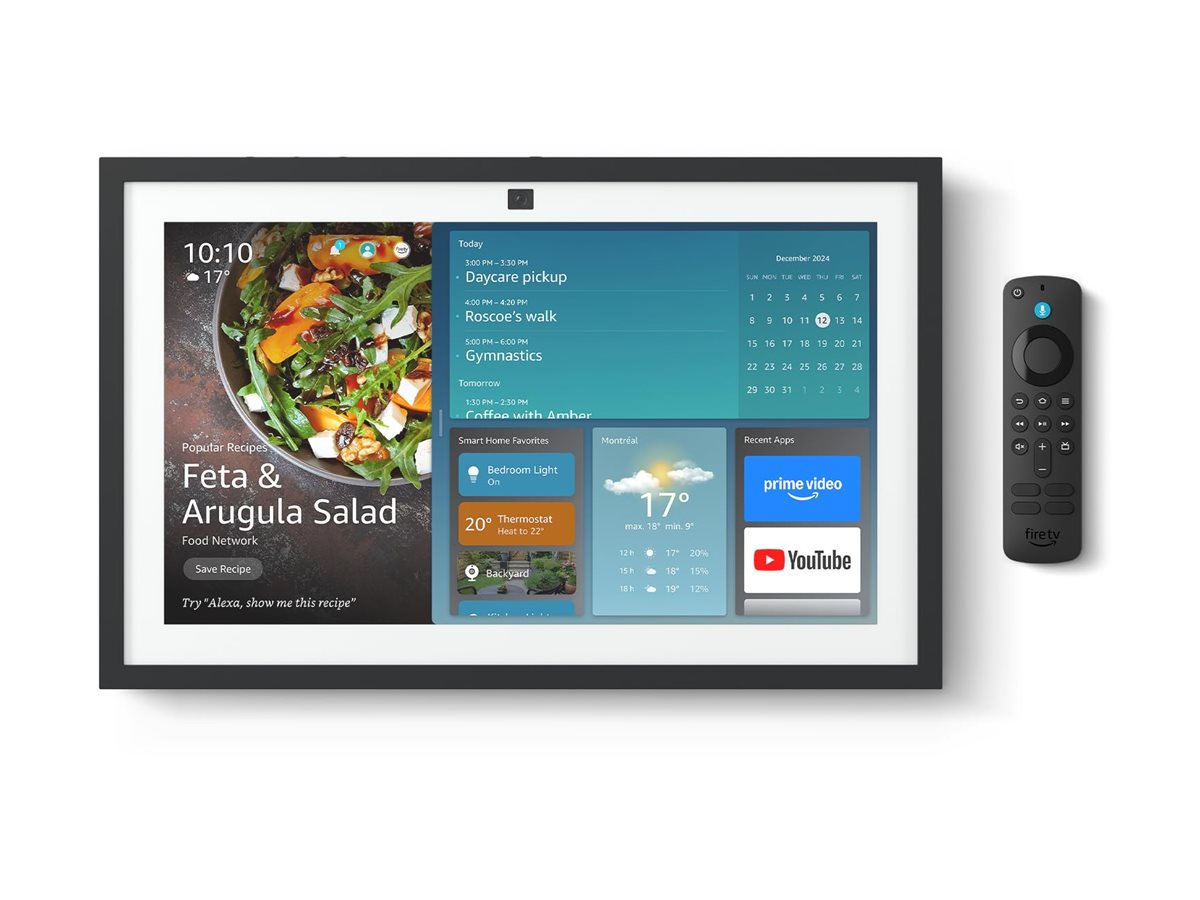
Amazon Echo Show 15 (2nd Gen) — 8.7/10
The Amazon Echo Show 15 (2nd Gen) is a premium 15.6-inch Alexa smart display that transforms your wall into a centralized smart home dashboard. It is an ideal choice for families looking to manage lights, locks, and security cameras through a shared visual interface.
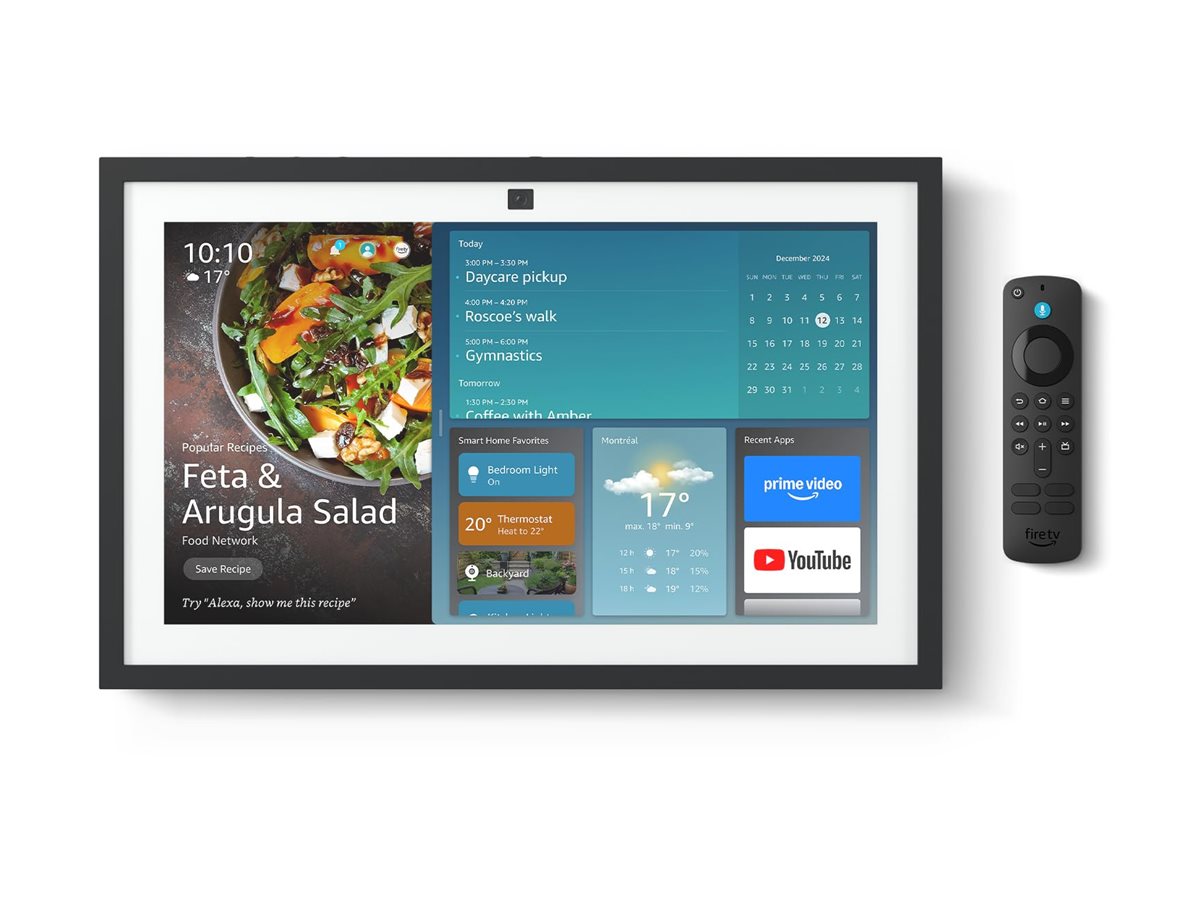
Amazon Echo Show 15 (2nd Gen) Overview
The Amazon Echo Show 15 (2nd Gen) is a 15.6-inch Alexa smart display designed to act as a central screen for the modern connected home. Rather than sitting on a counter like a typical smart speaker, it is best understood as a shared household dashboard: a place to check smart cameras, control connected lights, run Alexa Routines, view reminders, and manage day-to-day family information from a large touchscreen.
Its biggest appeal is its role as a smart home hub and controller. With support for Matter, Zigbee, and Alexa Routines, the Amazon Echo Show 15 (2nd Gen) is especially useful for homes with a mix of lights, plugs, locks, sensors, cameras, and other connected devices. For families already invested in Alexa, it can reduce the need to open multiple apps just to control common devices.
The Amazon Echo Show 15 (2nd Gen) is best for households that want a visible, always-available smart home command center in a kitchen, hallway, living area, or utility space. It is less compelling if you only need a small bedside assistant or if your home is built primarily around a different voice ecosystem.
How the Echo Show 15 Works as a Hub
To understand the value of the Amazon Echo Show 15 (2nd Gen), one must understand the difference between a "smart speaker" and a "smart home controller." While a standard Echo Dot relies almost entirely on voice interaction, the Echo Show 15 introduces a visual layer of management that changes how a household interacts with its technology.
At its core, the device operates as a thin-client interface for the Alexa cloud. When you tap a tile to turn off the living room lights, the command is sent to the Amazon servers and then routed to your smart bulb. However, the inclusion of a built-in Zigbee hub and Matter compatibility means that the Echo Show 15 (2nd Gen) can communicate directly with many devices without requiring a separate bridge or manufacturer-specific hub. This reduces latency and minimizes the number of "dongles" plugged into your router.
The "Dashboard" experience is achieved through Widgets. For those looking to secure the perimeter before centralizing controls, our ADT Self Setup kit guide offers a great starting point.
Unlike a tablet, which is designed for a single user to hold in their hand, the Echo Show 15 uses a glanceable interface. You can pin a sticky note for your spouse, a shared family calendar, and a live feed from your Ring doorbell all on one screen. This transforms the device from a piece of hardware into a piece of household infrastructure.
Key Features
A large touchscreen makes the Amazon Echo Show 15 (2nd Gen) more useful as a shared dashboard than smaller smart displays.
Support for Matter and Zigbee helps it connect with a wide range of compatible smart home devices.
Automations can combine multiple actions, such as turning on lights, adjusting devices, and triggering household scenes.
The large screen gives you a more convenient way to control lights, locks, cameras, and other devices without relying only on voice commands.
The Amazon Echo Show 15 (2nd Gen) works well in common areas where multiple people need access to reminders, smart controls, and household information.
Its display-first form factor makes it a natural fit for mounting in a central location rather than hiding on a shelf.
| Feature | Value |
|---|---|
| Product Name | Amazon Echo Show 15 (2nd Gen) |
| Model Number | B0CF4T8LBX |
| Category | Smart Home Hubs & Controllers |
| Display Size | 15.6 inches |
| Primary Control Method | Touchscreen and Alexa voice control |
| Smart Home Standards | Matter and Zigbee support |
| Automation Support | Alexa Routines |
| Typical Controlled Devices | Lights, locks, cameras, plugs, sensors, and other compatible smart home products |
| Best Placement | Kitchen, hallway, family room, living area, or another shared household space |
| Best For | Families and Alexa-based smart homes that want a central visual control hub |
Pros & Cons
Pros
- Large 15.6-inch screen is ideal for a central smart home dashboard.
- Supports Matter and Zigbee for broader smart home compatibility.
- Alexa Routines make it easy to automate common household actions.
- Excellent fit for families who want shared access to controls and information.
- More practical for camera feeds and device controls than smaller smart displays.
- Works well as a mounted control point in a common area.
Cons
- Best value depends heavily on whether your home already uses Alexa.
- The large size requires more careful placement than a compact smart speaker.
- Some users may still prefer phone apps for advanced device settings.
- Not the most discreet option if you want a minimal smart home setup.
- Households outside the Alexa ecosystem may not get the same level of benefit.
Performance and Real-World Impressions
In everyday use, the Amazon Echo Show 15 (2nd Gen) is at its best when it is treated as a fixed household control panel. The larger screen makes a real difference compared with smaller smart displays: smart home controls are easier to see, camera views feel more practical, and family members can interact with the interface without needing to know which app controls which device.
For smart home management, the combination of Matter, Zigbee, and Alexa Routines gives the Amazon Echo Show 15 (2nd Gen) strong flexibility. Matter support is particularly important for buyers who want a more future-friendly setup, while Zigbee support remains useful for many existing smart lights, sensors, and accessories. Alexa Routines are the everyday glue, allowing a single command or trigger to run multiple actions around the house.
The touchscreen experience is especially useful in shared spaces. A family member can tap to turn off lights, check a camera, or trigger a routine without needing to remember exact voice commands. Voice control is still convenient, but the main reason to choose the Amazon Echo Show 15 (2nd Gen) over a smaller Echo device is the visual interface.
As a smart home hub, it is strongest when your device list is already reasonably organized. If you have named rooms clearly and grouped devices properly in Alexa, the Amazon Echo Show 15 (2nd Gen) can feel like a polished command center. If your smart home is messy, duplicated, or spread across many incompatible platforms, you may need to spend time cleaning up device names and routines before it feels seamless.
Installation and Setup Guide
Setting up the Amazon Echo Show 15 (2nd Gen) is a two-part process: the digital configuration and the physical mounting. The digital side is straightforward, handled primarily through the Alexa app. Once plugged in, the device will guide you through Wi-Fi connection and account linking. Because it is a 2nd Gen device, it integrates more fluidly with newer Matter-enabled devices during the initial "discovery" phase.
The physical installation is where most users spend their time. Because of its size, the Amazon Echo Show 15 (2nd Gen) can be placed on a stand or mounted to the wall. If you choose the wall-mount option, it is critical to plan your cable management. The device requires a power cable, and unless you have an outlet directly behind the mounting point, you may see a trailing wire. Many users opt for plastic cable raceways or professional in-wall wiring to maintain the "clean" look of a professional dashboard.
Once mounted, the "calibration" of your dashboard begins. We recommend starting by adding your most-used devices to the main screen. If you use a Ring Alarm Pro system (which integrates seamlessly with Alexa for automated security routines) (see our Arlo Pro 4 buying guide for detailed tips on pairing cameras with a central hub), Arlo Pro 4 cameras, or a professional setup like the ADT Self Setup kit, pin the live feed to a corner for instant visibility. For those evaluating overall system value, we also suggest reviewing the SimpliSafe 13-Piece Kit review or the Cove Home Security System guide. If you have a shared family calendar, place it in the center to minimize the number of swipes required to reach your most frequent controls.
Comprehensive Buyer's Guide: Is This the Right Hub for You?
Deciding whether to invest in the Amazon Echo Show 15 (2nd Gen) requires an honest assessment of your current home technology and your daily habits. This is not a device you buy on a whim; it is a commitment to a specific way of managing your home.
The Ecosystem Question
The most critical factor is your existing ecosystem. If your home is 90% Google Home or Apple HomeKit, the Amazon Echo Show 15 (2nd Gen) will feel like an alien object. While Matter support allows for cross-platform compatibility, the experience—the widgets, the voice triggers, and the routine logic—is fundamentally Alexa-centric. To get 100% of the value, you need to be comfortable with Amazon's software ecosystem.
The "Control Center" Use Case
Ask yourself: Do you find yourself constantly opening your phone to check cameras or dim lights? If the answer is yes, a dedicated dashboard like the Echo Show 15 (2nd Gen) solves a real friction point. It removes the "phone barrier," allowing guests, children, or elderly family members to control the home without needing a device or an app. It turns the smart home from a personal tool into a shared utility.
Physical Space Requirements
Unlike an Echo Dot, which fits anywhere, the 15.6-inch screen requires a dedicated "zone." It is too large for a nightstand and too bulky for a small bookshelf. It needs a wall with at least 20 inches of clear horizontal space to look intentional.
Alternative: For those with limited wall space, the Amazon Echo Hub provides a more compact, dedicated control interface for the same ecosystem.
Maintenance and Long-Term Care
Maintaining the Amazon Echo Show 15 (2nd Gen) involves both physical and digital upkeep. Physically, the large screen is a fingerprint magnet. Because it is a touchscreen, it will accumulate oils and smudges, especially in high-traffic areas like the kitchen. We recommend using a dry microfiber cloth for daily dusting and a slightly damp (not wet) cloth for deeper cleans. Avoid using harsh chemicals or ammonia-based cleaners, as these can strip the oleophobic coating from the display.
Digitally, the device requires "dashboard grooming." As you add new smart devices or change your daily routines, the screen can become cluttered. Every few months, it is helpful to audit your widgets. Remove old reminders, update your shared calendars, and rearrange your smart home tiles to reflect your current needs. Since this is a cloud-connected device, ensuring your firmware is up to date is handled automatically by Amazon, but a manual restart (unplugging and plugging back in) once a month can help clear out minor software glitches.
Comparing the Echo Show 15 to Other Hubs
When shopping for a smart home controller, the Amazon Echo Show 15 (2nd Gen) sits in a unique middle ground between a consumer tablet and a professional automation panel.
Echo Show 15 vs. Amazon Echo Hub
The Amazon Echo Hub is a more compact, dedicated smart home controller, lacking some of the "entertainment" and "family" features of the Show 15. The Show 15 is for those who want a mix of a digital photo frame, a calendar, and a controller. The Echo Hub is for those who want a dedicated, discreet "light switch" replacement for the whole house.
Echo Show 15 vs. Samsung SmartThings Hub
The Samsung SmartThings Hub is often more powerful for "power users" who want complex, local-first automation logic (e.g., "If the humidity is above 60% AND the time is between 2 PM and 4 PM, turn on a GE ADEL50LZ dehumidifier (see our detailed buying guide for damp rooms)"). The Amazon Echo Show 15 (2nd Gen) is more about accessibility and visibility. It is easier to use for a non-technical family member, whereas SmartThings is a tool for the hobbyist who spends hours in an app configuring logic gates.
Echo Show 15 vs. Hubitat Elevation
The Hubitat Elevation is designed for privacy and local processing, meaning your home works even if the internet goes down. The Echo Show 15 (2nd Gen) is heavily cloud-dependent. If your internet is out, your ability to use the visual dashboard is severely limited. Choose Hubitat if privacy and offline reliability are your top priorities; choose the Echo Show 15 if you want a polished, easy-to-use interface with a massive ecosystem of supports.
Common Pitfalls and Troubleshooting
Even a high-performing device like the Amazon Echo Show 15 (2nd Gen) has common points of failure. Understanding these can save you hours of frustration during setup.
The "Ghost" Device Issue: One common complaint is seeing devices on the screen that are no longer connected or have been renamed. This is usually a sync error between the Alexa cloud and the device's local cache. The fix is typically to go into the Alexa app, remove the device, and re-add it, or simply perform a hard reboot of the Show 15.
Connectivity Dead Zones: Because the Echo Show 15 is often mounted on a wall (sometimes near kitchens or garages where signals may be blocked by appliances), Wi-Fi stability can be an issue. If the screen feels laggy or "buffering" occurs when viewing cameras, consider a mesh Wi-Fi system or a dedicated Wi-Fi extender positioned closer to the device.
Voice Trigger Conflicts: In homes with multiple Alexa devices, you may find that the Amazon Echo Show 15 (2nd Gen) responds when you actually wanted a smaller device in another room to answer. This can be mitigated by assigning different "wake words" to different devices or using the "drop-in" feature to communicate across rooms.
Value for Money
The Amazon Echo Show 15 (2nd Gen) offers the most value to buyers who want more than a voice assistant. If you only need weather updates, timers, and basic smart speaker functions, a smaller Echo device will likely be more cost-effective. But if you want a large, always-visible screen for controlling and monitoring the home, the Amazon Echo Show 15 (2nd Ge