Building a smart home gets complicated fast when your devices speak different languages. For those starting with security, our ADT self-setup guide provides a great entry point into managed ecosystems. The Samsung SmartThings Hub (2018, 3rd Gen) acts as a universal translator. As the best multi-brand smart home hub for managing diverse ecosystems, it bridges Zigbee, Z-Wave, and LAN devices under one roof, ensuring your home technology works in harmony regardless of the brand. If you want broad compatibility without committing to a single brand's ecosystem, this hub is the definitive choice for versatility.
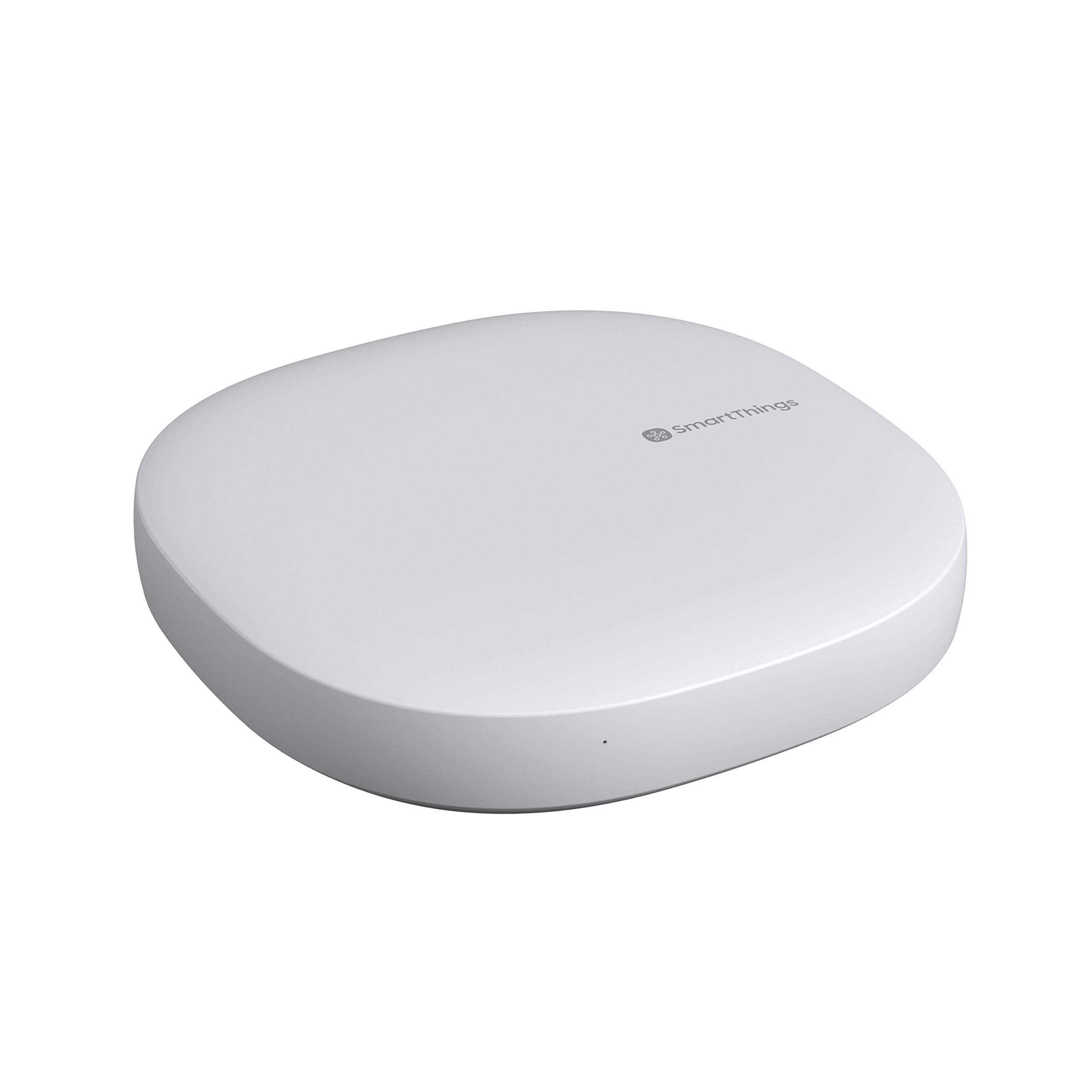
Top Pick: Samsung SmartThings Hub (2018, 3rd Gen)
Score: 9.0/10 — The most versatile mainstream smart home hub for users who want multi-protocol support and cross-brand automation in one affordable, well-supported device.
Samsung SmartThings Hub (2018, 3rd Gen)
The Samsung SmartThings Hub (2018, 3rd Gen) is the centerpiece of Samsung's smart home platform. Its standout feature is multi-protocol support: built-in Zigbee and Z-Wave radios let it talk to thousands of certified sensors, switches, locks, and bulbs, while LAN and cloud integrations extend reach to Wi-Fi devices. This means you aren't restricted to one manufacturer when shopping for accessories, allowing you to mix-and-match the best hardware from various brands.
Setup runs through the SmartThings app, which walks you through pairing devices and building automation routines. You can trigger actions based on time, device state, location (geofencing), or sensor events — for example, turning on lights when a motion sensor trips after sunset or locking the front door automatically when your smartphone leaves a 50-foot radius of the house. The hub connects to your router via Ethernet for a stable, always-on connection that keeps local automations responsive.
Voice control comes through both the Amazon Echo Hub and Google Assistant, and a broad library of third-party app integrations enables more advanced routines. Power users can layer conditions and scenes to coordinate dozens of devices, while newcomers can start simple and expand over time. Whether you are automating a single room or an entire estate, the hub scales efficiently to manage the traffic.
This hub is best suited for households that already own — or plan to mix — smart devices from several brands. If you'd rather not be locked into a proprietary ecosystem and value the freedom to pick the best device in each category (e.g., a specific brand for locks and another for lighting), the SmartThings Hub is built for exactly that flexibility.
Pros
- Supports Zigbee, Z-Wave, and LAN — broad cross-brand compatibility
- Works with both Alexa and Google Assistant
- Large library of third-party integrations for advanced routines
- Wired Ethernet connection keeps automations stable and responsive
- No lock-in to a single manufacturer's ecosystem
Cons
- Requires an Ethernet port on your router
- Many features depend on a cloud connection
- Advanced automation has a learning curve for beginners
| Specification | Details |
|---|---|
| Model number | GP-U999SJVLGDA |
| Generation | 2018, 3rd Gen |
| Wireless protocols | Zigbee, Z-Wave, LAN/Wi-Fi |
| Network connection | Ethernet to router |
| Voice assistants | Amazon Alexa, Google Assistant |
| App | SmartThings (iOS / Android) |
| Category | Smart Home Hubs & Controllers |
We may earn a commission on purchases made through links on this page, at no extra cost to you.
Deep Dive: How the SmartThings Hub Works
To understand why the Samsung SmartThings Hub (2018, 3rd Gen) is a cornerstone of modern smart homes, it's necessary to look at the "language barrier" in home automation. Most smart devices operate on specific wireless frequencies. Wi-Fi devices are common but can congest your router and drain batteries quickly. Zigbee and Z-Wave, however, are "mesh networks." This means each powered device (like a smart plug) acts as a repeater, extending the signal to the furthest reaches of your home.
The SmartThings Hub acts as the brain. When you tell Alexa to "turn on the living room lights," the request travels from the cloud to the SmartThings Hub, which then sends a Zigbee or Z-Wave command to the specific bulb. Because the Hub manages these protocols locally, it reduces the number of individual bridges (like the Hue Bridge or Aqara Hub) you need plugged into your router, cleaning up your hardware footprint and reducing potential points of failure.
Beyond basic connectivity, the Hub manages "Device Handlers." In the smart home world, a device handler is a piece of code that tells the hub exactly what a device is capable of. For instance, a smart lock isn't just "on" or "off"; it has states like "locked," "unlocked," and "jammed." The SmartThings ecosystem has one of the largest libraries of community-contributed handlers, meaning that even obscure, niche devices from overseas manufacturers often have a way to be integrated into the system.
The hardware itself is designed for stability. By utilizing a physical Ethernet connection, it bypasses the potential instability of Wi-Fi interference that plagues many "all-in-one" smart speakers. When a sensor triggers a routine—such as a leak sensor turning off a main water valve—the command path is as short as possible, minimizing the latency that can be the difference between a small puddle and a flooded basement—something a dedicated battery backup sump pump can further mitigate.
The Role of the SmartThings App
The software ecosystem is as important as the hardware. The SmartThings app serves as a centralized dashboard. Unlike basic apps that only offer on/off switches, SmartThings allows for "Scenes." A "Movie Night" scene might simultaneously dim the lights, close the smart blinds, and turn on the TV. These scenes can be triggered by a physical button, a voice command, or an automated schedule.
For those who want more control, the "Advanced" automation settings allow for boolean logic (IF this AND that, THEN do this). For example, you can set a rule that says: "If the motion sensor detects movement AND it is between 11 PM and 6 AM, THEN turn on the hallway lights to 10% brightness." This level of granularity prevents the lights from blinding you during a midnight trip to the kitchen while ensuring the house remains secure and automated.
The app also integrates "Places," allowing you to organize devices by room or by floor. This is essential for large homes where you might want a "Goodnight" routine that turns off all lights in the "Downstairs" place while keeping the Ring Alarm Pro 14-Piece security system (which integrates well with smart hubs) armed in the "Perimeter" place. The user interface has evolved over the years to be more visual, utilizing "tiles" that can be customized for quick access to the most used devices.
Furthermore, the app handles the administrative side of the smart home. It provides battery life notifications for all your Zigbee and Z-Wave sensors, ensuring you aren't surprised by a dead motion detector during a critical security event. It also allows for "Guest Access," where you can share control of specific devices with a partner or houseguest without giving them full administrative control over your entire automation logic.
Comprehensive Buyer's Guide: Choosing a Smart Hub
When shopping for a smart home controller, the primary question isn't "which is the fastest?" but "which one speaks the language of the devices I already own?" The market is generally split into three categories: ecosystem-locked hubs, open-protocol hubs, and local-first controllers.
For those seeking maximum privacy, the Hubitat Elevation Local Smart Home Hub is a top-rated local-only alternative.
Understanding these differences is key to avoiding the frustration of buying a device that won't connect to your system.Understanding Protocol Compatibility
Zigbee: An open standard used by Philips Hue, IKEA Tradfri, and many generic sensors. It is fast and energy-efficient, making it ideal for battery-powered devices like motion sensors and contact switches. However, it operates on the 2.4GHz band, which can occasionally clash with older Wi-Fi routers.
Z-Wave: A more strictly regulated standard that operates on a different frequency than Wi-Fi, meaning it suffers from almost zero interference. It is widely used for high-security devices like door locks and sirens because of its reliability and dedicated focus on the home automation space. Z-Wave devices generally have a longer range than Zigbee devices.
LAN/Wi-Fi: High bandwidth but high power consumption. Best for high-bandwidth devices like Arlo Pro 4 security camera kits, Amazon Echo Show 15 (2nd Gen), and high-end appliances. While easy to set up, having 50+ Wi-Fi bulbs can slow down your internet speeds and overwhelm a standard consumer router. This is why a hub like the SmartThings Hub is valuable—it offloads the "chatter" of dozens of small sensors onto its own dedicated Zigbee/Z-Wave radios, keeping your Wi-Fi clear for streaming and gaming.
The Samsung SmartThings Hub is unique because it bridges all three. If you buy a budget Zigbee sensor from one brand and a premium Z-Wave lock from another, this hub allows them to interact seamlessly. Without a multi-protocol hub, you would need two separate bridges and two separate apps to manage them, leading to "app fatigue" and limited automation possibilities.
Placement and Installation Strategies
Where you place your hub determines the reliability of your entire smart home. Since the GP-U999SJVLGDA requires a wired Ethernet connection, you are naturally limited to the area around your router. However, if your router is tucked inside a metal cabinet or in a basement, you may experience signal drop-off for Zigbee devices on upper floors.
Consider the "center of gravity" for your devices. If 80% of your smart devices are in the living room and kitchen, the hub should be as close to that area as possible. While mesh networks help, the primary connection from the hub to the first few devices is the most critical. If the "root" of the network is weak, the entire mesh can become unstable.
Power and Reliability
One of the biggest pitfalls in smart home setups is the "cloud outage." Many cheap hubs are entirely cloud-dependent; if your internet goes down, your light switches stop working. While SmartThings does rely on the cloud for complex integrations and remote access, it handles many basic Z-Wave and Zigbee routines locally. This ensures that your critical automations—like a leak sensor triggering a water shut-off valve—continue to function even if your ISP is having a service outage.
To further increase reliability, some advanced users employ a Small Uninterruptible Power Supply (UPS) for their router and SmartThings Hub. This prevents the smart home from resetting during a brief power flicker, which can sometimes cause devices to lose their pairing or require a manual reboot of the hub to restore connectivity.
Step-by-Step Setup and Maintenance
Setting up the Samsung SmartThings Hub (2018, 3rd Gen) is designed to be a "plug-and-play" experience, but there are several optimizations that can improve long-term stability and performance.
Initial Hardware Installation
Physical Connection: Plug the provided power adapter into the hub and a wall outlet. Use the included Ethernet cable to connect the hub directly to an open LAN port on your wireless router. Wait for the LED indicator to signal that it has established a network handshake.
App Configuration: Download the SmartThings app from the App Store or Google Play Store. Create a Samsung account (or log in to an existing one). Select "Add Device" and follow the prompts to scan for the hub. The app will automatically detect the GP-U999SJVLGDA via your local network.
Firmware Updates: Immediately upon setup, the hub will likely prompt for a firmware update. Do not ignore this. Firmware updates often include critical patches for new Z-Wave security standards (S2) and compatibility updates for newer Zigbee devices.
Adding Your First Devices
To add a device, select the "+" icon in the app and choose "Add Device." For Zigbee and Z-Wave devices, you will typically need to put the device in "pairing mode" (often by holding a button for 5 seconds). The hub will then search for the signal and register the device's unique ID.
Organization Tip: Name your devices logically. Instead of "Light 1," use "Living Room Ceiling Light." This makes voice commands far more natural and prevents the hub from getting confused when you have multiple similar devices in different rooms.
Long-Term Maintenance
Smart homes are not "set it and forget it" systems. To keep your SmartThings Hub running optimally, perform the following checks every few months:
- Battery Audits: Check the app's device list for low battery warnings on motion and door sensors.
- Z-Wave Network Repair: If you move a piece of furniture or add several new Z-Wave devices, run a "Z-Wave Repair" via the advanced settings. This forces the hub to recalculate the most efficient signal paths between all devices.
- Router Reboots: Periodically reboot your router to clear the cache and ensure the Ethernet connection to the hub remains snappy.
Potential Pitfalls and Troubleshooting
Even the most versatile hubs encounter issues. Understanding common "fail points" can save you hours of frustration.
The "Zombie" Device: Sometimes a device is deleted from the app but remains "registered" in the hub's internal Z-Wave memory. This can block the device from being paired again. In these cases, you may need to perform a "factory reset" on the end-device itself (usually a specific sequence of button presses) before the hub will see it as a new installation.
Interference and Range: While Zigbee is robust, it operates on 2.4GHz. If your hub is sitting right next to a high-powered Wi-Fi 6 router, you might experience "packet loss," causing lights to flicker or sensors to lag. Moving the hub just 12 to 24 inches away from the router can often solve this.
![SmartThings Hub 3rd Generation [GP-U999SJVLGDA] Smart Home Automation Hub Home Monitoring Smart Devices - Alexa Google Home Compatible - Zigbee, Z-Wave, Cloud to Cloud Protocols – White - Amazon.com](https://homesystemsguide-images.s3.amazonaws.com/managed-images/samsung-smartthings-hub-2018-3rd-gen-ce7289a0_10.jpg)