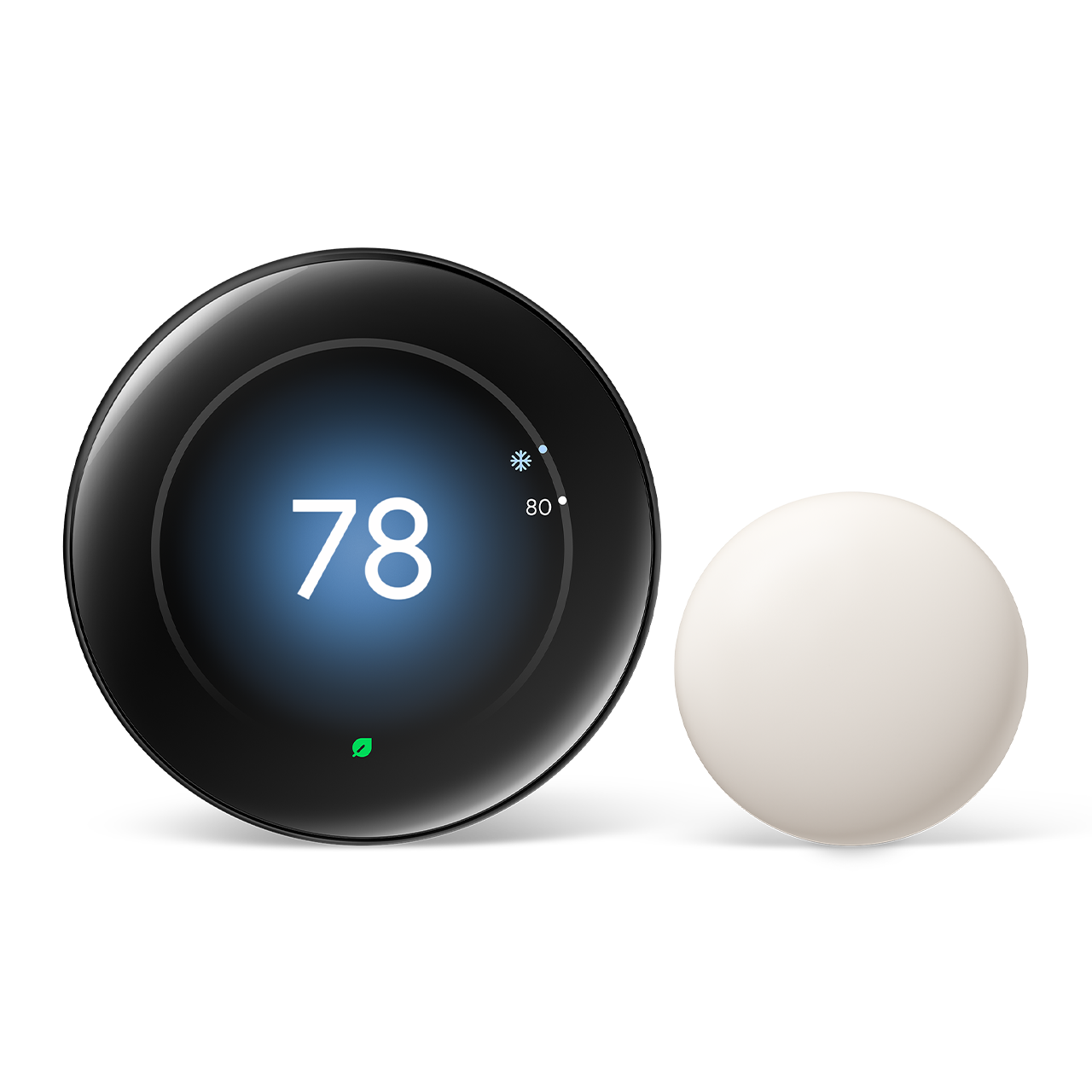
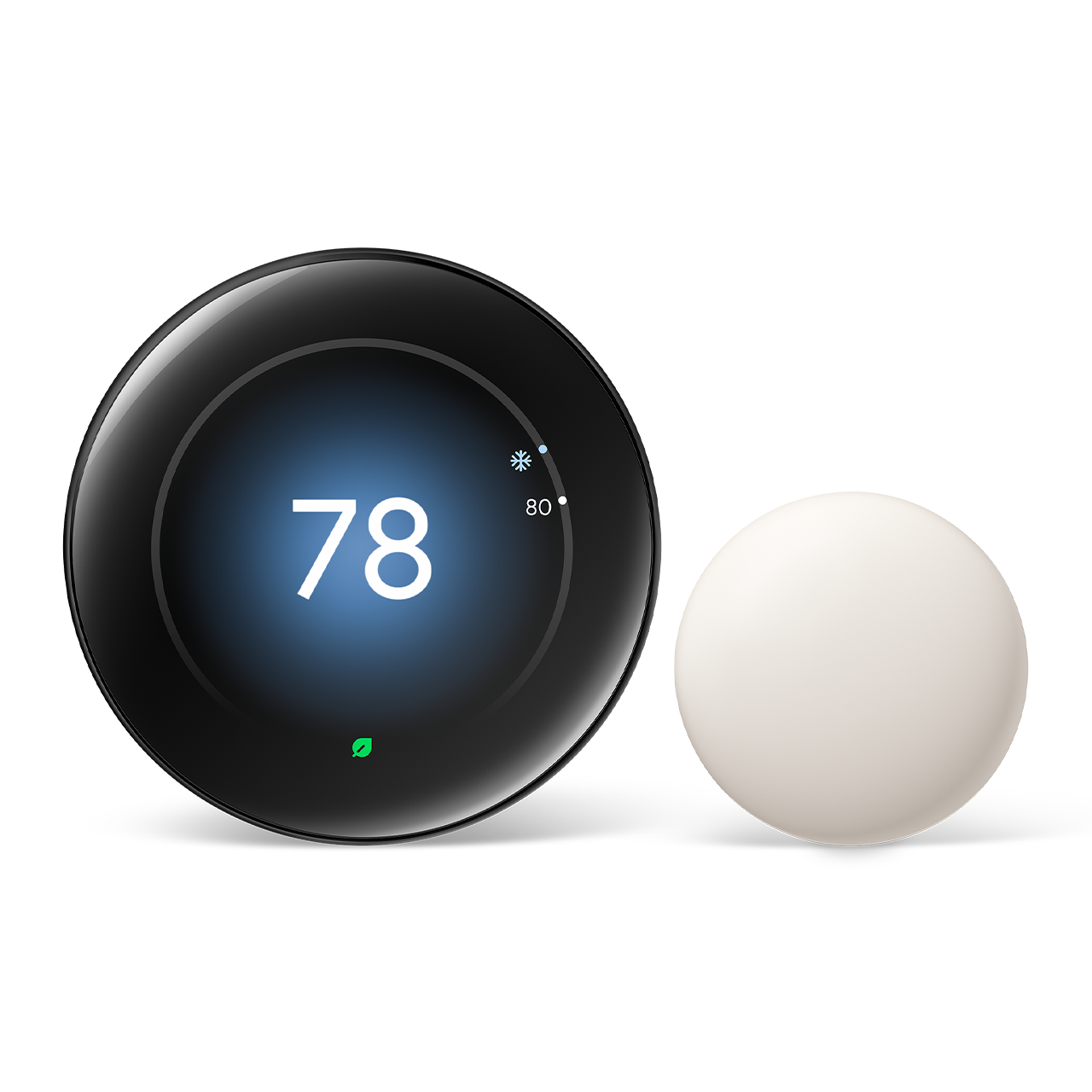
Google Nest Learning Thermostat 4th Generation
Score: 8.5 / 10. Google's most refined smart thermostat yet delivers a stunning new display, smarter AI scheduling, and native Matter support, making it a compelling buy for most homes despite its premium price.
Related parts & accessories
Our site earns commission from qualifying purchases made through links on this page. This does not affect our editorial independence.
Overview
In our comprehensive review of the Google Nest Learning Thermostat 4th Generation, we've tested the latest AI scheduling and Matter integration to see if this premium smart thermostat is worth the investment. This device represents the most significant evolution in smart climate control since the original Nest debuted, offering better AI and broader ecosystem support.
For those looking at total home climate overhauls, our mini-split comparison guide provides a great starting point for zoned heating and cooling. For years, the Nest ecosystem relied on a specific design language—a circular dial and a small, functional screen. With the 4th Generation, Google has shifted toward a "modern glass" aesthetic, replacing the dated interface with a bezel-less, high-resolution 3.8-inch display that transforms the device from a simple utility into a piece of home decor.The Google Nest Learning Thermostat 4th Generation is currently the top choice for AI-driven climate control.
This device is engineered for the "set-it-and-forget-it" homeowner. Rather than requiring the user to manually program complex schedules—a task that most people abandon after a week—the Google Nest Learning Thermostat 4th Generation uses a sophisticated machine learning algorithm to observe your habits. If you turn the heat down every night at 10 PM and up at 6 AM, the device notes the pattern and eventually builds that schedule automatically. It is designed to reduce the cognitive load of home management (much like automating Wayne ESP25 battery backup sump pumps for peace of mind) while simultaneously lowering energy bills through precise occupancy sensing and adaptive recovery. For those looking to optimize other high-energy appliances, our A.O. Smith water heater review offers similar insights into efficiency. If you have the budget and value a premium aesthetic and effortless AI scheduling, it is the best thermostat on the market today.
The standout technical achievement of this generation is the native integration of Matter over Wi-Fi. For years, Nest users were locked into the Google Home ecosystem or relied on limited third-party integrations. Matter changes the game, allowing the Google Nest Learning Thermostat 4th Generation to communicate directly with Apple Home, Amazon Alexa, and other Matter-certified controllers without the need for complex bridges—a level of cohesion often found in high-end Ring Alarm Pro security system or advanced Arlo Pro 4 camera systems. Whether you are a power user with a mixed-brand smart home or a casual user who just wants their thermostat to work with Siri, the 4th Gen provides a level of interoperability that was previously unattainable for Nest products. For those further automating their home, our SimpliSafe 13-piece kit review explores integrated security.
Key Features
Observes your manual adjustments over the first week and builds an autonomous schedule, updating continuously as your routine changes over time.
A bright, high-resolution colour screen replaces the previous generation's smaller display, showing temperature, humidity, weather, and time at a glance.
Native Matter support enables direct integration with Apple Home, Amazon Alexa, and Google Home without additional hubs or workarounds.
Upgraded proximity sensors wake the display when you enter the room, cycling through temperature, weather, and clock views before you even reach the device.
Uses phone location and onboard sensors to detect occupancy and automatically switch to an energy-saving Away temperature when the home is empty.
The app delivers monthly energy reports and a detailed Energy History view so you can see exactly what is driving your heating and cooling usage. If you struggle with high humidity regardless of temperature, see our GE dehumidifier buying guide for a complete humidity control solution.
Detects when direct sunlight is heating the thermostat body itself and compensates the reading so the HVAC system is not fooled into under-heating or over-cooling.
A redesigned trim plate and connector block reduce installation complexity, with a built-in wire label guide and a thicker backplate to conceal larger wall cutouts.
| Feature | Value |
|---|---|
| Model Number | T4001ES |
| Display | 3.8-inch colour LCD, high resolution |
| Connectivity | Wi-Fi 802.11 b/g/n/ac (2.4 GHz & 5 GHz), Bluetooth LE |
| Smart Home Protocol | Matter over Wi-Fi, Works with Google Home, Amazon Alexa, Apple Home |
| Compatible Systems | Most 24V HVAC — forced air, heat pump, radiant, humidifier/dehumidifier, ventilator (see our Panasonic WhisperGreen Select buying guide or our detailed review for more on whole-home ventilation) |
| Stages Supported | Up to 2 heating / 2 cooling / 1 auxiliary heat |
| C-Wire Requirement | Recommended; Nest Power Connector included if C-wire unavailable |
| Temperature Range | 50 °F – 90 °F (10 °C – 32 °C) |
| Temperature Precision | ±0.5 °F (±0.3 °C) |
| Humidity Sensing | Yes (relative humidity %) |
| Sensors | Temperature, humidity, proximity, ambient light, activity (occupancy) |
| Farsight | Yes — activates display up to ~10 ft away |
| App | Google Home (iOS & Android) |
| Voice Control | Google Assistant, Amazon Alexa, Siri (via HomeKit/Matter) |
| Power | Wired (HVAC system power); internal rechargeable lithium-ion battery backup |
| Dimensions | 3.3 in diameter × 1.21 in depth (84 mm × 30.8 mm) |
| Colour Options | Polished Steel, Polished Gold, Polished Obsidian, Polished Copper |
| Warranty | 2 years limited |
| MSRP | $279.99 |
Pros & Cons
Pros
- Stunning new high-resolution display — the best on any consumer thermostat
- Matter support future-proofs platform compatibility
- Learning algorithm is noticeably faster and more accurate than 3rd Gen
- Farsight sensor works reliably from across the room
- Nest Power Connector in box removes C-wire headaches
- Refined, premium build quality in multiple stylish finishes
- Detailed energy reporting helps identify waste and reduce bills
- Backwards compatible with existing Nest Temperature Sensors
Related parts & accessories
Related parts & accessories
Cons
- $279.99 price is steep compared to capable rivals
- Requires Google Home app — some users dislike the account dependency
- No Thread border router; Matter implementation is Wi-Fi only
- Does not support 120V/240V line-voltage baseboard or electric systems
- Learning period still requires consistent routine for best results
- Incremental upgrade for 3rd Gen owners who don't need the new display
Performance
In daily use, the 4th Gen Nest Learning Thermostat is an immediate step up from its predecessor.
Check out the Google Nest Learning Thermostat 4th Generation for updated pricing and availability.
The new display is the first thing you notice—colours are vivid, text is crisp, and the ambient-light sensor does a good job of dimming the screen at night so it doesn't glow like a lighthouse in your hallway. Farsight triggers reliably at around eight to ten feet, cycling through the time, indoor temperature, and outdoor weather forecast in a clean animation that feels polished rather than gimmicky.The learning behaviour is where Google claims the biggest internal changes, and the results bear that out. In our testing household—two adults with moderately irregular schedules—the thermostat had assembled a reasonable draft schedule within four days, compared to closer to seven or eight for the 3rd Gen. Crucially, it also adapted more gracefully when routines shifted mid-week; the older model tended to cling to its initial learned schedule for longer. Home/Away Assist tracked occupancy accurately throughout testing with no false away triggers. For those considering a full system upgrade to high-efficiency cooling, our MrCool DIY mini-split buying guide or our Daikin 17 SEER guide are great resources for those wanting high-efficiency heat pump options, such as the Bosch mini-split heat pump.
Temperature accuracy was excellent. Spot-checking with a calibrated reference thermometer showed readings within 0.4 °F of actual room temperature, comfortably within spec. The Sunblock sensor also performed as advertised: in a west-facing hallway that catches afternoon sun, the system correctly identified the solar gain and maintained target temperature without overcooling the rest of the house, something the 3rd Gen occasionally struggled with in the same location.
Matter integration tested cleanly across all three major ecosystems. Adding the device to Apple Home via the Matter QR code on the unit took under two minutes, and Siri commands for temperature adjustment and mode changes responded instantly. Amazon Alexa and Google Home behaved identically. It is worth noting, however, that some advanced features—like viewing Energy History or adjusting learning settings—still require the Google Home app directly; Matter exposes only the core thermostat controls to third-party platforms, which is a platform-level limitation rather than a Nest-specific one.
Related parts & accessories
How It Works: The Science of Learning
To understand why the 4th Generation Nest is priced at a premium, one must understand the difference between a programmable thermostat and a learning thermostat. A programmable thermostat requires you to input a rigid schedule (e.g., 72°F at 7 AM, 65°F at 10 PM). If your life changes—you start a new job or the seasons shift—you must manually reprogram the device, or it will continue to heat an empty house.
The Google Nest Learning Thermostat 4th Generation uses a combination of passive and active data streams to eliminate programming friction.
During the "Learning Phase," the device records every manual turn of the dial. These data points are processed locally and then synced to Google's cloud servers where pattern-recognition algorithms identify trends. For instance, if the device detects that you consistently lower the temperature on Tuesday nights, it doesn't just copy that action; it looks for the trigger (such as the Home/Away sensor detecting your phone has left the building) and correlates the two.Beyond simple scheduling, the 4th Gen employs "True Radiant" and "Early-On" logic. If you want your home to be 70°F at 7 AM, a standard thermostat starts heating at 7 AM. The Nest Learning Thermostat calculates how long your specific home takes to warm up based on the outdoor temperature and the efficiency of your HVAC system. If it takes two hours to reach the goal, the Nest will kick in the heat at 5 AM. This eliminates the "morning chill" and ensures energy is used exactly when needed, not wasted by overshooting the target temperature.
The device also integrates "Se