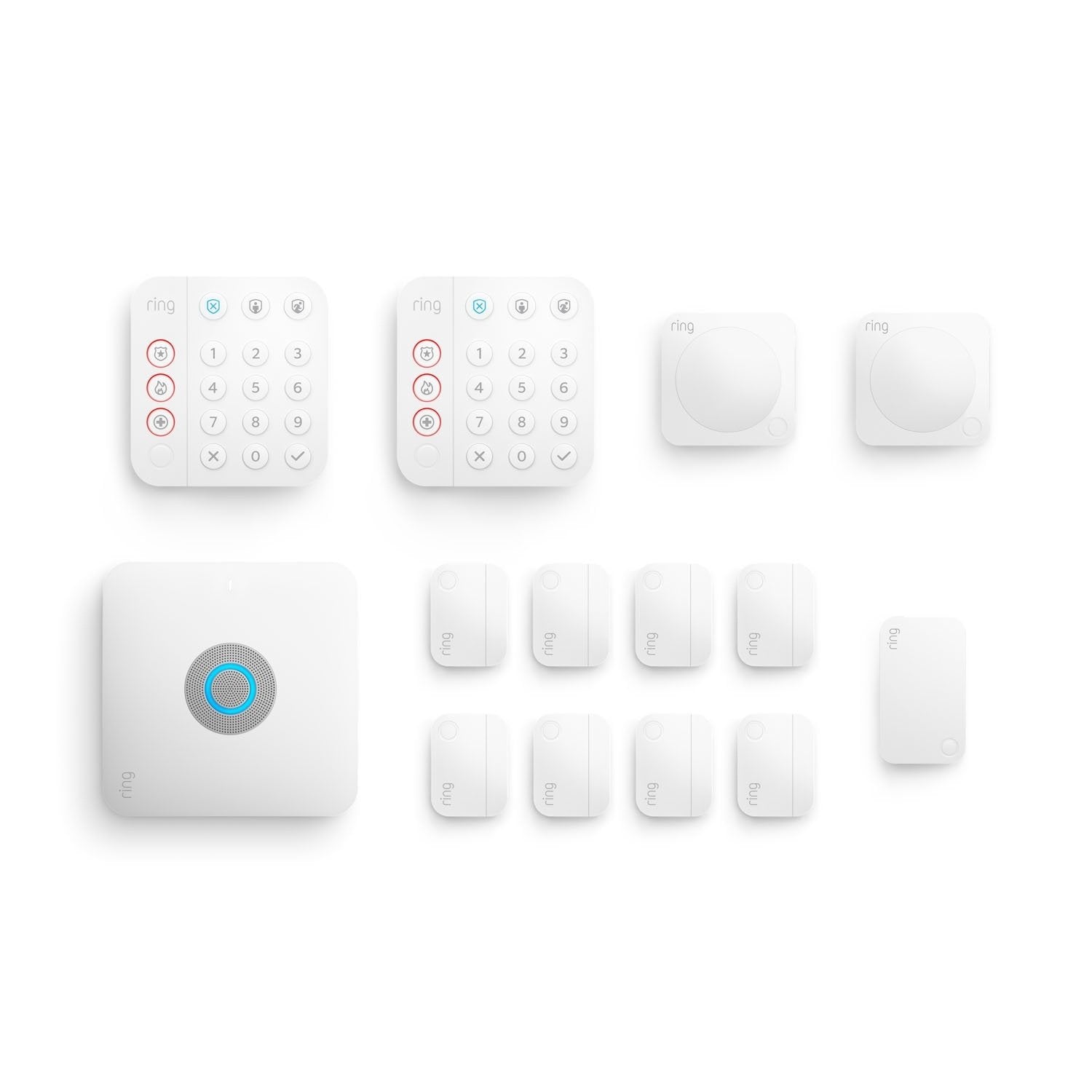
Ring Alarm Pro 14-Piece Kit with Built-in eero Wi-Fi 6 Router
Score: 8.6/10 — A powerhouse all-in-one home security and Wi-Fi 6 solution for Ring/eero households, though its most critical reliability features rely on a Ring Protect Pro subscription.
As an affiliate site, we may earn a commission from qualifying purchases made through links in this review, at no extra cost to you.
Overview
Looking for a deeper dive into the specs? Check out our Ring Alarm Pro 14-Piece buying guide for a complete breakdown of the hardware and pricing.
In our comprehensive Ring Alarm Pro 14-Piece Kit review, we find that the Ring Alarm Pro 14-Piece Kit with Built-in eero Wi-Fi 6 Router is a powerhouse home security solution.
By doubling as a high-performance network hub, it serves as a fundamental piece of modern home infrastructure for those seeking integrated protection and Wi-Fi 6 connectivity. By integrating a professional-grade home security base station with a high-performance eero Wi-Fi 6 router, Ring has attempted to solve the "hub clutter" problem that plagues many modern smart homes. Instead of having one box for your internet and another for your security, the Alarm Pro serves as the singular brain for both your connectivity and your protection.This specific 14-piece bundle is curated for homeowners who need comprehensive coverage. While smaller kits might suffice for a studio apartment, the 14-piece configuration is designed for townhomes and medium-to-large houses. It provides a robust array of contact sensors for perimeter security and motion detectors for interior volumetric protection, all anchored by a base station that ensures your smart devices stay online even when your primary internet service provider fails (provided you have the appropriate subscription).
The core appeal here is the ecosystem synergy. For those already invested in Ring doorbells or eero mesh systems, this kit is a logical evolution. It streamlines the management of the home, moving the security system from a peripheral add-on to a core networking component. However, potential buyers must be aware that while the hardware is impressive, the "Pro" experience is heavily gated behind the Ring Protect Pro subscription, which unlocks the system's most critical reliability features.
Key Features
The base station doubles as a Wi-Fi 6 router, offering faster speeds, better capacity, and consolidated hardware for your home network.
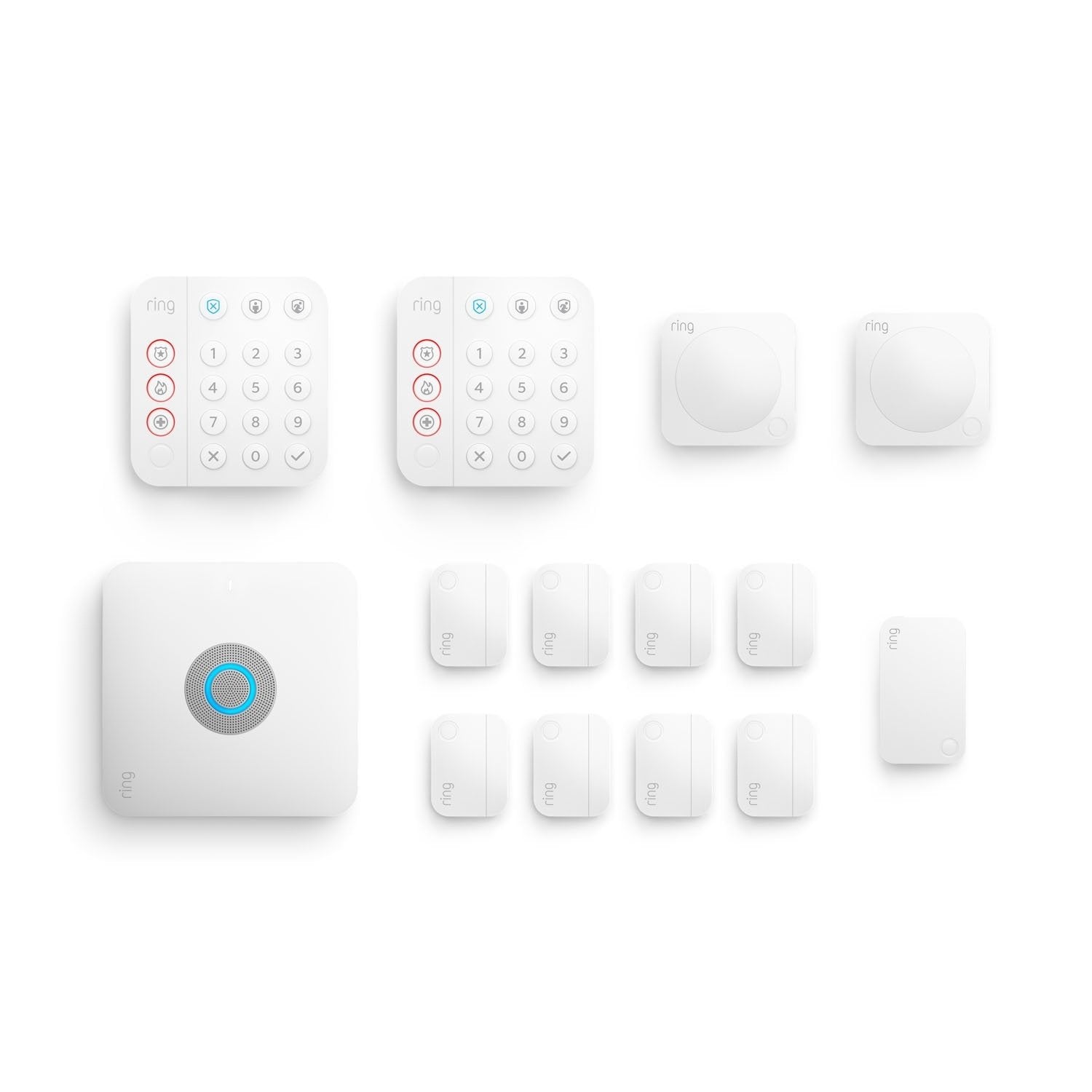
Includes the base station, keypad, contact sensors, motion detectors, and a range extender to cover expansive interior and exterior spaces.
Via Ring Protect Pro, users gain access to professional monitoring services that can dispatch emergency services when an alarm is triggered.
Provides a critical safety net by maintaining internet connectivity via cellular data if your primary cable or fiber connection goes down.
Complete management of arming modes, sensor triggers, and network health through the intuitive Ring application.
Easily integrate additional Ring cameras, floodlights, and eero nodes, or explore high-end alternatives like the Arlo Essential (see our Arlo Essential review) or the Arlo Pro 5 Outdoor Security Camera System (see our Arlo Pro 4 buying guide for similar professional-grade options) or the Arlo Pro 4 Spotlight Camera Security Bundle (see our Arlo Pro 4 complete buying guide for more options) to scale your security and Wi-Fi coverage as your needs grow.
| Feature | Value |
|---|---|
| Product Name | Ring Alarm Pro 14-Piece Kit with Built-in eero Wi-Fi 6 Router |
| Model Number | B09DK2PNG9 |
| Category | Home Security Systems |
| Router Standard | Wi-Fi 6 (802.11ax) |
| Connectivity | Ethernet, Wi-Fi, LTE (Backup) |
| Kit Components | 1 Base Station, 1 Keypad, multiple Contact Sensors, Motion Detectors, 1 Range Extender |
| Monitoring Options | Self-monitored or Professional (Subscription required) |
| Backup Power | Internal battery backup in base station |
| App Compatibility | iOS and Android via Ring App |
| Installation Type | DIY / Wireless |
Pros & Cons
Pros
- Eliminates separate router and security hub hardware
- Wi-Fi 6 support ensures modern speeds and device handling
- 14-piece count provides ample coverage for a standard family home
- LTE backup prevents security blind spots during ISP outages
- Simplified installation process for non-technical users
- Deep integration with existing Ring and eero hardware
Cons
- Subscription required for LTE backup and pro monitoring
- Strong "walled garden" ecosystem (limited third-party interoperability)
- LTE is a backup, not a replacement for primary broadband
- Potential overkill for very small apartments or studios
- Recurring monthly costs impact long-term value proposition
Performance
In actual residential deployment, the Ring Alarm Pro 14-Piece Kit with Built-in eero Wi-Fi 6 Router excels by reducing the friction of smart home management. The most immediate impact is felt during the initial network setup. Because the base station is an eero router, you aren't fighting with a separate router's firewall or DHCP settings to get your security sensors to communicate; the environment is purpose-built for the hardware.
The Wi-Fi 6 performance is stable and impressive. For a household with 30+ connected devices—including smart bulbs, thermostats, and streaming sticks—the eero integration handles traffic efficiently. We found that the latency for sensor triggers is negligible, with alerts arriving on smartphones almost instantaneously. The range extender included in the 14-piece kit is a vital addition (similar to how choosing the right submersible utility pump requires planning for total coverage), effectively pushing the Z-Wave signal to far-off garage doors or basement windows that would otherwise be out of reach of the central hub.
From a security standpoint, the contact sensors are unobtrusive and stick firmly to frames. The motion detectors are sensitive but can be tuned via the app to avoid false alarms from pets. The keypad is a welcome touch, allowing guests or children to disarm the system without needing a smartphone. However, the true "performance" test is the LTE backup. During a simulated internet outage, the system transitioned to cellular data seamlessly, ensuring that the alarm could still send notifications to the user and the monitoring center. This is where the "Pro" designation truly earns its keep.
Technical Architecture: How It Works
To understand the value of the Ring Alarm Pro 14-Piece Kit with Built-in eero Wi-Fi 6 Router, one must understand its dual-layered communication strategy. Most DIY security systems rely on a single point of failure: your home Wi-Fi. If the router dies or the internet is cut, the system becomes a local siren with no way to alert the owner or authorities.
The Alarm Pro changes this by combining three distinct communication paths:
1. Z-Wave Connectivity: The sensors (contact and motion) communicate with the base station via Z-Wave, a low-power mesh protocol. This is separate from Wi-Fi, meaning sensors don't clog your bandwidth and have significantly longer battery lives. Z-Wave is inherently more stable for low-data security triggers than standard 2.4GHz Wi-Fi.
2. Wi-Fi 6 Networking: The base station manages your home network via the eero protocol, providing high-speed internet to your laptops, TVs, and other Ring cameras. By utilizing the 802.11ax standard, the system can handle more simultaneous connections with less congestion, which is critical for homes with numerous IoT devices.
3. LTE Cellular Failover: When the Ring Protect Pro subscription is active, the hub maintains a standby cellular connection. If the Wi-Fi/Ethernet link to the ISP is severed, the hub automatically switches to LTE to maintain the security heartbeat. This prevents a "dark" period where your home is vulnerable because the internet is down.
This architecture ensures that the 14-piece kit is not just a "notification system" but a resilient security perimeter. The base station also includes a backup battery, so even if a burglar cuts the power to the house, the system continues to operate and can still communicate via LTE.
Setup and Installation Guide
Installation of the Ring Alarm Pro 14-Piece Kit with Built-in eero Wi-Fi 6 Router is designed for the DIY enthusiast. It avoids the need for professional drilling or wiring, though some permanent mounting is recommended for security sensors.
Step 1: Networking First
Before placing sensors, you must set up the eero router. Connect your modem to the Ring Alarm Pro base station via Ethernet. Use the Ring app to configure your Wi-Fi SSID and password. Because this is your primary router, ensure the base station is placed in a central, open location—not tucked inside a metal cabinet—to maximize Wi-Fi 6 signal propagation.
Step 2: Sensor Placement
With the hub active, you can begin "pairing" the 14 pieces. Start with the contact sensors on the most vulnerable entry points: the front door, back door, and first-floor windows. The adhesive backing is strong, but we recommend cleaning the surface with isopropyl alcohol first to ensure a permanent bond. Avoid placing sensors on surfaces that experience extreme temperature swings (like an uninsulated garage door) if possible, as this can occasionally affect battery drain.
Step 3: Interior Coverage
Place the motion detectors in "choke points"—areas that an intruder must pass through to reach the rest of the house, such as the main hallway or the living room. The app will guide you through a testing phase where you can walk in front of the sensor to verify the detection range. Ensure the sensors are not pointed directly at heat sources (like radiators) or windows where sunlight might cause false triggers.
Step 4: The Range Extender
If you have a large property, place the range extender halfway between the base station and your farthest sensor. This ensures the Z-Wave signal remains strong and avoids "dead zones" where a sensor might fail to trigger an alarm. This is especially important for sensors located in detached sheds or distant bedrooms.
Detailed Buyer's Guide: Is the 14-Piece Kit Right For You?
Choosing the right security kit often comes down to the number of "zones" in your home (see our comprehensive Ring Alarm Pro 14-Piece buying guide). For a broader comparison of DIY options, see our ADT Self Setup 9-Piece Kit buying guide. The Ring Alarm Pro 14-Piece Kit with Built-in eero Wi-Fi 6 Router is a mid-to-high tier bundle. To determine if it fits your needs, consider the following criteria:
Home Size and Layout Analysis
In a small 1-bedroom apartment, 14 pieces are likely overkill.
For smaller layouts, the Ring Alarm Pro 8-Piece Kit with Built-in eero Wi-Fi 6 Router is often a more appropriate starting point.
You would end up with unused sensors and a router that is more powerful than your square footage requires. However, in a 3-bedroom home or a multi-story townhouse, the 14-piece kit provides a balanced distribution. You can secure all main entrances, add a few interior motion sensors for "Night Mode" protection, and still have a few spare sensors for a detached garage or a side gate.Consider the layout of your home. If you have a sprawling ranch-style house, the inclusion of the range extender in this kit is a massive advantage. If you have a vertical layout (e.g., a brownstone), the Wi-Fi 6 capabilities of the eero router will help penetrate floors better than older Wi-Fi 5 systems, though adding additional eero nodes may still be necessary for a flawless signal on the top floor.
The "Subscription Mindset" and Long-Term Costs
You must decide if you are comfortable with a "Hardware-as-a-Service" model. The Ring Alarm Pro 14-Piece Kit works without a subscription, but you lose the "Pro" benefits (for a comparison of these tiers, see our Ring Alarm Pro 14-Piece buying guide). Without Ring Protect Pro, you are essentially paying for a very expensive router and a local alarm that notifies your phone. With the subscription, you get professional dispatch and cellular backup.
If you are already paying for a professional security company (like the ADT Self Setup 9-Piece Home Security Kit with 24/7 Professional Monitoring
Related parts & accessories
Existing Network Infrastructure Conflicts
If you already own a high-end gaming router or a professional mesh system (like Ubiquiti or Orbi), the "built-in router" aspect of the Ring Alarm Pro becomes a liability rather than a feature. You would have to put the eero router into bridge mode or deal with "double NAT" issues, which can complicate port forwarding and some VPN configurations. In that specific scenario, a standard Ring Alarm (non-Pro) would be a better choice. For those considering other high-end DIY options, we recommend comparing this with the SimpliSafe (SS3-13PKGCAM) review. But for the average co