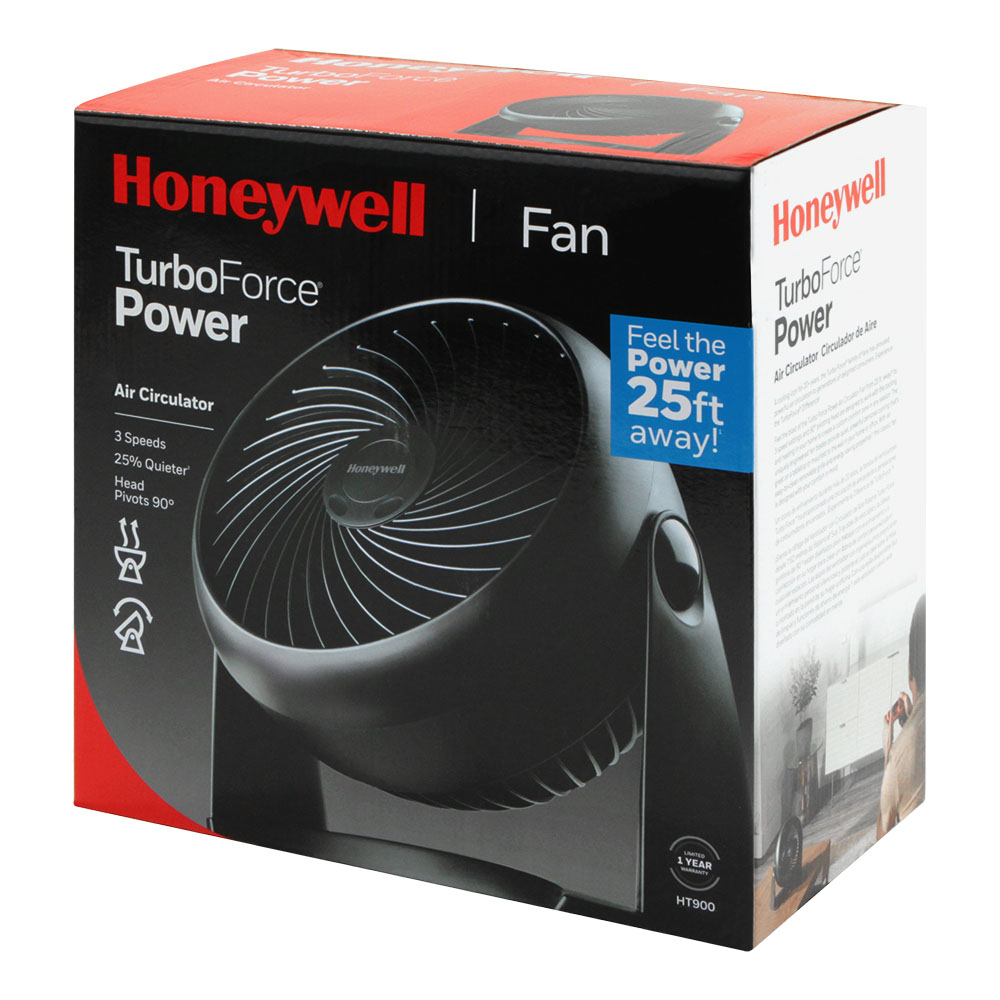
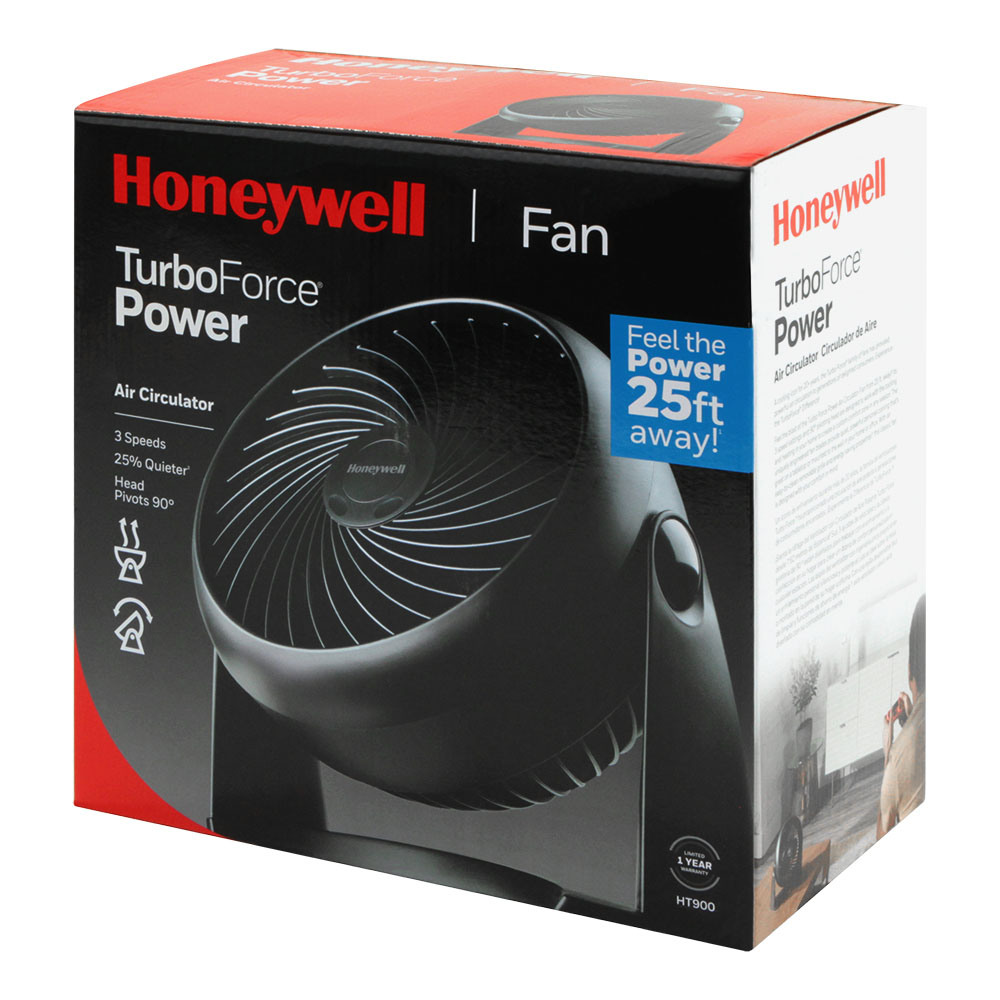
Honeywell TurboForce Air Circulator Personal Fan (HT-900)
A compact, surprisingly powerful personal fan that punches well above its budget price point — earning a solid 8.2/10.
Overview
The Honeywell TurboForce Air Circulator Personal Fan (HT-900) is a compact, high-performance personal fan designed to provide powerful air circulation in small spaces without the bulk of a tower fan.
Designed for anyone who wants a powerful blast of air without committing to a bulky tower or pedestal unit, it bridges the gap between a flimsy desk fan and a high-velocity circulator. If you're planning a larger cooling setup, check out our MrCool DIY mini-split buying guide for permanent solutions.Looking for more power? If you need to cool a larger space, we recommend the Lasko High-Velocity 20-Inch Floor Fan for superior room-wide circulation.
Measuring just over 7 inches tall, it sits comfortably on a desk, nightstand, or kitchen counter, yet manages to circulate air far more forcefully than its modest size implies.Our team highly recommends the Honeywell TurboForce Air Circulator Personal Fan for small desks and nightstands.
The "TurboForce" branding is more than marketing fluff. Unlike traditional fans that simply move air around the immediate vicinity of the blades, the HT-900 uses a turbine-inspired design to create a focused beam of air. This high-velocity stream can reach up to 30 feet, allowing it to move air across a medium-sized room if positioned correctly, despite its small footprint. This makes it an ideal companion for those who need targeted personal cooling—such as gamers in a warm room or office workers under a stagnant vent—without the spatial requirements of a full-sized unit.
Launched as a budget-friendly option in Honeywell's wide fan lineup, the HT-900 targets students, apartment dwellers, and home office workers. Its plug-in design keeps things simple, and the pivoting head lets you angle the airflow precisely where you need it. Whether you are aiming it directly at your face during a summer heatwave or angling it upward to push warm air toward a ceiling vent, the flexibility of the unit is its strongest asset. This review puts the HT-900 through its paces across everyday real-world use, covering airflow performance, noise levels, build quality, and long-term value.
Key Features
The HT-900's compact profile and 90-degree pivoting head make it a versatile personal cooling solution for almost any indoor environment.
Honeywell's proprietary blade geometry pushes air in a concentrated stream rather than a wide diffuse pattern, making it effective even from several feet away.
Low, medium, and high give you practical flexibility for quiet background cooling, a moderate breeze, or maximum airflow when the heat is serious.
The fan head tilts vertically up to 90 degrees so you can direct airflow precisely—horizontally across a desk or angled upward toward the ceiling.
At roughly 7.25 inches tall and a similarly modest footprint, it fits on crowded desks, window sills, and small nightstands without dominating the space.
Draws only around 18–22 watts at maximum speed, making it economical to run continuously without meaningfully affecting your electricity bill.
The front grill detaches for straightforward cleaning—an underrated feature that helps maintain airflow performance and hygiene over time.
| Feature | Value |
|---|---|
| Model Number | HT-900 |
| Fan Type | Personal table / desk fan |
| Speed Settings | 3 (Low / Medium / High) |
| Fan Diameter | Approx. 4 inches (blade span) |
| Unit Height | Approx. 7.25 inches |
| Pivot Range | 90 degrees (vertical tilt) |
| Power Consumption | ~18–22 W (max speed) |
| Cord Length | Approx. 6 feet |
| Noise Level (Low) | ~45 dB |
| Noise Level (High) | ~60–65 dB |
| Color Options | Black |
| Controls | Physical rotary dial |
| Removable Grill | Yes |
| Oscillation | No |
| Timer | No |
| Remote Control | No |
| Warranty | 3 years limited |
Pros & Cons
Pros
- Exceptional airflow for its size — genuinely impressive output
- Very compact and easy to position anywhere
- Low power draw keeps running costs minimal
- Removable front grill makes cleaning straightforward
- Sturdy, stable base that doesn't walk across surfaces
- Three-year warranty is generous at this price tier
- 90-degree tilt covers most practical use angles
Cons
- No oscillation — you must aim it manually
- High speed is noticeably loud for light sleepers
- No integrated timer or remote control features
- Only available in black — limited aesthetic options
- Concentrated airflow may feel too intense up close on high
- Not suitable as a primary room-cooling solution
Performance: Real-World Impressions
The Honeywell HT-900 fits easily into a crowded desk setup without taking up meaningful real estate. For those managing damp or stagnant rooms, pairing a fan with a quality dehumidifier like the GE ADEL50LZ can further improve air quality.
For those comparing this to other cooling options, we've tested various units, including the LG LW1222IVSM 12,000 BTU Window AC, to determine the best fit for small spaces. For those needing permanent climate control, our MrCool DIY mini-split buying guide or the Pioneer Mini-Split buying guide offer robust, permanent solutions. If you need something for a bathroom or laundry room, you might also consider the Panasonic WhisperGreen Select Quiet Ceiling Exhaust Fan (see our full review and buying guide) or the ultra-quiet Delta Electronics BreezSlim Ultra-Quiet Bathroom Exhaust Fan. In our testing, the primary observation was the disparity between the unit's size and its perceived power. Most "mini" fans act as gentle breezes; the HT-900 acts as a wind tunnel.
Fire up the HT-900 on its lowest setting and you get a steady, whisper-quiet breeze that's perfectly adequate for mild evenings or a gentle background cooling effect while you work. At roughly 45 decibels, it's comparable to a quiet conversation and won't disrupt calls or video sessions. Medium speed steps up noticeably—there's a meaningful jump in both airflow volume and noise that makes it the sweet spot for most everyday use. It provides enough velocity to move heat away from your body without the "drone" effect that can become distracting over a four-hour work session.
High speed is where the TurboForce reputation earns its keep. The concentrated jet of air from a fan this small is genuinely startling the first time you experience it. Sitting around 18 inches away at a desk, you feel a sustained, meaningful breeze rather than the lukewarm waft you might expect from a budget compact fan. The trade-off is noise—sitting between 60 and 65 decibels, it's clearly audible and would be disruptive for light sleepers or anyone on a voice call without a headset. It sounds less like a "hum" and more like a "whir," which is a byproduct of the high-RPM blades required to push air that far.
The 90-degree pivoting head is a practical win in daily use. It locks into the chosen tilt position firmly with a satisfying click and doesn't drift over time. Because this is vertical tilt only, the lack of horizontal oscillation is the most significant real-world limitation. You are committing the airflow to one direction. However, for a "personal" fan, this is rarely a dealbreaker. If you need to move the breeze, a simple 2-second manual twist of the base is all it takes.
Build quality feels appropriately solid for the price. The all-plastic construction is sturdy rather than cheap-feeling, the base is heavy enough to prevent the unit from walking across smooth surfaces on high speed, and the rotary speed dial has a reassuring mechanical click. After several weeks of daily use, nothing loosened, rattled, or showed signs of wear, confirming that the simple design contributes to its overall longevity.
How the TurboForce Technology Works
To understand why the HT-900 performs differently than a standard desk fan, one must look at the physics of air circulation versus air oscillation. Traditional fans use wide, curved blades to move a large volume of air at a low velocity. This creates a "wash" of air that feels cool immediately but dissipates quickly, often only reaching 3 to 5 feet before the air loses momentum.
The Honeywell TurboForce employs a "directional" approach. The blades are engineered with a steeper pitch and a more aerodynamic profile, mimicking the intake of a turbine. Instead of pushing a wide curtain of air, it compresses the airflow into a tight, high-velocity column. This creates a "jet" effect. This concentrated stream is far more effective at penetrating pockets of stagnant air and can travel much further across a room.
This design is particularly useful for "air layering." In a room with a single air conditioner, cold air often sinks to the floor while warm air stays trapped at the ceiling. By angling the HT-900 upward at a 45-degree angle on high speed, the TurboForce technology can physically push that cold air back up into the warm zone, forcing a convection current that cools the entire room more efficiently than a standard fan would (see our Hunter Comfort Select review and the comprehensive Hunter Comfort Select buying guide for more on whole-room air movement). This makes it a tool for air management, not just a device for blowing air on your skin.
Furthermore, the blade pitch is optimized for a high RPM-to-torque ratio. This allows the motor to spin the blades at a speed that generates significant pressure. While this increases the noise profile, it is the only way for a fan of this diameter to achieve a 30-foot throw. In contrast, "silent" fans often use wider, flatter blades that move more air locally but cannot project it, meaning you have to be within two feet of the fan to feel any relief.
Setup, Placement, and Optimal Usage
Setting up the Honeywell HT-900 is a "plug-and-play" experience. There is no assembly required; it comes as a single unit out of the box. However, maximizing the efficiency of the fan depends heavily on placement. Because the airflow is so concentrated, placing it too close to the user on high speed can actually be uncomfortable, potentially causing dry eyes or a chilled sensation that feels more like a draft than a breeze.
For the Home Office
The ideal placement is approximately 2 to 3 feet away from the user, angled slightly upward. This provides a consistent stream of air that keeps the user cool without creating a localized "wind tunnel" that might blow papers off the desk. If you use a standing desk, placing the HT-900 on a nearby shelf allows the air to hit your upper torso and neck, which is often where heat is most noticeable during deep focus work.
For the Bedroom
Since the fan lacks a timer, the best strategy for sleep is to place it on a nightstand and angle it toward the wall opposite the bed. This creates a secondary circulation loop, moving air around the room without the noise being directly in the ear or the wind blowing directly onto the face, which can be irritating during deep sleep. For those who prefer direct air, the "Low" setting is sufficient for a gentle night-time breeze that doesn't disrupt the sleep cycle with excessive noise.
For Small Kitchens
Placing the HT-900 near a stove or oven (at a safe distance) and angling it toward the user can significantly reduce the perceived heat during meal preparation. Its small footprint allows it to sit on a narrow counter without obstructing workspace. It can also be used to push steam or cooking odors toward a range hood or window more effectively than a larger, slower fan.
Maintenance and Long-Term Care
One of the most overlooked features of the HT-900 is the removable front grill. Most budget fans are molded as a single piece of plastic, meaning that as dust and pet hair accumulate on the blades, the only way to clean them is with a vacuum nozzle or compressed air, which often misses the core of the buildup. Over time, dust accumulation increases drag on the motor and reduces the velocity of the air.
To maintain the HT-900, users should unplug the device and gently pop the front grill away from the housing. This grants full access to the turbine blades. A damp micro-fiber cloth is usually sufficient to remove the "grey film" of dust. For those in high-dust environments (like workshops or pet-heavy homes), cleaning the blades once every two months—and perhaps upgrading your room's Filtrete MERV-12 air filtration—can prevent the motor from overworking and keep the noise levels from increasing due to imbalanced blades. If dust builds up on the leading edge of the blade, it creates turbulence, which manifests as a louder, more erratic rattle.
Regarding the motor, the HT-900 uses a permanently lubricated sleeve bearing. While this means you cannot "oil" the fan like old-fashioned vintage models, it also means there is no risk of leaking oil into the electronics. To extend the life of the motor, avoid running the fan on "High" for 24 hours a day, seven days a week. Rotating between medium and high prevents the motor from running at its absolute thermal limit, ensuring the three-year warranty is likely never needed.
Storage is also critical. Since the unit is compact, it's tempting to toss it in a closet during winter. We recommend wrapping the unit in a simple plastic bag or using a fabric cover. Because the intake is open, the motor can collect dust while dormant, which may lead to a "stiff" start-up the following spring. A quick blast of compressed air into the motor housing before the first use of the season is a great habit for longevity.
Honeywell HT-900 vs. Other Personal Fans: Which is Better?
When shopping for a personal fan, consumers generally choose between three categories: ultra-budget "hand" fans, mid-range personal circulators like the HT-900, and high-end tower fans. Understanding where the HT-900 fits helps determine if it's the right choice for your specific needs.
HT-900 vs. USB Desk Fans
USB fans are popular for their portability and silence, but they lack raw power. Most USB fans move air in a 2-3 foot radius. The HT-900, powered by a standard AC outlet, provides an order of magnitude more airflow. While you lose the ability to run it off a laptop, you gain the ability to actually cool a space rather than just shifting warm air around your face. If you are in a room with no ventilation, a USB fan is often useless; the HT-900 can actually move the air enough to lower your skin temperature via evaporation.
HT-900 vs. Tower Fans
Tower fans offer oscillation and a larger cooling area, making them better for cooling multiple people in a room. If you need professional-grade power, the Lasko High-Velocity