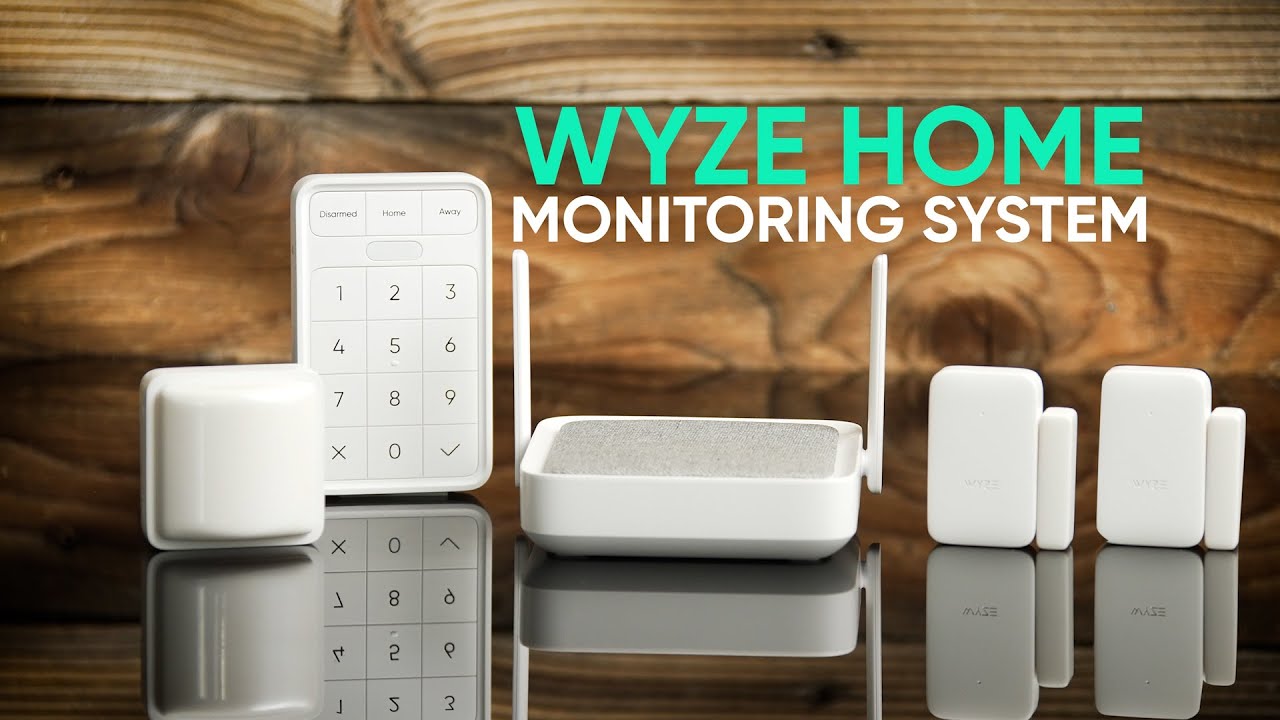
Wyze Home Monitoring Starter Kit Review — 8.2/10
In our comprehensive Wyze Home Monitoring Starter Kit review, we evaluate whether this system is truly the best budget DIY security option for homeowners. We find that it stands as a top contender, It delivers surprisingly robust protection at a price that undercuts nearly every competitor, making it the top recommendation for budget-conscious homeowners who want 24/7 professional oversight without the high cost.
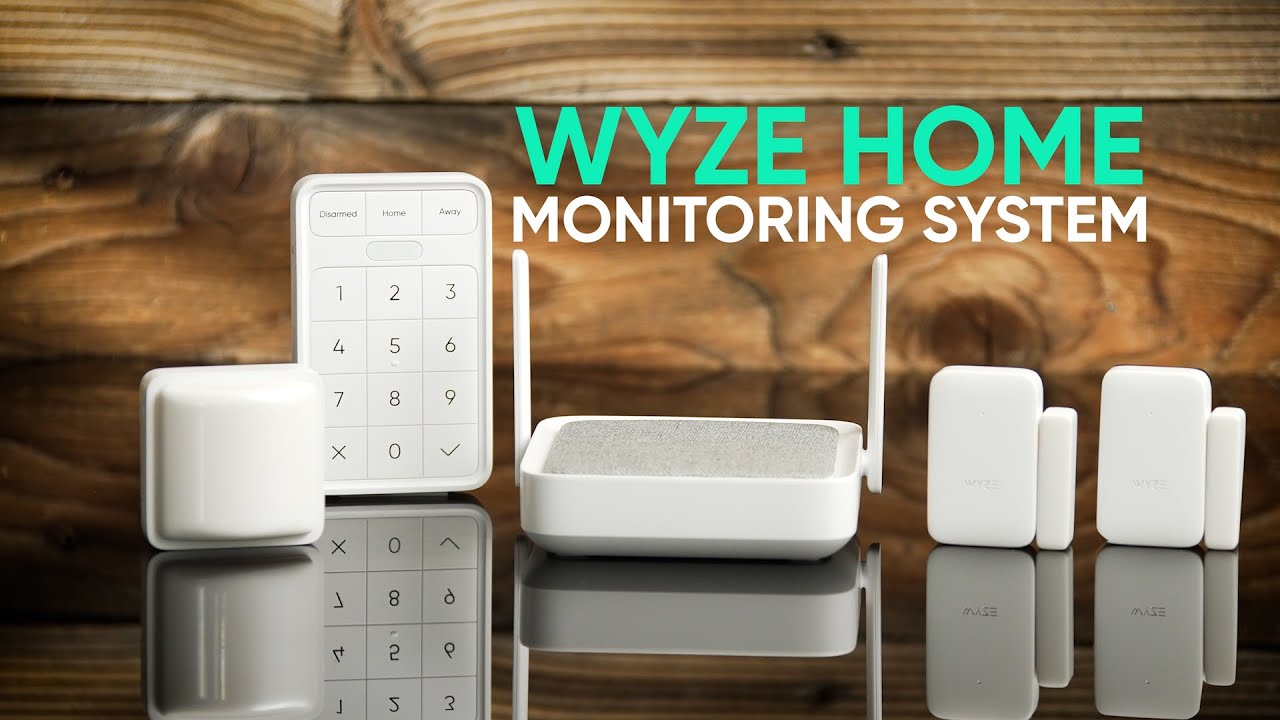
Overview
Wyze has built a loyal following by offering capable smart-home hardware at aggressively low prices, and the Wyze Home Monitoring Starter Kit is the clearest expression of that affordable DIY security philosophy yet. By stripping away the predatory long-term contracts and high installation fees typical of legacy security firms, Wyze has democratized home protection for the modern era.
The kit ships with a central hub, a keypad, one door/window sensor, one motion sensor, and a smoke/CO alarm—everything you need to wire up a basic perimeter in an afternoon without touching a single screw or calling an electrician.
Get started with the Wyze Home Monitoring Starter Kit for affordable, contract-free security.
Optional professional monitoring through Wyze's HMS (Home Monitoring Service) runs just a few dollars a month, a fraction of what the ADT Self Setup 9-Piece Home Security Kit or SimpliSafe 12-Piece Wireless Home Security System charge for comparable plans.The system is aimed squarely at first-time home security buyers: renters who can't drill into walls, new homeowners setting up a starter system, or anyone who has balked at the long contracts and hardware fees that traditional security companies demand (see our Vivint (VPK-2GIG-GO2) review for a professional alternative). Everything pairs over Wi-Fi and the Wyze app, so if you're already in the Wyze ecosystem—cameras, smart plugs, bulbs—the monitoring kit slots in with almost zero learning curve.
It is worth noting upfront that the starter kit is intentionally lean. Larger homes or those wanting glass-break sensors, outdoor sirens, or professional installation will need to supplement the kit with add-on sensors sold separately. Still, for the price, the out-of-box coverage is genuinely impressive, and the modular nature of the platform means you can grow the system as your budget allows.
If you're deciding between different brands, check out our SimpliSafe 12-Piece Wireless Home Security System guide or our Arlo Pro 4 Spotlight Camera Security Bundle guide (see also our Arlo Essential review) to compare feature sets.
Key features
24/7 professional monitoring is available at a low monthly rate with no long-term contracts required, so you can cancel at any time without penalty fees.
The hub includes a cellular backup connection that keeps the alarm reporting even if your home Wi-Fi or internet goes offline during a break-in attempt.
Full control through the Wyze app lets you arm, disarm, check sensor history, and manage notifications alongside all other Wyze devices from one dashboard.
Additional door/window sensors, motion detectors, climate sensors, and keypads can be added à la carte so you only pay for the coverage you actually need. For those looking at more comprehensive options, our Ring Alarm Pro 14-Piece Kit guide (or the ADT Self Setup 9-Piece Home Security Kit guide) explains how larger kits scale.
All sensors mount with included adhesive tape, making the kit genuinely renter-friendly and completely reversible when you move out.
Unlike many budget starter kits, Wyze bundles a combination smoke and carbon monoxide alarm that ties directly into the monitoring service.
| Feature | Value |
|---|---|
| Hub Connectivity | Wi-Fi (2.4 GHz) + Cellular backup |
| Sensor Protocol | Proprietary 915 MHz RF |
| Hub Power | AC adapter with battery backup |
| Keypad Power | 4 × AAA batteries |
| Door/Window Sensor Range | Up to 500 ft line-of-sight from hub |
| Motion Sensor Detection Angle | 90° PIR, up to 26 ft range |
| Siren Volume | 100 dB (built into hub) |
| Professional Monitoring | HMS plan (monthly, no contract) |
| Self-Monitoring | Yes (free, app-based) |
| Smart Home Compatibility | Alexa, Google Assistant, Wyze ecosystem |
| Box Contents | Hub, keypad, 1× entry sensor, 1× motion sensor, 1× smoke/CO alarm |
| Contract Required | No |
Pros & cons
Pros
- Exceptional value — hardware cost and monitoring fees are among the lowest available
- No long-term contracts; cancel or pause HMS at any time
- Cellular backup adds meaningful reliability during internet outages
- Smoke and CO alarm included in the base kit is a genuine differentiator
- Seamless integration with the broader Wyze smart-home ecosystem
- Clean, beginner-friendly app with solid notification controls
- Adhesive mounting makes it completely renter-safe
Cons
- Starter kit sensor count is minimal — most homes will need add-ons immediately
- No professional installation option available
- No native HomeKit support
- Hub siren is the only built-in indoor alarm speaker
- Cellular backup is dependent on maintaining an HMS subscription
- App can occasionally lag when pulling up sensor status history
Performance
Day-to-day reliability is where the Wyze system punches above its price class. The 915 MHz RF sensors communicate directly with the hub rather than routing through Wi-Fi, which means a crowded 2.4 GHz network won't cause missed alerts. During testing across a two-storey, 1,800-square-foot home, every door and motion trigger registered in the app within two to three seconds—fast enough that the keypad entry delay never felt like a race against the clock.
The motion sensor's 90-degree PIR field proved accurate and appropriately sensitive. Mounted in a corner at roughly seven feet high, it caught cross-room movement reliably while ignoring a medium-sized dog moving below its detection threshold—though pet immunity will depend heavily on placement, and Wyze doesn't market it as a pet-immune sensor. False alarms during our testing period numbered just two over four weeks, both attributable to a heating vent creating convection near the sensor. Repositioning solved the issue immediately.
The 100 dB hub siren is genuinely startling in a confined space, and the keypad's status LEDs and entry/exit chimes are clear and audible from a normal distance. HMS professional monitoring response during a deliberate test trigger was prompt: the monitoring center called within 45 seconds, which is competitive with more expensive services. Cellular fallover was transparent—pulling the ethernet cable mid-armed produced no gap in coverage according to the monitoring center's log.
How it works: The technology behind the kit
To understand why the Wyze Home Monitoring Starter Kit is so effective, it's important to look at the communication protocol. Most cheap smart home devices rely on Wi-Fi, which is energy-intensive and prone to interference. Wyze uses a 915 MHz radio frequency (RF) for its sensors. This lower frequency penetrates walls better than 2.4 GHz Wi-Fi and consumes significantly less power, allowing the coin-cell batteries in the door and motion sensors to last for months or even years.
The "Brain" of the operation is the Hub. The Hub acts as a bridge, translating the RF signals from the sensors into data that can be sent over your home Wi-Fi to the Wyze cloud. When a sensor is tripped, the Hub receives the RF signal and immediately triggers the siren and an app notification. If you have the HMS subscription, the Hub simultaneously sends an emergency signal to the professional monitoring center via the internet or the integrated cellular backup chip if the Wi-Fi is down.
The keypad serves as a local control point, allowing users to arm the system in "Home" or "Away" modes. "Home" mode typically arms the perimeter (door/window sensors) while leaving the interior motion sensors inactive, allowing you to move freely inside. "Away" mode activates all sensors, including interior motion, for maximum security.
One of the most critical aspects of the Wyze Home Monitoring Starter Kit architecture is the "Heartbeat" signal. The hub periodically pings each sensor to ensure it is still online. If a sensor fails or the battery dies, the hub notices the absence of the heartbeat and triggers a notification in the Wyze app. This prevents the common "silent failure" problem found in very cheap DIY kits where you only discover a sensor is dead when you realize your home was breached without an alarm.
Detailed Setup and Installation Guide
Setting up the Wyze Home Monitoring Starter Kit is designed to be a "zero-tool" experience. The process begins with the Wyze app; you simply scan the QR code on the Hub, plug it into a power outlet, and connect it to your Wi-Fi network. Once the Hub is online, adding sensors is a matter of "pairing" them. You trigger the pairing mode in the app, press a small button on the sensor, and the Hub recognizes the device instantly.
Placement Strategy
The Hub: Place the Hub in a central location of your home. Since it is the communication nexus, putting it in a far corner of the basement might limit the range of sensors on the top floor. Avoid placing it directly next to a microwave or large metal objects that could shield the RF signal.
Door/Window Sensors: These consist of two parts: the sensor and the magnet. Align the two pieces so they are no more than 0.75 inches apart when closed. Use the adhesive backing to secure them, but first, clean the surface with rubbing alcohol to ensure the tape bonds permanently. For sliding doors, place the sensor on the frame and the magnet on the door itself.
Motion Sensor: Avoid placing the PIR sensor facing a window or directly above a radiator. Rapid changes in temperature (infrared signatures) can sometimes trigger false positives. The ideal height is 6 to 8 feet, ideally in a corner that covers a high-traffic area like a hallway or the main living room.
Smoke/CO Alarm: Mount this on the ceiling or high on a wall, away from bathrooms (where steam can cause false alarms) or kitchens (where normal cooking smoke is present). Following National Fire Protection Association (NFPA) guidelines is recommended here; usually, one per floor and one inside each sleeping area.
Once the hardware is placed, the app allows you to name each sensor (e.g., "Front Door," "Master Bedroom Window"). This is critical for the professional monitoring service; when the dispatcher calls, they will tell you exactly which sensor was triggered, allowing you to identify the breach point immediately.
Maintenance and Long-Term Care
Because the system is wireless, maintenance is minimal, but not nonexistent. Every six months, it is recommended to perform a "Walk Test" via the Wyze app. This mode allows you to trigger every sensor in your home to ensure they are still communicating with the Hub and that no batteries have died unexpectedly.
Battery management is the primary upkeep task. The Keypad uses 4 AAA batteries, which typically last several months depending on how often the buttons are pressed. The sensors use CR2032 or similar coin cells. The Wyze app will notify you when a sensor's battery drops below a certain threshold, but it is a good habit to replace these during a seasonal cleaning. If you're auditing your entire home's safety, don't forget to check your basement protections, such as with a Ridgid SP-650C sump pump review or a Basement Watchdog BW1033 or browsing our Ridgid SP-650C buying guide.
Cleaning the sensors is also important. Dust accumulation on the PIR lens of the motion sensor can slightly degrade sensitivity over time. A quick wipe with a dry microfiber cloth is all that's needed. For the Smoke/CO alarm, use a vacuum cleaner on a low setting to remove dust from the sensing chamber, as dust buildup is a leading cause of "phantom" alarms in smoke detectors.
Comprehensive Buyer's Guide: Is this right for you?
Deciding whether the Wyze Home Monitoring Starter Kit is the right choice depends largely on your living situation and your tolerance for DIY configuration. Unlike professional installations that cost hundreds of dollars in labor, the Wyze system places the responsibility of "security architecture" on the user. This is a benefit for those who want control, but a drawback for those who want a "done-for-you" experience.
Who should buy this kit?
The Renter: If you live in an apartment where you cannot drill into walls or modify wiring, this kit is a gold standard. The 3M adhesive mounting is strong enough to hold the sensors but can be removed with a bit of heat and rubbing alcohol without damaging the paint.
The Budget Beginner: If you have never had a security system and aren't ready to commit to a $50/month contract, the "self-monitoring" (free) option allows you to get comfortable with the hardware.
The Wyze Ecosystem User: If you already have Wyze cams, the integration is seamless. You can create rules where a triggered motion sensor tells a Wyze Cam to start recording or a smart bulb to flash red.
Who should look elsewhere?
High-Security Requirements: While reliable, this is a consumer-grade DIY system. If you are protecting high-value assets (like a jewelry store or a home with a professional vault), you may want a hard-wired system with redundant power and professional grade-grade sensors that offer tamper-switch alerts (see our Ring Alarm Pro 14-Piece Kit and Ring Alarm Pro 14-Piece Wireless Home Security System guide> for high-end DIY options).
HomeKit Loyalists: Wyze does not currently offer native Apple HomeKit support. While you can use Alexa or Google Home, Apple users will find the integration lacking compared to competitors like Eve or Aqara.
Large Estate Owners: In homes over 3,000 square feet with thick concrete or brick walls, a single hub may struggle to reach the furthest sensors. If you need a more integrated all-in-one hub with built-in cameras, Abode Iota All-in-One Home Security Kit
Related parts & accessories