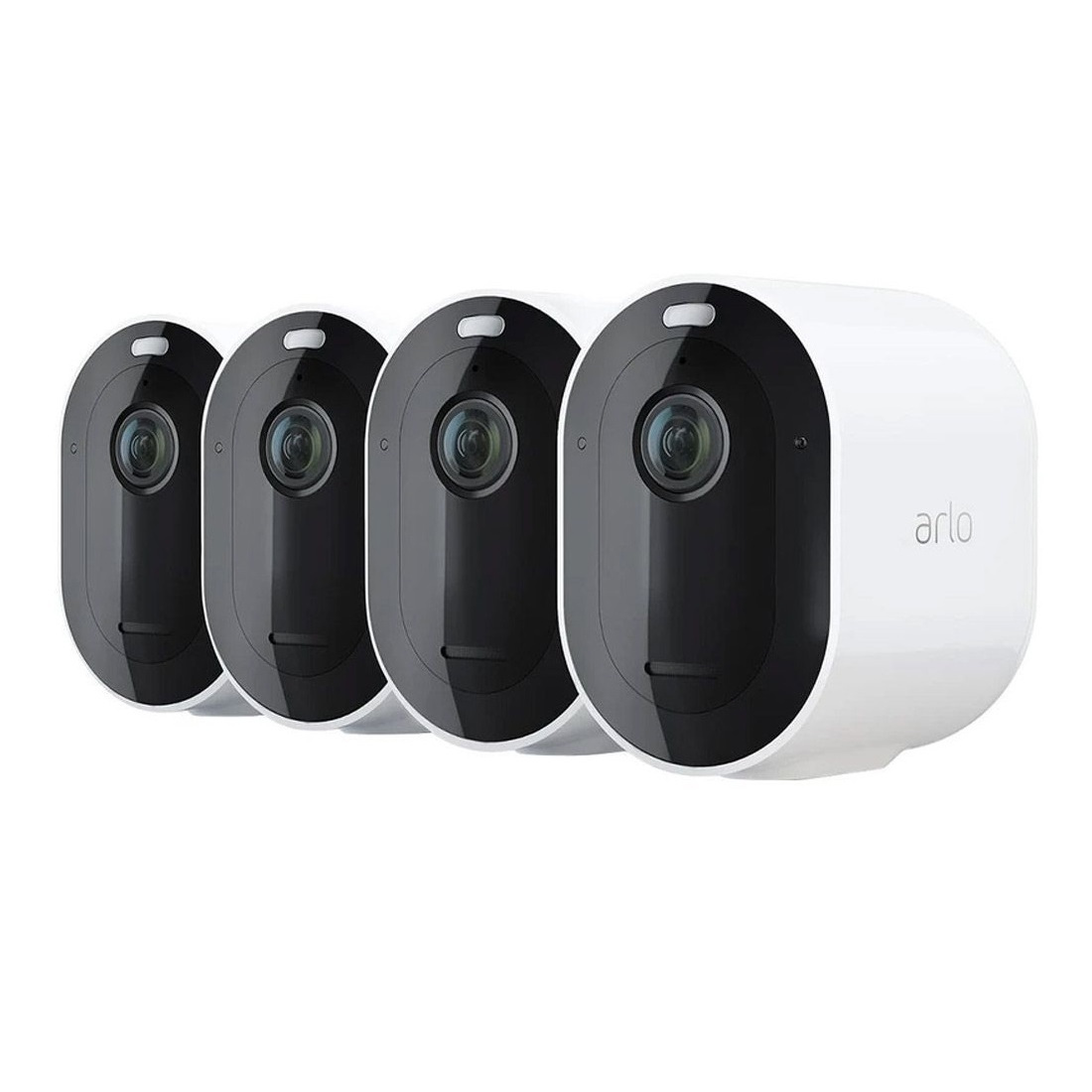
For homeowners seeking the best value in whole-home surveillance, the Arlo Pro 4 Spotlight Camera 4-Pack Security Bundle offers one of the most effective, wire-free ways to achieve comprehensive security without the cost of professional installation. This guide analyzes whether the Arlo Pro 4 Spotlight Camera 4-Pack Security Bundle provides the best value and comprehensive coverage for your home compared to buying individual cameras. For a more granular look at the hardware, see our Arlo Essential (VMK4352W) review for a deep dive into the hardware.
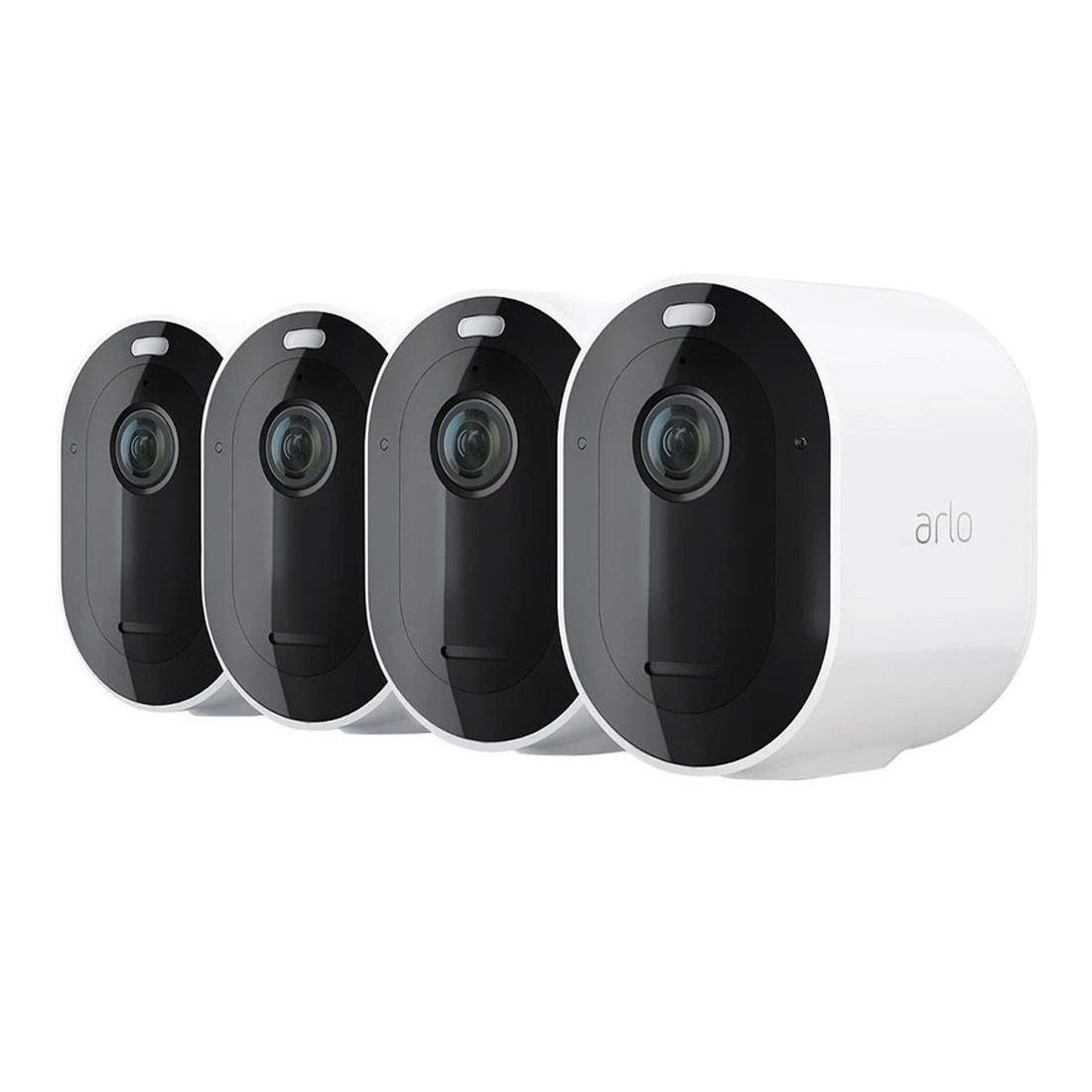
Best for Whole-Home Wire-Free Coverage
Arlo Pro 4 Spotlight Camera 4-Pack Security Bundle — 9.0/10. A strong buy for comprehensive security thanks to four flexible 2K HDR cameras with spotlights, color night vision, and direct wire-free Wi-Fi setup with this comprehensive bundle.
Arlo Pro 4 Spotlight Camera 4-Pack Security Bundle: Full Review & Analysis
The Arlo Pro 4 Spotlight Camera 4-Pack Security Bundle is engineered for homeowners who demand a wide security perimeter without the invasive process of drilling holes for power cables or running coaxial wiring through attics.
Related parts & accessories
By providing four synchronized cameras in a single package, Arlo allows you to secure the four most critical zones of a standard residential property: the front porch, the driveway, the backyard, and a side entrance or garage area. If you are looking for a fully managed system, you can compare this to the ADT Self Setup 9-Piece Home Security Kit or our Vivint review for total perimeter control.
One of the most significant upgrades in the Pro 4 series is the move to 2K HDR video. While 1080p is standard for budget security, 2K resolution provides the pixel density required to zoom in on license plates or recognize a face from a distance without the image dissolving into a blur. The High Dynamic Range (HDR) is particularly crucial for outdoor placement; it prevents "blowout" when a camera is facing a bright sunset or a shaded area with high-contrast lighting, ensuring that the image remains balanced and usable for evidence.
Nighttime security is handled through a dual-approach system. While the cameras possess standard infrared capabilities for discreet monitoring, the integrated spotlights allow for "Color Night Vision." For those building a full security ecosystem from scratch, our Ring Alarm Pro 14-Piece Wireless Home Security System guide provides a great comparison of integrated sensor-and-camera setups. If you're managing a larger property, our ADT Self Setup 9-Piece Home Security Kit offers a different approach to perimeter control. When the camera detects motion, the spotlight illuminates the area, turning a grainy black-and-white image into a vivid color recording. This is not just a visual upgrade; the sudden activation of a bright light serves as an active deterrent to intruders, signaling that they have been detected.
From a technical standpoint, the removal of the required SmartHub is a game-changer for ease of installation. The VMC4450P cameras connect directly to your 2.4GHz Wi-Fi network. This simplifies the "out-of-the-box" experience, allowing you to sync cameras via the Arlo app and mount them immediately. For those integrating into a smart home, the bundle plays well with Amazon Alexa, Google Assistant, and Apple HomeKit, allowing you to stream your driveway feed directly to a smart display or trigger lights when a camera detects motion.
Pros
- Comprehensive coverage for front, rear, and side views
- 2K HDR resolution offers superior detail over 1080p
- Built-in spotlights provide color night vision and intruder deterrence
- True wire-free installation eliminates cabling costs
- Direct Wi-Fi connection removes the need for a base station
- Full integration with Alexa, Google, and HomeKit
Cons
- Requires a very strong Wi-Fi signal at all four mounting points
- Advanced AI detection and cloud storage require monthly subscriptions
- Batteries require periodic recharging or solar accessory purchase
- Overkill for small apartments or single-entry condos
This buying guide may support the site through affiliate relationships, but retailer links are added separately.
Technical Specifications
| Specification | Arlo Pro 4 Bundle (VMC4450P) |
|---|---|
| Model Number | VMC4450P |
| Camera Count | 4 Cameras |
| Video Resolution | 2K HDR |
| Night Vision | Color Night Vision w/ Spotlights |
| Installation | Wire-Free / Battery Powered |
| Connectivity | Direct Wi-Fi (No Hub Required) |
| Audio | Two-Way Audio |
| Smart Home | Alexa, Google Assistant, Apple HomeKit |
| Storage | Cloud (Free/Paid Tiers) |
Deep Dive: How the Arlo Pro 4 System Works
To understand why the 4-pack is effective, one must understand the ecosystem of the Arlo Pro 4. Unlike traditional CCTV systems that record 24/7 to a hard drive (DVR), the Pro 4 is a "trigger-based" system. This means the camera stays in a low-power sleep state until its PIR (Passive Infrared) sensor detects heat and motion. Once triggered, the camera wakes up instantly, begins recording, and sends a push notification to your smartphone.
The 2K HDR stream is compressed and uploaded to the Arlo cloud. Because the cameras are wire-free, they rely on internal lithium-ion batteries. This is where the 4-pack management becomes important. With four cameras, you are managing four different battery levels. Depending on the amount of "traffic" (motion triggers) in each zone, some cameras—like one facing a busy street—will drain faster than one facing a quiet backyard. Arlo manages this through the app, providing percentage indicators and alerts when a unit drops below 15%.
The spotlight functionality is programmable. You can set the system to only use the spotlight at night, or trigger it during the day for specific alerts. When the spotlight is active, the camera switches from infrared mode to full-color mode. This is vital for law enforcement or insurance purposes; knowing that a car was "blue" rather than just "dark" can be the difference between solving a crime and hitting a dead end.
Understanding 2K HDR vs. Standard HD
Many consumers confuse "2K" with "4K" or "1080p." In the context of the Arlo Pro 4, 2K represents a significant leap in pixel density. A standard 1080p image has roughly 2 million pixels; 2K increases this to approximately 4 million. When reviewing footage, this allows for a much cleaner digital zoom. If a package is stolen from a porch, a 1080p image may show a blurry figure, while 2K HDR can often distinguish facial features or specific clothing logos.
HDR (High Dynamic Range) is the unsung hero of the VMC4450P. Outdoor environments are plagued by extreme lighting shifts—bright midday sun hitting a white wall while the porch remains in deep shadow. Without HDR, the camera would either overexpose the highlights (making the wall look like a glowing white blob) or underexpose the shadows (making the porch look pitch black). HDR balances these extremes, ensuring that the person entering the porch is visible even against a bright background.
The Role of the PIR Sensor
Passive Infrared (PIR) technology is what makes wire-free cameras viable. Instead of analyzing pixels for movement—which consumes massive amounts of power—the sensor looks for infrared radiation (heat). When a warm body (human or animal) moves across the sensor's field of view, the camera is triggered. This prevents the camera from recording every time a tree branch sways in the wind, though "Activity Zones" are still recommended to fine-tune this process.
Placement Strategy for the 4-Pack
With four cameras, the goal is to eliminate "blind spots." A common mistake is placing all cameras on the front of the house. A professional security perimeter follows these guidelines:
- The Front Portal: Position one camera to capture the front door and the walkway. This is your primary "visitor" zone. Ensure the angle covers the approach from the street so you see guests before they hit the doorbell.
- The Driveway/Garage: Place the second camera to cover the vehicle area. This is often where high-value assets are located and requires a wide angle to see the street and any vehicles entering the property.
- The Rear Exit: Back doors and sliding glass doors are common points of entry. The third camera should cover the backyard and any rear access points, focusing on the transition from the lawn to the house.
- The Side Vulnerability: The fourth camera should monitor the side gate or the narrow alleyway between houses, where intruders often hide from street-view cameras. This is the "stealth" zone that most homeowners forget to secure.
Recommended Stealth Mounting
Pro Tip: To maximize battery life across all four cameras, adjust your "Motion Zones" in the app. By masking out swaying trees or public sidewalks, you prevent the cameras from waking up unnecessarily, which can extend battery life by weeks.
The Buyer's Guide: Is the 4-Pack Right For You?
Choosing between a single camera and the Arlo Pro 4 Spotlight Camera 4-Pack Security Bundle comes down to the architecture of your home and your long-term security goals. While it may be tempting to start small, there are three primary reasons why the 4-pack is the superior choice for most homeowners.
1. Value and Scalability
Before choosing a bundle, you may want to check our Arlo Essential guide to understand the camera's individual capabilities and how it compares to other models in the lineup.
Buying cameras individually is almost always more expensive per unit. The 4-pack bundle typically offers a significant discount over buying four separate Pro 4 units. Furthermore, setting up four cameras at once allows you to calibrate your Wi-Fi signal across the entire property in one go, rather than discovering a "dead zone" six months later when you try to add a fourth camera to a distant corner of the yard.
2. Comprehensive Perimeter Security
Security is only as strong as its weakest link. A single camera on the front door creates a "false sense of security." A sophisticated intruder will simply walk around to the side or back of the house. For those comparing DIY options, such as the Eufy Security Alarm S330 (see our Eufy Security Alarm (S330) review) (read our full Eufy Security Alarm (S330) review), a SimpliSafe 13-Piece Wireless Home Security System (see our comprehensive SimpliSafe review) provides a good perspective on combined sensor and camera coverage. For those seeking more than just cameras, you might consider exploring a professional DIY security system like the ADT Self Setup 9-Piece Kit or comparing your needs with our Ring Alarm Pro 14-Piece Wireless Home Security System buying guide. A comprehensive setup like the SimpliSafe 12-Piece Wireless Home Security System with HD Camera, the ADT Self Setup 9-Piece Home Security Kit with 24/7 Professional Monitoring, or the Ring Alarm Pro 14-Piece Wireless Home Security System with Built-in eero Wi-Fi 6 Router can add critical door and window sensors to complement outdoor cameras. By deploying a 4-pack, you create a digital fence. If an intruder is spotted by the side-gate camera, you have a timestamped record of their entry point and their path of travel, which is essential for police reports.
3. Installation Simplicity
The "Direct-to-Wi-Fi" nature of the Pro 4 removes the biggest hurdle of multi-camera systems: the hub. If you are considering a broader security ecosystem, our ADT Self Setup 9-Piece Home Security Kit explains how to integrate sensors with cameras for total home coverage.
For a more budget-friendly, traditional layered defense, consider the Arlo Essential security setup, or refer to our Ring Alarm Pro 14-Piece Wireless Home Security System guide for more integrated sensor options.
In previous generations, you had to place a hub centrally to communicate with the cameras. With the VMC4450P, as long as your Wi-Fi reaches the mounting point, the camera works. This makes the installation of four cameras nearly as simple as the installation of one.
Comparison: Arlo Pro 4 vs. Alternatives
| Feature | Arlo Pro 4 (4-Pack) | Basic 1080p Systems | Wired PoE Systems |
|---|---|---|---|
| Installation | Easy / Wire-Free | Easy / Wire-Free | Difficult / Hardwired |
| Image Quality | 2K HDR (High) | 1080p (Standard) | 4K (Ultra High) |
| Night Vision | Color (Spotlight) | B&W (Infrared) | B&W or Color |
| Hub Needed | Optional | Usually Yes | Yes (NVR) |
| Power Source | Battery/Solar | Battery | Continuous Power |
Step-by-Step Setup and Optimization
Setting up the VMC4450P bundle requires a methodical approach to ensure you don't have to climb a ladder twice. Follow this workflow for the best results.
Phase 1: The Digital Handshake
Before mounting any cameras, perform the "Kitchen Table Setup." Power on all four cameras and sync them to the Arlo app while you are standing next to your router. This ensures that the firmware is updated and the cameras are successfully paired with your account. Updating four cameras via Wi-Fi is much faster when they are close to the router than when they are mounted 20 feet up a wall.
Phase 2: The Signal Test
Take each camera to its intended mounting location. Before screwing in the bracket, open the live feed on your phone. Check for "stuttering" or lag. If the 2K stream is dropping to a lower resolution or disconnecting, y